10
CONTROLS – ON/OFF
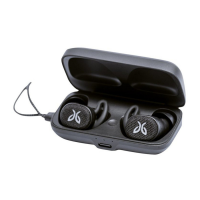
Removing your earbuds from the charge case will automatically turn
them on while placing them into the charge case will turn them off.
When not in the case, your buds automatically power down after about
30 minutes of non use.
You can also manually turn your earbuds on or off.
OFF – Pressing on either the left or right button for 3 seconds will turn
off both buds.
ON – A single press on each bud for 3 seconds will turn them on.
POWER ON – LED turns solid green for about 2.5 seconds
POWER OFF – LED glows solid red for 1.5 seconds
PAIRING – LED blinks green continuously in pairing mode
and turns off once connected to a music device
or upon reaching timeout (5 min)



 To Next Page