11
DETAILED INSTRUCTIONS
PLAYING MUSIC
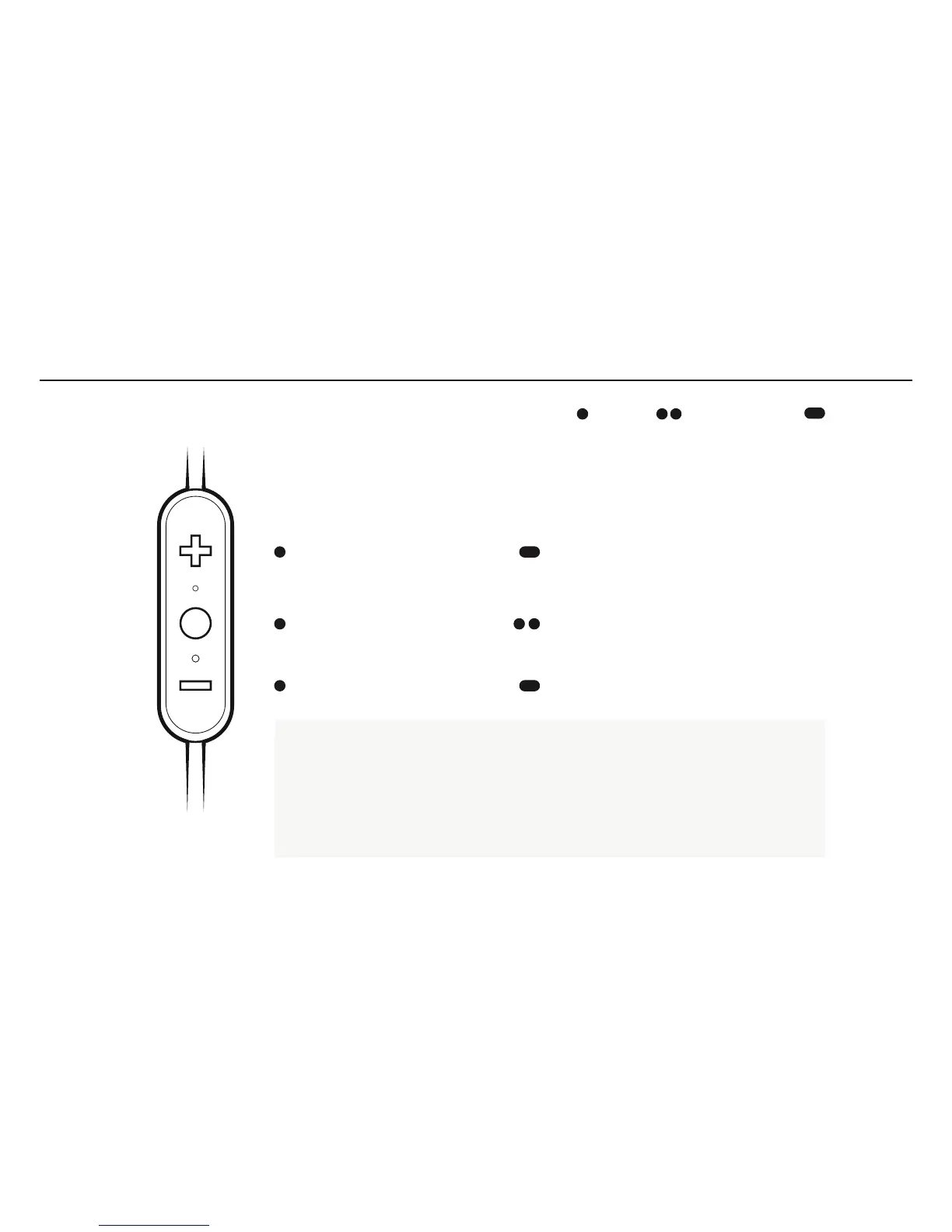
Play or pause, a song or video with a single press and release of the Middle Button.
To skip a song, long press the Vol. + Button.
To go backwards, long press the Vol. Button.
To change the volume + or –, press the Vol. + or Vol. Button.
To activate voice assistant, (Siri or Google Now), double press the Middle Button.
VOLUME UP
NEXT SONG
PLAY PAUSE
OR CUSTOM CONTROL
VOICE ASSISTANT
OR CUSTOM CONTROL
VOLUME DOWN PREVIOUS SONG
LONG PRESS
PRESS DOUBLE PRESS



 To Next Page