5
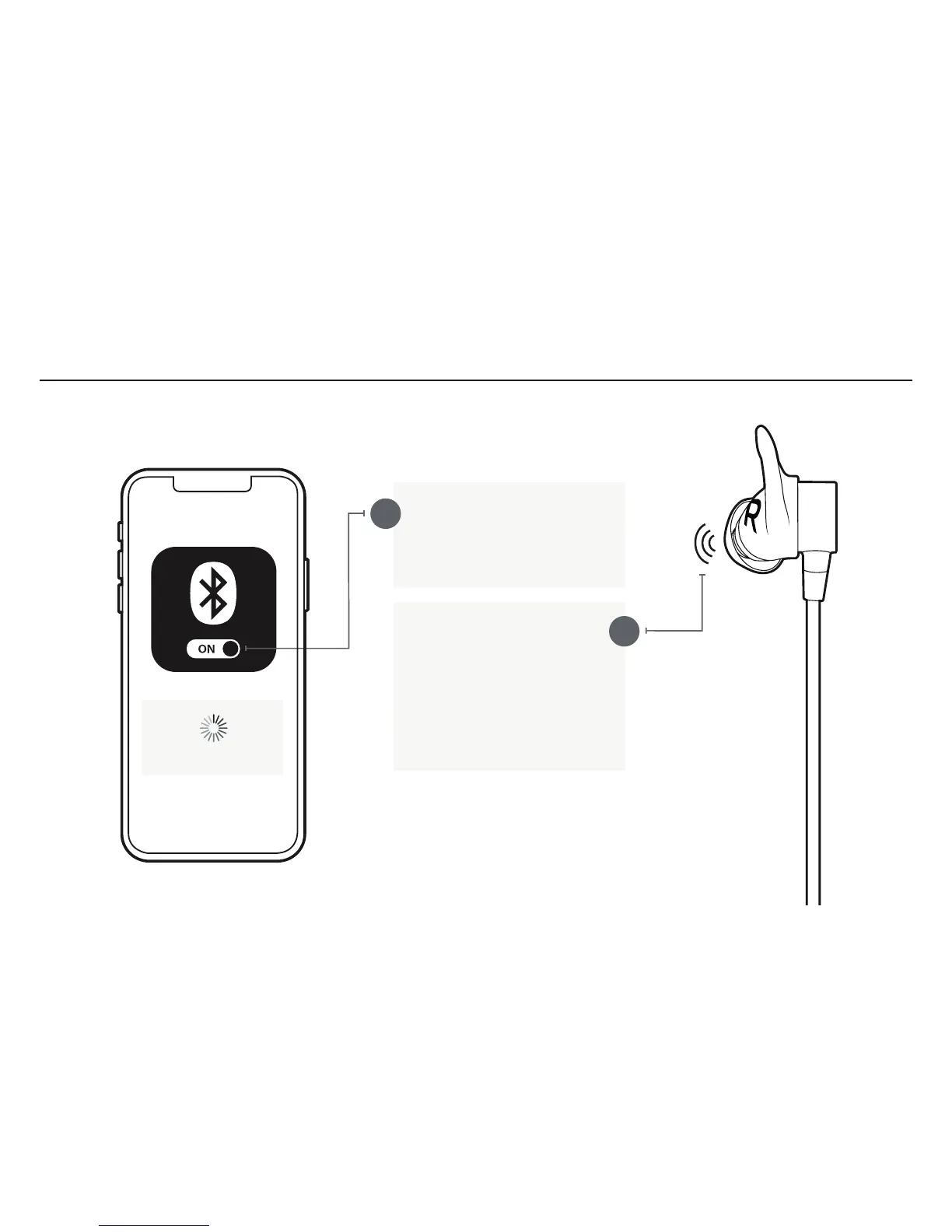
On your audio device, turn
Bluetooth
®
on and ensure it is
actively searching for Bluetooth
devices.
A
With your Tarah Pro earbuds
turned off, press and hold the
Middle Button until you see
the LED blinking white. You
will hear the “READY TO PAIR.
DOWNLOAD THE JAYBIRD
APP FOR AN ASSISTED
SETUP” voice prompt.
Searching...
PAIRING
B



 To Next Page