6
C
D
PAIRING
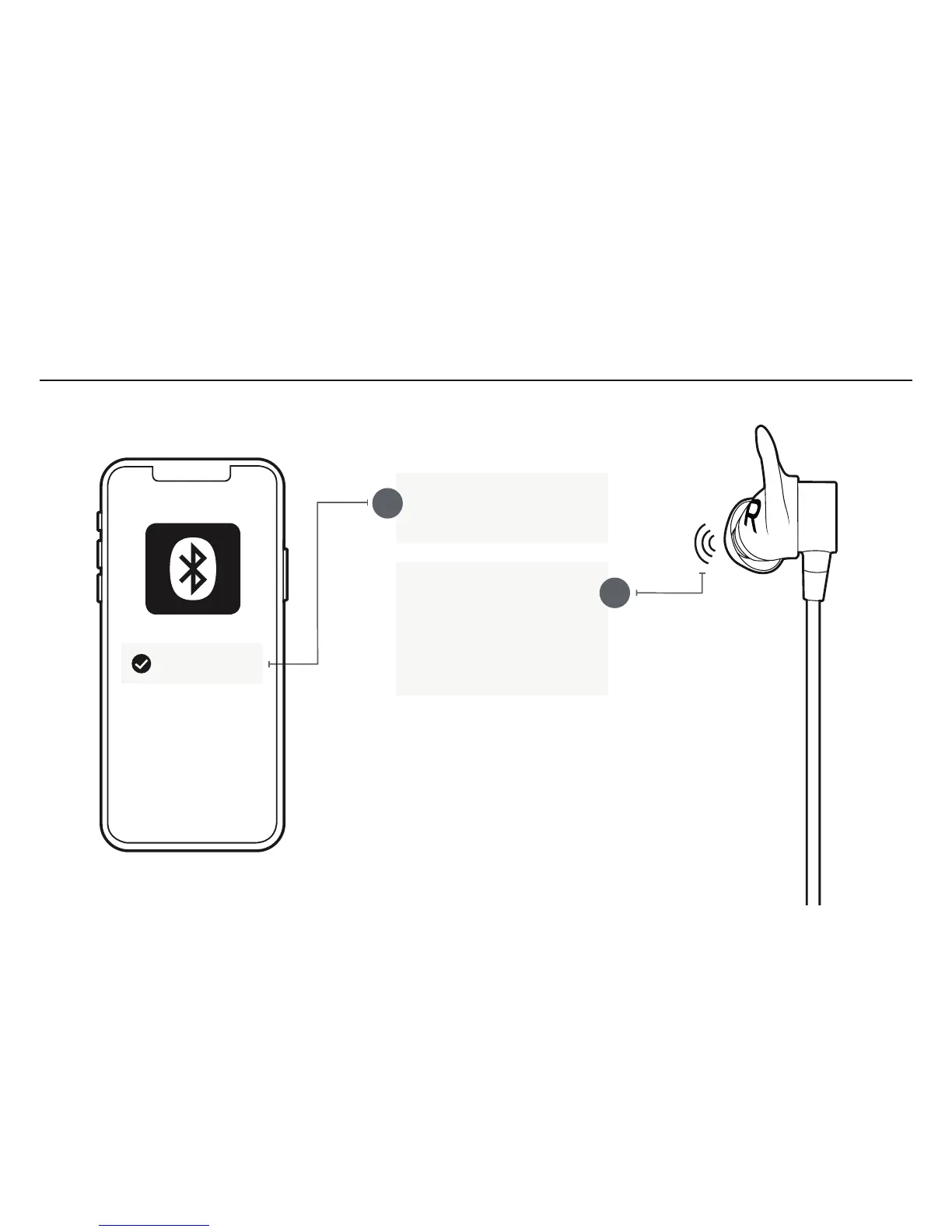
Select “Jaybird Tarah Pro” in
the list of discovered devices.
Once your Tarah Pro earbuds
have connected to your audio
device you will hear the
“Connected” voice prompt.
You are now ready to listen to
your music.
If the pairing is not successful, switch off your earbuds by pressing the
Middle Button until the red LED illuminates and you hear a descending
“Power off” tone. Once your earbuds have powered off repeat steps A-D.
NOTE: When you turn your Tarah Pro earbuds on for the first time or after a
reset, they will be in pairing mode.
Jaybird Tarah Pro



 To Next Page