Rack mount Series UPS (1~3kVA) User ‘s Manual
-14-
Table 3-2 Recommended Sectional Flow of Cable Sectional Area of UPS
Ampacity
(A)
Sectional Area (mm
2
)
1 1.5 2.5 4 6 10 16 25
Rubber
(25°C)
8 12 20 28 42 70 96 125
Plastic
(25°C)
6 9 15 20 30 50 64 100
3.5 Cable Connection
To connect UPS cable only after confirming that all air switches on UPS are in
disconnection condition, and the equipment is properly installed.
3.5.1 Rack mount Series Wiring
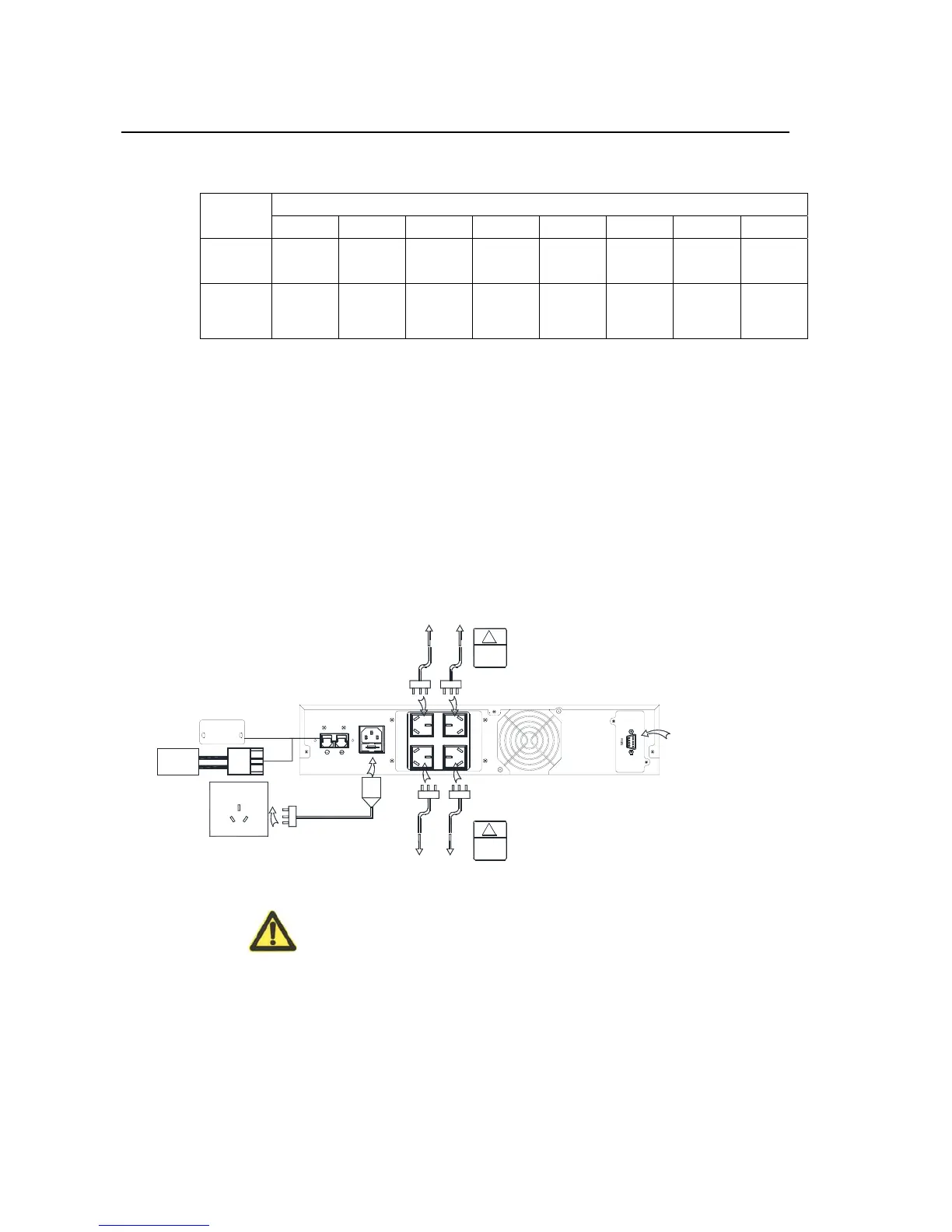
1kVA standard UPS with battery internal and long backup type UPS wires
connection as Figure 3-2. As for the standard UPS with battery internal, it
doesn’t need the operation of step 1&step 2 and remove the DC input cover.
INPUT
DC
FUSE 250V/10A
AC INPUT
2.DC
Input
DC
Source
Socket output
to load
Socket output
to load
Socket output
to load
Socket output
to load
Share
alike
!
Share
alike
!
Commercial
power input
1.Take
off cover
Commercial
power socket
Communite with
computers or moniters
Figure 3-2 1kVA wires connection
Caution:
Step 1. Mains socket should be installed near the equipment and should be
easy to touch.
Step 2. For long backup type UPS, it needs to connect battery input wire, that’s
to connect the battery cable to the rear panel socket of UPS. The



 To Next Page