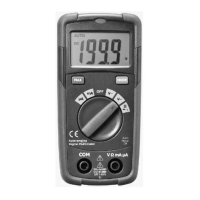
www.procontechnology.com.au Phone: (03) 98306288
REL button
The REL button performs a relative measurement.
Except for Hz, %, Diode and Continuity, all other
functions will operate in the relative mode.
Hz% button
Hz% is the Frequency/Duty Cycle select button. In the
frequency measurement mode (function switch set to
Hz%), pressing the button can select frequency or duty
cycle measurements; in AC/DC Voltage or Current
modes, pressing the key will switch to Frequency/Duty
Cycle measurement mode and then back to voltage or
current mode.
DC/AC VOLTAGE MEASUREMENT
1) Insert the black test lead into the negative COM jack
and the red test lead into the positive V jack.
2) Set the function switch to the Voltage V position.
3) Use the MODE button to select AC or DC Voltage.
4) Connect the test leads to two points in the circuit to
measure the voltage difference.
5) Read the voltage measurement on the display.


 To Next Page