EasyManua.ls Logo

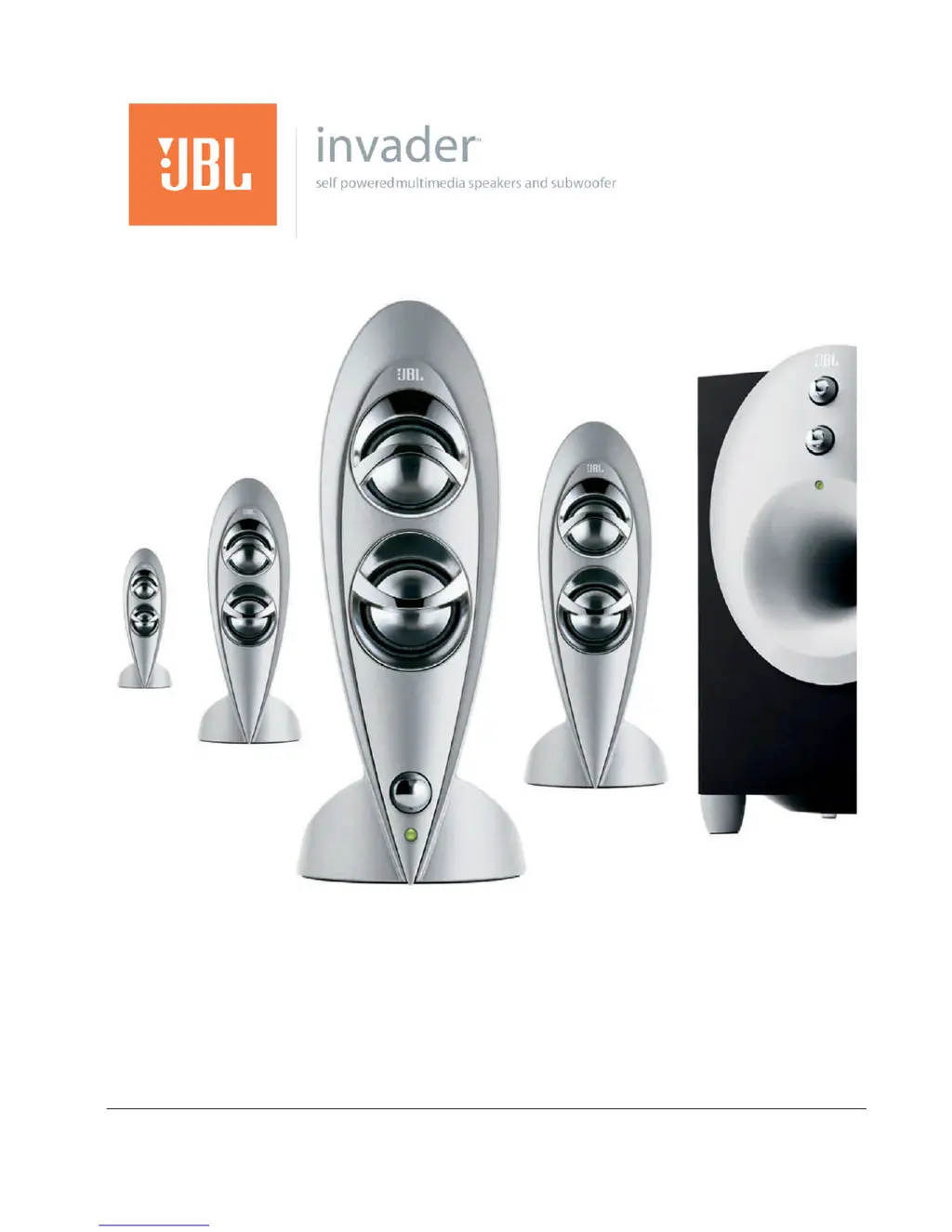
JBL INVADER - User Manual

JBL INVADER
30 pages
Print Icon
To Next Page IconTo Next Page
Loading...
Document Number: 950-0042 Description: MANUAL, JBL 4.1, All languages
Revision: 06
English
French
Spanish
German
Japanese

Questions and Answers

  • M
    Mrs. Taylor Stephens PhDJul 30, 2025
    Why is there no sound coming from my JBL Speaker System?
    • M
      Michael DixonJul 30, 2025
      First, ensure that the wall power outlet or power strip has power and that all switches for the outlet/power strip and the speaker system are turned on. Also, check if the control/right satellite of your INVADER is plugged in correctly. Remove and reconnect the control/right speaker connector from the subwoofer, making sure it is properly pushed in.
  • O
    orozcomarcusAug 5, 2025
    What to do if my JBL INVADER Speaker System has distortion (static, crackling or hissing sounds)?
    • T
      tgonzalezAug 5, 2025
      The distortion might be caused by several factors. First, turn off your monitor to see if the noise disappears, and try moving the speaker cables further away from the monitor. Ensure the speaker is connected to the correct receptacle, checking the color-coding on the connectors. Also, verify that all signal cables are snugly inserted. The volume level on your sound card might be too high, so check it via Windows Volume Control. Finally, the sound card or the audio source itself could be the issue. Test the speakers with another audio source, such as a CD ROM headphone jack, to troubleshoot the sound card.
  • R
    Rachel LoveAug 11, 2025
    Why does my JBL INVADER Speaker System subwoofer emit a loud hum or buzzing noise?
    • A
      Alexandra StricklandAug 11, 2025
      Check the input cable connection to ensure it is properly plugged in. A loose connection can cause humming or buzzing.
  • V
    Vincent ShermanAug 16, 2025
    How to adjust too much bass or treble on my JBL INVADER?
    • O
      oturnerAug 17, 2025
      If you are experiencing too much bass or treble, turn the Bass/Treble levels down or return their settings to the center position.
  • L
    Lauren RichardsonAug 23, 2025
    What to do if my JBL INVADER Speaker System picks up radio frequency interference?
    • D
      David ShortAug 23, 2025
      The input cable may be picking up interference. Try wrapping up any excess input cable to make it as short as possible.

Summary

Safety Instructions

Introduction

Setup

Component Identification

Unpack and identify all speaker system components before proceeding with setup.

Placement of speakers

Using the speaker system

On;Off Switch

Locate and understand the function of the power on/off switch and status LEDs.

Volume Control

Learn how to adjust the system volume using the control knob on the satellite speaker.

Muting

Controls on the Subwoofer

Bass Control

Adjust the subwoofer's bass level by turning the marked knob clockwise or counterclockwise.

Treble Control

Adjust the system's treble level by turning the marked knob clockwise or counterclockwise.

Troubleshooting

Specifications

Regulatory

JBL INVADER Specifications

General IconGeneral
Water ResistanceNo
Bass ControlYes
Volume ControlYes
Power SourceAC power
Type2.1
Bluetooth Version4.2
Weight4.5 kg
Satellite Speakers Power5W x 2
Frequency Response40 Hz - 20 kHz
Signal-to-Noise Ratio80 dB
Dimensions (Subwoofer)220 x 230 x 260 mm
Dimensions (Satellite)85 x 85 x 170 mm
Weight (Subwoofer)3 kg
Battery LifeNo

Related product manuals