EasyManua.ls Logo

JBL SRX818SP - User Manual

JBL SRX818SP
45 pages
Print Icon
To Next Page IconTo Next Page
Loading...
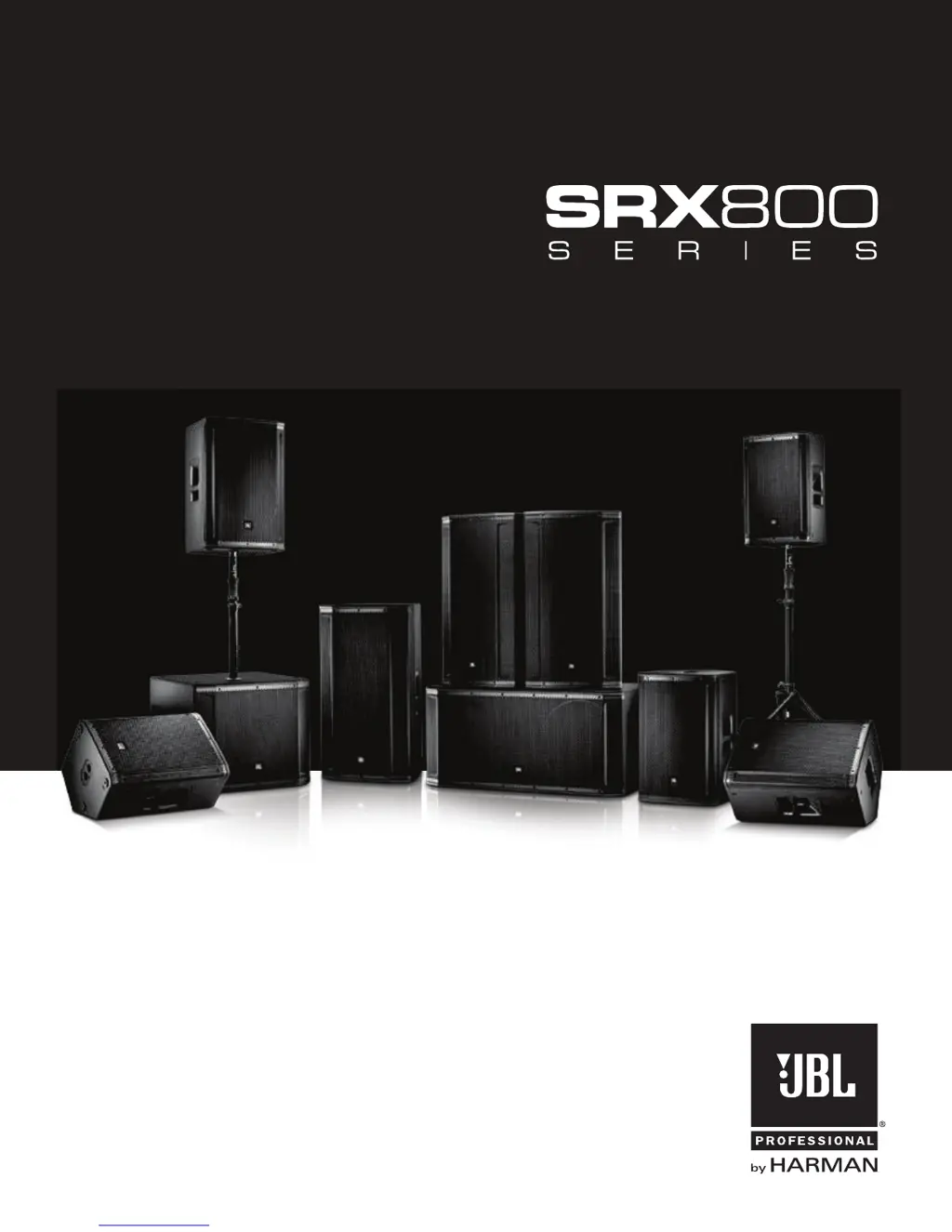
SRX812P SRX815P SRX835P SRX818SP SRX828SP
USER’S GUIDE

Other manuals for JBL SRX818SP

Questions and Answers

  • M
    Mary FrancisAug 20, 2025
    How to reduce hum or buzz in JBL Speakers with long cables?
    • P
      paul00Aug 20, 2025
      If you're experiencing hum or buzz with your JBL speakers, and it's due to an excessively long unbalanced cable run, try using the balanced outputs if they are available.
  • S
    Sherri SmithAug 22, 2025
    What to do if my JBL Speaker System has no sound but the speaker comes on?
    • M
      Mark BrownAug 22, 2025
      If your JBL Speaker System powers on but produces no sound, here’s what to check: * Ensure that the signal source (mixer, instrument, etc.) is sending a signal. Check the VU meters on the source mixer and verify that any tape or CD is playing. Use headphones to confirm the instrument is sending an audio signal. * Inspect the cables and connections for faults. Disconnect and then re-seat the signal cables. If you suspect a cable is bad, replace it with one that is known to be working correctly.
  • M
    Melissa LunaAug 25, 2025
    What to do if my JBL Speakers sound distorted and the PEAK light is on?
    • D
      Dr. Christine MatthewsAug 25, 2025
      If the signal from your JBL speakers sounds distorted and very loud, and the PEAK light is frequently on, it's likely due to an excessive input signal trying to exceed the speaker's capabilities. To resolve this, reduce the output level of the source.
  • L
    Luke MorenoAug 26, 2025
    How to fix JBL Speakers when there is no sound?
    • M
      Michael CurryAug 26, 2025
      If there is no sound from your JBL speakers, make sure the speaker is connected to an active AC power source and that the circuit is on. Also, verify that the power is switched on and the power LED is illuminated.
  • M
    Michele MartinezAug 27, 2025
    Why is there noise or hiss coming from my JBL Speakers?
    • T
      Taylor StoutAug 27, 2025
      If you hear noise or hiss at the output of your JBL speakers, the issue might be a noisy source device. Try disconnecting the devices connected to your speaker one at a time. If the noise disappears, the problem lies with the source or the connecting cable.
  • P
    prileyAug 29, 2025
    What to do if JBL Speakers sound distorted at moderate volumes?
    • J
      Joseph CunninghamAug 29, 2025
      If the signal from your JBL speakers sounds distorted even at moderate volumes and the LIMIT light is not lit, the mixer or another source might be overdriven. Consult the owner's manual for your mixer and adjust the controls as needed.
  • S
    Sarah WilsonAug 31, 2025
    Why is there no sound from my JBL Speakers when using a microphone?
    • M
      Martin WilliamsAug 31, 2025
      If you are getting no sound from your JBL speakers with a microphone directly connected, it could be that the microphone requires phantom power. Try switching to a dynamic microphone, using a battery-powered microphone if available, or using an external phantom power supply for condenser-type microphones.
  • D
    donna61Sep 2, 2025
    Why do my JBL Speakers have hum or buzz with improper gain?
    • L
      laurawilliamsSep 2, 2025
      If you're experiencing hum or buzz with your JBL speakers, it may be due to an improper system gain structure. Try reducing the input level controls and increasing the output level of your source devices.
  • B
    Brittany CareySep 4, 2025
    Why does hum or buzz in JBL Speakers change with mixer levels?
    • A
      Alex MercerSep 4, 2025
      If the hum or buzz from your JBL speakers increases or decreases when the mixer level controls are moved, it could be due to an improper AC ground or faulty equipment connected to the mixer input. Disconnect or mute channels one at a time to isolate the problem. Refer to the owner’s manual of the faulty equipment for troubleshooting help.
  • B
    burkeconnieSep 6, 2025
    What to do if the JBL Speaker System signal sounds distorted and very loud?
    • C
      Charles RogersSep 6, 2025
      If the signal from your JBL Speaker System sounds distorted and the PEAK light is frequently lit, it indicates that the input signal is too high, exceeding the speaker's capabilities. Here’s what you can do: * Reduce the output level of the audio source. * Lower the level controls on the speaker itself. * Consider using additional SRX800 speakers to distribute the load.

Summary

Safety Instructions

Declaration of Conformity

Safety and EMC Compliance

Details safety and EMC standards including EN, IEC, and UL specifications.

FCC and IC Regulatory Statements

Covers FCC and Industry Canada compliance and warnings for device operation.

Quick Setup Guide

Packaging and Configuration Options

Lists packaging contents and illustrates various speaker setup configurations.

Initial Setup Steps

Guides users through powering on, plugging in inputs, and setting output levels.

SRX812 P, SRX815 P, SRX835 P Back Panel Overview

Input;Output and Connectivity Ports

Details XLR, TRS, Mix Out, Ethercon connectors and locking IEC inlet.

Control Interface and Indicators

Explains LCD screen, power button, encoders, LEDs, and system indicators.

SRX828 SP, SRX818 SP Back Panel Overview

Input;Output and Connectivity Ports

Details XLR, TRS, Mix Out, Ethercon connectors and locking IEC inlet.

Control Interface and Indicators

Explains LCD screen, power button, encoders, LEDs, and system indicators.

Overview - SRX800 Family

SRX812 P, SRX815 P Block Diagram

SRX835 P Block Diagram

SRX818 SP Block Diagram

SRX828 SP Block Diagram

SRX812 P Specifications

System and Performance Details

Details system type, SPL, frequency response, and coverage patterns.

Amplification and Input Characteristics

Covers power rating, impedance, gain levels, and input connectors.

Speaker Drivers and Enclosure Construction

Lists driver details, enclosure material, finish, and mounting features.

SRX815 P Specifications

System and Performance Details

Details system type, SPL, frequency response, and coverage patterns.

Amplification and Input Characteristics

Covers power rating, impedance, gain levels, and input connectors.

Speaker Drivers and Enclosure Construction

Lists driver details, enclosure material, finish, and mounting features.

SRX835 P Specifications

System and Performance Details

Details system type, SPL, frequency response, and coverage patterns.

Amplification and Input Characteristics

Covers power rating, impedance, gain levels, and input connectors.

Speaker Drivers and Enclosure Construction

Lists driver details, enclosure material, finish, and mounting features.

SRX818 SP Specifications

System and Performance Details

Details system type, SPL, frequency response, and coverage patterns.

Amplification and Input Characteristics

Covers power rating, impedance, gain levels, and input connectors.

Speaker Drivers and Enclosure Construction

Lists driver details, enclosure material, finish, and mounting features.

SRX828 SP Specifications

System and Performance Details

Details system type, SPL, frequency response, and coverage patterns.

Amplification and Input Characteristics

Covers power rating, impedance, gain levels, and input connectors.

Speaker Drivers and Enclosure Construction

Lists driver details, enclosure material, finish, and mounting features.

Purposeful Product Design

Portability and Handling Features

Highlights ergonomic handles, suspension points, and indexed feet for easy transport and setup.

Mounting and User Interface Features

Covers pole mounts, stacking, and back panel LCD for user convenience.

Component Elements

Transducer Technology Details

Explains HF, LF, and MF drivers, and patented waveguides.

Network Control and DSP Systems

Details HiQnet network integration and premium DSP capabilities.

Amplification and Control Features

Covers Crown DriveCore amplification and user control options.

Back Panel LCD Interface Navigation

Input Screen and Menu Structure

Guides on navigating the input screen and main menu structure.

Settings and Network Configuration

Details presets, dimming, sleep modes, meters, and network settings.

SRX Presets and Crossover Guidance

Preset Descriptions and Usage

Lists and explains various presets for different speaker and subwoofer combinations.

Crossover Selection Chart

Provides a chart to select optimal crossover points based on system configuration.

Premium DSP Technology Features

DSP Capabilities and Tunings

Details V5 Tunings, PEQs, delay, signal generators, and amplifier monitoring.

Control Software and Apps

Explains SRX Connect App and Audio Architect for system control.

System Networking and Control

Connection Methods and Software

Describes wired/wireless connections, Audio Architect usage, and networking issues.

Smart Device App Control

Loudspeaker Placement and Suspension

Optimizing Sound Coverage and Feedback

Tips on speaker aiming, placement relative to mics, and feedback reduction.

Usage Scenarios and Positioning

Guidance on placement near turntables, in large spaces, and for stage monitoring.

Troubleshooting Common Issues

Warranty Information

Warranty Terms and Coverage Details

Outlines who is protected, what is covered, and warranty limitations.

Procedure for Obtaining Service

Explains how to get warranty repairs and necessary documentation.

Contact and Support Information

Quickstart Guide: Unboxing and Setup

Unboxing Procedure

Instructions on how to safely unbox the SRX800 series speaker.

Optional Setup Configurations

Illustrates various ways to set up the speakers, including floor standing and pole mounting.

Back Panel Controls and Initial Setup

Power On and Input Configuration

Guides on powering the unit, plugging in inputs, and setting output levels.

SRX835 P Datasheet: Key Features

Design Philosophy and Portability

Highlights purposeful design, portability, and ruggedness of the SRX835P.

Audio Technology and Components

Details transducer, DSP, and Crown DriveCore amplification technologies.

SRX800 Series Specifications Overview

Network Control and System Configurations

Covers HiQnet network control, connection options, and system configurations.

Comparative Product Specifications

Presents a comparative table of key specifications across the SRX800 series models.

SRX835 P Datasheet: Applications and Specs

Key Features and Technologies

Lists premium features like JBL transducers, DSP, and networking for the SRX835P.

Product Applications and Detailed Specs

Describes typical applications and provides detailed technical specifications for the SRX835P.

SRX835 P Performance Data

Frequency Response Charts

Displays main and speech frequency response graphs for the SRX835P.

Sub;Satellite Preset Recommendations

Provides a chart to select optimal presets for sub/satellite configurations with the SRX835P.

SRX835 P Block Diagram

SRX835 P Dimensions

JBL SRX818SP Specifications

General IconGeneral
Frequency Range (-10 dB)29 Hz - 150 Hz
Frequency Response (-3 dB)35 Hz - 120 Hz
Max SPL135 dB
Amplifier Power1000W Peak
TypePowered Subwoofer
LF Driver18-inch Differential Drive
Input Connectors2 x XLR-1/4" combo jack
Output Connectors2 x XLR
Enclosure18mm Plywood, DuraFlex Finish
Weight39.5 kg (87 lbs)

Related product manuals