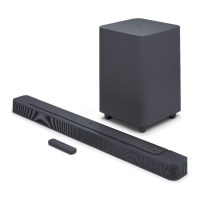
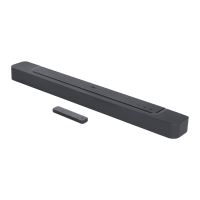
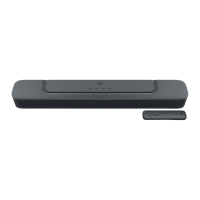
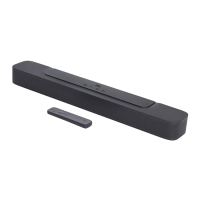
The JBL Bar 2.0 ALL-IN-ONE (MK2) is a soundbar designed to deliver an enhanced audio experience for home entertainment systems. It offers a compact and versatile solution for improving TV sound, with options for both desktop placement and wall-mounting. The soundbar is designed for ease of use, featuring simple controls and connectivity options.
Function Description:
The JBL Bar 2.0 ALL-IN-ONE (MK2) serves as a central audio hub for your TV and other audio sources. Its primary function is to provide rich and clear sound, significantly upgrading the audio quality compared to typical built-in TV speakers. It supports various input sources, including HDMI ARC for seamless integration with modern TVs, optical for digital audio devices, and Bluetooth for wireless streaming from mobile devices and computers. The soundbar incorporates "Smart mode" for optimized sound effects for TV programs and "Standard mode" for consistent sound. An "Audio sync" function allows users to synchronize audio and video to eliminate delays. The device also includes a remote control for convenient operation and offers TV remote control learning for simplified control using a single remote. Software updates can be performed via a USB connector to ensure the product has the latest features and performance enhancements.
Important Technical Specifications:
- Power Supply: 100 - 240 VAC, ~ 50/60 Hz
- Total Speaker Power Output (Max. @THD 1%): 80 W
- Soundbar Output Power (Max. @THD 1%): 2 x 40 W
- Soundbar Transducer: 2 x racetrack drivers
- Soundbar Standby Power: <0.5 W
- Operating Temperature: 0°C - 45°C
- HDMI Video Output: 1 (with Audio Return Channel)
- Frequency Response: 70 Hz - 20 KHz
- Audio Inputs: 1 Optical, Bluetooth, USB (USB playback available in US version; for other versions, USB is for service only)
- USB Specification (Audio Playback for US Version Only):
- USB Port: Type A
- USB Rating: 5 V DC / 0.5 A
- Supporting File Format: mp3, wav
- MP3 Codec: MPEG 1 Layer 2/3, MPEG 2 Layer 3, MPEG 2.5 Layer 3
- MP3 Sampling Rate: 16 KHz - 48 KHz
- MP3 Bitrate: 80 kbps - 320 kbps
- WAV Sample Rate: 16 KHz - 48 KHz
- WAV Bitrate: Up to 3000 kbps
- Wireless Specification:
- Bluetooth Version: 4.2
- Bluetooth Profile: A2DP V1.3, AVRCP V1.5
- Bluetooth Frequency Range: 2402 MHz - 2480 MHz
- Bluetooth Max. Transmitting Power: <10 dBm (EIRP)
- Modulation Type: GFSK, π/4 DQPSK, 8DPSK
- Dimensions (W x H x D): 614 x 56 x 90 mm / 24.2" x 2.2" x 3.5"
- Soundbar Weight: 1.6 kg
- Packaging Dimensions (W x H x D): 855 x 125 x 145 mm
- Packaging Weight (Gross Weight): 2.6 kg
Usage Features:
- Easy Setup: The soundbar can be placed on a flat, stable surface or wall-mounted using the provided kit and template.
- Multiple Connectivity Options: Connects to TVs via HDMI ARC for high-quality digital audio and video, or optical cable for digital audio. Bluetooth allows wireless streaming from compatible devices.
- Intuitive Controls: Features on-unit controls for power, volume, and source selection. The included remote control provides comprehensive control over all functions, including mute, volume, source selection, and sound settings.
- Auto Standby/Wakeup: The soundbar automatically enters standby mode after 10 minutes of inactivity and wakes up automatically when an audio signal is detected from the HDMI ARC or optical input.
- Sound Modes: "Smart mode" offers rich sound effects for TV programs, while "Standard mode" applies preset EQ settings. Smart mode can be disabled for specific content like news or weather forecasts.
- Audio Sync: Allows users to adjust audio delay to synchronize with video content, preventing lip-sync issues.
- TV Remote Control Learning: If your TV does not support HDMI-CEC, the soundbar can learn commands from your TV remote for volume, mute, and power functions, enabling control with a single remote.
- Bluetooth Reconnection: Retains the last paired Bluetooth device and automatically reconnects when the Bluetooth source is selected. Users can also easily connect to new Bluetooth devices.
Maintenance Features:
- Software Update: The soundbar's software can be updated via a USB storage device to ensure optimal performance and access to new features. Users are advised to visit the JBL website or contact customer service for update files.
- Factory Reset: Users can restore the soundbar to its default factory settings, removing all personalized configurations. This can be useful for troubleshooting or resetting preferences.
- Troubleshooting Guide: The manual provides a comprehensive troubleshooting section to help users diagnose and resolve common issues related to power, sound, remote control, and Bluetooth connectivity.
- Safety Instructions: Emphasizes important safety measures such as verifying line voltage, avoiding extension cords, handling the AC power cord gently, and not opening the cabinet to prevent electric shock and maintain warranty validity.

 Need help?
 General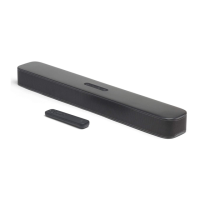


 To Next Page