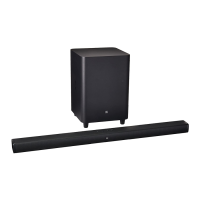
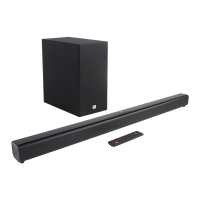
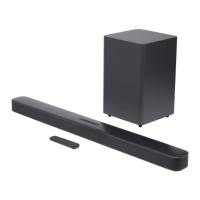
The JBL Bar 2.1 Deep Bass is a soundbar and subwoofer system designed to enhance your home entertainment audio experience. It offers a powerful sound output and various connectivity options for seamless integration with your TV and other digital devices.
Function Description:
The JBL Bar 2.1 Deep Bass system consists of a soundbar unit and a wireless subwoofer. The soundbar is equipped with multiple drivers and tweeters to deliver clear and dynamic audio, while the subwoofer provides deep bass for an immersive listening experience. The system supports various audio sources, including TV, Bluetooth, and HDMI IN, allowing you to play audio from your television, digital devices, or stream music wirelessly from your smartphone, tablet, or laptop. It features an auto standby and auto wakeup function for energy efficiency and convenience. The system also includes sound settings for bass adjustment and audio synchronization to optimize your listening experience. A remote control is provided for easy operation.
Important Technical Specifications:
- Model: Bar 2.1 Deep Bass CNTR (Soundbar Unit), Bar 2.1 Deep Bass SUB (Subwoofer Unit)
- Power Supply: 100 - 240V AC, ~ 50/60 Hz
- Total Speaker Power Output (Max. @THD 1%): 300 W
- Output Power (Max. @THD 1%):
- Soundbar: 2 x 50 W
- Subwoofer: 200 W
- Transducers:
- Soundbar: 4 x racetrack drivers + 2 x 1" tweeter
- Subwoofer: 6.5"
- Standby Power:
- Soundbar and Subwoofer: <0.5 W
- Operating Temperature: 0°C - 45°C
- HDMI Video Input: 1
- HDMI Video Output (With Audio Return Channel): 1
- HDMI Version: 1.4
- Frequency Response: 40 Hz - 20 KHz
- Audio Inputs: 1 Optical, Bluetooth, USB (USB playback is available in US version; for other versions, USB is for Service only.)
- USB Port: Type A
- USB Rating: 5 V DC / 0.5 A
- Supporting USB File Format: mp3, wav
- MP3 Codec: MPEG 1 Layer 2/3, MPEG 2 Layer 3, MPEG 2.5 Layer 3
- MP3 Sampling Rate: 16 - 48 KHz
- MP3 Bitrate: 80 - 320 kbps
- WAV Sample Rate: 16 - 48 KHz
- WAV Bitrate: Up to 3000 kbps
- Bluetooth Version: 4.2
- Bluetooth Profile: A2DP V1.3, AVRCP V1.5
- Bluetooth Frequency Range: 2402 MHz - 2480 MHz
- Bluetooth Max. Transmitting Power: < 10 dBm (EIRP)
- Bluetooth Modulation Type: GFSK, π/4 DQPSK, 8DPSK
- 5G Wireless Frequency Range: 5736.35 - 5820.35 MHz
- 5G Max. Transmitting Power: < 9 dBm (EIRP)
- 5G Modulation Type: π/4 DQPSK
- Dimensions (W x H x D):
- Soundbar: 965 x 58 x 85 mm / 38" x 2.28" x 3.35"
- Subwoofer: 240 x 240 x 379 mm / 8.9" x 8.9" x 14.6"
- Weight:
- Soundbar: 2.16 kg
- Subwoofer: 5.67 kg
- Packaging Dimensions (W x H x D): 1045 x 310 x 405 mm
- Packaging Weight (Gross Weight): 10.4 kg
Usage Features:
- Desktop Placement: The soundbar and subwoofer should be placed on a flat, stable surface. Ensure the subwoofer is at least 3 ft (1 m) away from the soundbar and 4" (10 cm) away from a wall. The distance between the subwoofer and soundbar should be less than 20 ft (6 m).
- Wall-mounting: The soundbar can be wall-mounted using the supplied kit and template. A minimum distance of 2" (50mm) from the TV is recommended. Ensure the wall can support the weight of the soundbar and avoid locations with high temperature or humidity.
- TV Connection: Connect the soundbar to your TV via the supplied HDMI cable (HDMI ARC recommended) or an optical cable (sold separately). For HDMI ARC, ensure HDMI-CEC is enabled on your TV.
- Digital Device Connection: Connect digital devices like set-top boxes, DVD/Blu-ray players, or game consoles to the soundbar via an HDMI cable (V1.4 or later) to the HDMI IN port. Ensure HDMI-CEC is enabled on your digital device.
- Bluetooth Connection: Pair your Bluetooth device (smartphone, tablet, laptop) with the soundbar to stream audio wirelessly. The soundbar will display "BT PAIRING" when ready for connection. It can reconnect to the last paired device automatically. To connect a new device, press and hold the Bluetooth button on the soundbar or remote until "BT PAIRING" is displayed.
- Power-on/Auto Standby/Auto Wakeup: The system powers on by pressing the power button. It automatically enters standby mode ("STDBY" displayed) after 10 minutes of inactivity and wakes up automatically when connected to a TV via HDMI ARC or when audio signals are detected from an optical cable.
- TV Remote Control Setup: If your TV supports HDMI-CEC, you can control the soundbar's volume, mute/unmute, and power functions using your TV remote. For TVs without HDMI-CEC, you can use the TV remote control learning function to program the soundbar to respond to your TV remote.
- HDMI IN Source Playback: Play video on your TV and audio from the soundbar speakers by connecting your digital device to the HDMI IN port. The system will automatically wake up and switch to the input source.
- Sound Settings:
- Bass Adjustment: Adjust the subwoofer's bass level (LOW, MID, HIGH) using the BASS button on the remote control.
- Audio Sync: Synchronize audio and video to eliminate delays by pressing and holding TV on the remote until "SYNC" is displayed, then adjusting with +/-.
- Smart Mode: Enabled by default, this mode applies EQ settings and JBL Surround Sound for rich effects. It can be disabled to switch to standard mode for preset EQ settings. To disable, press and hold the mute button on the remote until "TOGGLE" is displayed, then press +.
Maintenance Features:
- Software Update: For optimal performance, JBL may release software updates. These can be applied via the USB connector. To check the current software version, press and hold the source and volume down buttons on the soundbar. To enter update mode, press and hold the power and volume down buttons for more than 10 seconds with the update file on a USB storage device connected.
- Restore Factory Settings: To remove personalized settings, restore the soundbar to its default factory settings by pressing and holding the power and source buttons on the soundbar for more than 10 seconds. "RESET" will be displayed, and the soundbar will switch to standby mode after restarting.
- Re-connect the Subwoofer: The soundbar and subwoofer are pre-paired. If they lose connection, you can re-pair them. On the subwoofer, press and hold the pairing button until it flashes white. On the soundbar, press and hold the BASS button on the remote until "SUBWOOFER SPK" is displayed, then press the volume down button. "SUBWOOFER CONNECTED" will confirm the connection.
- Troubleshooting: The manual provides a troubleshooting section for common issues such as the unit not turning on, no response to button pressing, no sound, distorted sound or echo, audio/video synchronization problems, distorted pictures from Apple TV, and Bluetooth connectivity issues. It recommends checking power connections, input sources, muting status, and restoring factory settings or re-pairing devices as solutions.

 Need help?
 General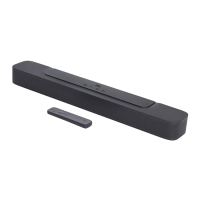


 To Next Page