
 Need help?
Do you have a question about the JBL Harman Bar 3.1 and is the answer not in the manual?
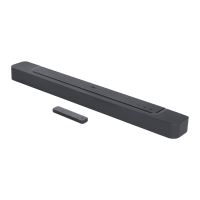
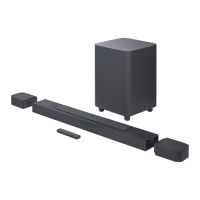
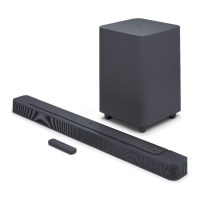
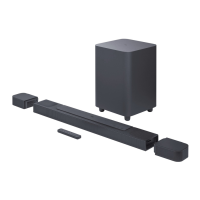
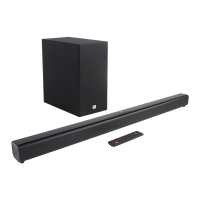
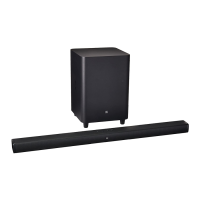
Lists the soundbar unit included in the package.
Lists the subwoofer unit included in the package.
Lists the remote control and batteries included in the package.
Lists the power adapter and power cables included in the package.
Lists the HDMI and AUX cables included for audio/video connections.
Lists the wall mounting brackets and guides included.
Details on using HDMI ARC for digital audio connection to the TV.
Instructions for connecting the soundbar to a TV using an optical audio cable.
Steps for connecting digital sources like DVD players via HDMI.
Instructions for powering on the system and wirelessly pairing the subwoofer.
Guidance on positioning the soundbar when placed on a flat surface.
Instructions and steps for securely mounting the soundbar on a wall.
Overview of soundbar controls including top panel and remote functions.
Starting the Bluetooth pairing process using the remote control's BT button.
Selecting the 'JBL Bar 3.1' on your device for connection.
Important notes regarding Bluetooth connection, PIN, distance, and interference.
Explanation of Soundshift feature and how to enable auto-switching between sources.
Instructions for playing music files from USB storage devices and playback logic.
How to use remote buttons for playback control on USB devices.
Important considerations before connecting USB devices, including file name limits and compatibility.
How to control the volume level, including mute and restore functions.
Options for selecting surround, bass, sound modes, and night mode.
Steps to adjust audio delay for synchronizing sound with video.
Automatic volume control with TV remotes for specific brands.
Guide for programming the soundbar to respond to TV remote control signals.
How the soundbar automatically enters standby and wakes up with sound.
Adjusting the brightness level of the soundbar's display panel.
Instructions to reset the soundbar to its original factory default settings.
Procedure to check the current software version of the soundbar and subwoofer.
Information on how to update the soundbar's firmware using a USB device.
General specifications of the JBL Bar 3.1 soundbar system.
Details on the audio and video input/output ports available on the soundbar.
Technical specifications for the Bluetooth connectivity, including version and range.
Details on the USB port, including type and compatible file formats.
Physical dimensions and weight of the soundbar and subwoofer.
Specifications for the wireless transmission and reception capabilities.
Steps to resolve system issues like the unit not turning on.
Solutions for sound issues like no audio, distortion, or sync problems.
Steps to resolve problems with no video picture on the TV screen.
Common problems and solutions for Bluetooth connectivity issues.
Tips to improve Bluetooth audio quality by adjusting device placement.
Addressing issues where Bluetooth devices frequently connect and disconnect.
Steps to resolve issues when the remote control is not working.
 General
| Type | Soundbar |
|---|---|
| Total Power Output | 450 W |
| Channels | 3.1 |
| Subwoofer | Wireless |
| Bluetooth | Yes |
| Bluetooth Version | 4.2 |
| HDMI Inputs | 3 |
| HDMI Video Output (with Audio Return Channel) | 1 |
| HDMI HDCP Version | 2.2 |
| Optical Input | 1 |
| Remote Control | Yes |
| Wall Mountable | Yes |
| Subwoofer Transducer Size | 10" |
| Maximum SPL | 103 dB |
| Frequency Response | 35Hz – 20kHz |


 To Next Page