
 Need help?
Do you have a question about the JBL Harman BAR 1000 and is the answer not in the manual?
Ensure the unit is compatible with your local line voltage to prevent hazards.
Use only the provided power cord to avoid safety hazards.
Always pull the plug, never the cord, when disconnecting.
Contains no user-serviceable parts; opening poses a shock hazard and voids warranty.
Details the soundbar's controls and rear connectors.
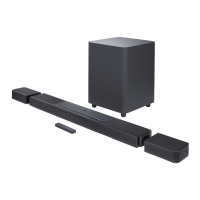
Covers the detachable speakers, their connectors, and status indicators.
Explains the LED indicators for subwoofer connection status.
Details how to connect the subwoofer to power.
Identifies and explains the functions of the remote control buttons.
Describes how to select audio input sources using the remote.
Explains buttons for adjusting Dolby Atmos/DTS:X and bass levels.
Instructions for placing the soundbar, speakers, and subwoofer on a flat surface.
Guide to wall-mounting the soundbar and detachable rear speakers.
Connects soundbar to TV and digital devices via HDMI or optical for audio playback.
Guides on connecting the detachable rear speakers and subwoofer to the soundbar.
Explains how to power on, enter standby, and the auto-wakeup functions.
Guides on selecting the TV source for audio playback.
Set up multi-room audio groups using Chromecast.
Set up multi-room audio groups using AirPlay.
Configure multi-room music via Amazon Alexa.
Synchronizes audio and video to eliminate delay.
Explains smart vs. standard sound modes for different content.
Enhances vocal clarity for dialogue in movies.
Automatic update process when connected to the internet.
Manual update process using a USB drive.
Lists overall product details like model, sound system, and power output.
Details HDMI input/output, HDCP version, and HDR support.
Covers frequency response and audio input types.
Lists USB port rating and supported audio file formats.
Details Bluetooth and Wi-Fi standards and frequencies.
Addresses problems like the unit not turning on or responding to buttons.
Solutions for no sound, distorted sound, or audio/video sync problems.
Troubleshooting for missing height sound effects in Dolby Atmos.
Solutions for Bluetooth connection failures or intermittent connections.
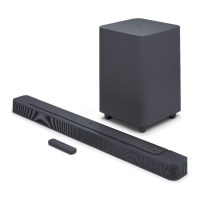
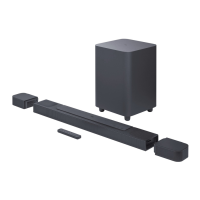
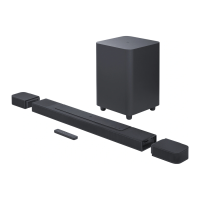
This document is the owner's manual for the JBL Bar 1000, a soundbar system designed to deliver an immersive 3D sound experience for home entertainment. The system comprises a soundbar, detachable speakers, and a subwoofer. The manual provides detailed instructions for setup, operation, and maintenance, emphasizing safety and optimal performance.
The JBL Bar 1000 is a versatile audio system that can be used for various purposes, including enhancing TV audio, streaming music, and playing content from digital devices. Its primary function is to provide high-quality, immersive sound, particularly supporting Dolby Atmos and DTS:X for a powerful 3D audio experience. The detachable rear speakers offer flexible placement options, allowing users to customize their surround sound setup.
The JBL Bar 1000 serves as a central audio hub for a home entertainment system. It connects to TVs and digital devices via HDMI or optical cables, processing and outputting audio through its integrated speakers and a dedicated subwoofer. The system supports various audio sources, including TV, HDMI IN, Bluetooth, and network streaming services via Wi-Fi or Ethernet.
Key functions include:
The JBL Bar 1000 is designed for user-friendly operation with several features to enhance the listening experience:
Maintaining the JBL Bar 1000 involves ensuring proper connections, keeping the software updated, and addressing common troubleshooting issues.
 General
| Channels | 7.1.4 |
|---|---|
| Total Power Output | 880W |
| Dolby Atmos | Yes |
| DTS:X | Yes |
| HDMI Output | 1 (eARC) |
| Chromecast Built-in | Yes |
| AirPlay 2 | Yes |
| Type | Soundbar |
| Subwoofer | Wireless |
| Bluetooth | Yes |
| Wi-Fi | Yes |


 To Next Page