
 Need help?
Do you have a question about the JBL Harman BAR 500 and is the answer not in the manual?
Ensures correct voltage is used to prevent safety hazards and unit damage.
Advises using only the supplied power cord to avoid safety hazards.
Provides guidance on safely disconnecting the power cord by pulling the plug.
Warns against opening the cabinet due to shock hazard and warranty voiding.
Details soundbar controls, status indicators, and rear connectors for easy identification.
Details subwoofer connection status indicator and power connector for setup.
Explains remote control functions, source selectors, sound effect buttons, and app control.
Instructions for placing the soundbar and subwoofer on a flat surface for optimal audio.
Detailed steps and considerations for mounting the soundbar unit onto a wall.
Guides on connecting the soundbar to TV and digital devices via HDMI or optical cables.
Steps to connect the soundbar to Bluetooth devices, including pairing and re-connecting.
Instructions for connecting the soundbar to a home network via Wi-Fi or Ethernet using the JBL One app.
Steps to connect the soundbar and subwoofer to power, ensuring automatic pairing.
Optimizes 3D surround sound and explains Dolby Atmos height effects for immersive audio.
Instructions on how to adjust the bass level for the subwoofer using the remote control.
Details how to turn the soundbar on, its standby modes, and automatic wake-up features.
Guide to playing audio from the TV source and setting up TV remote control learning.
How to play audio from digital devices connected via HDMI IN, including standby mode synchronization.
Stream audio from your Bluetooth device to the soundbar and control playback.
Stream audio from online music services via the JBL One app and personalize settings.
Stream audio from Android/iOS devices using Chromecast built-in, with instructions for casting.
Stream audio from iOS devices to the soundbar using AirPlay, including Control Center usage.
Stream music from Amazon Music library to the soundbar via Alexa integration.
Stream music to multiple speakers using Chromecast, AirPlay, or Alexa for synchronized audio.
Synchronize audio and video to eliminate delay for a better viewing experience.
Explains Smart Mode for rich sound effects and Standard Mode for clearer dialogue.
Enhances vocal clarity for easier understanding of speech in audio content.
Troubleshooting for power issues, button response, and no sound from the soundbar.
Resolving distorted sound, echo, audio-video sync problems, and lack of Atmos effects.
Steps to resolve issues with connecting, pairing, and constant disconnecting of Bluetooth devices.
Troubleshooting Wi-Fi connection failures, ensuring correct network settings and router range.
Resolving AirPlay discovery, smooth playback issues, and problems with source switching.
Troubleshooting for non-working remote controls and failed TV remote control learning.
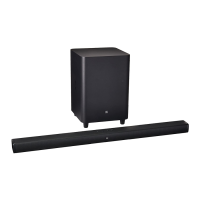
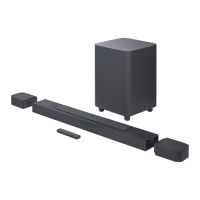
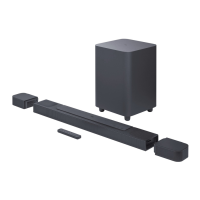
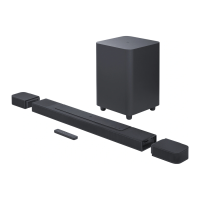
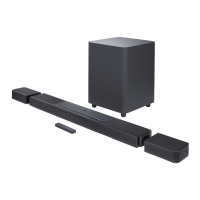
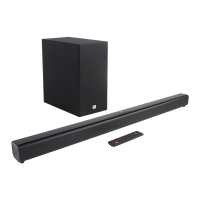
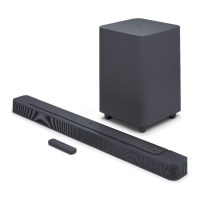
The JBL BAR 500 is a soundbar and subwoofer system designed to deliver an immersive 3D sound experience for home entertainment systems. It supports various audio and video connections, wireless streaming technologies, and offers customizable sound settings.
The JBL BAR 500 system consists of a soundbar and a wireless subwoofer. It functions as a central audio hub for your TV and digital devices, enhancing audio playback with 5.1 channel sound and virtual Dolby Atmos® effects. The system supports multiple input sources including TV (HDMI ARC/eARC, Optical), HDMI IN, Bluetooth, and various streaming services via Wi-Fi (Chromecast built-in, AirPlay, Alexa, Spotify Connect). It can be controlled via the included remote control or the JBL One app, which provides advanced setup, calibration, and personalization features. The soundbar also features multi-room playback capabilities, allowing it to integrate with other Chromecast-enabled, AirPlay, or Alexa speakers.
 General
| Brand | JBL |
|---|---|
| Model | Harman BAR 500 |
| Category | Speaker System |
| Language | English |


 To Next Page