10
The Control Panel is divided into the following four sub-panels, from right to left:
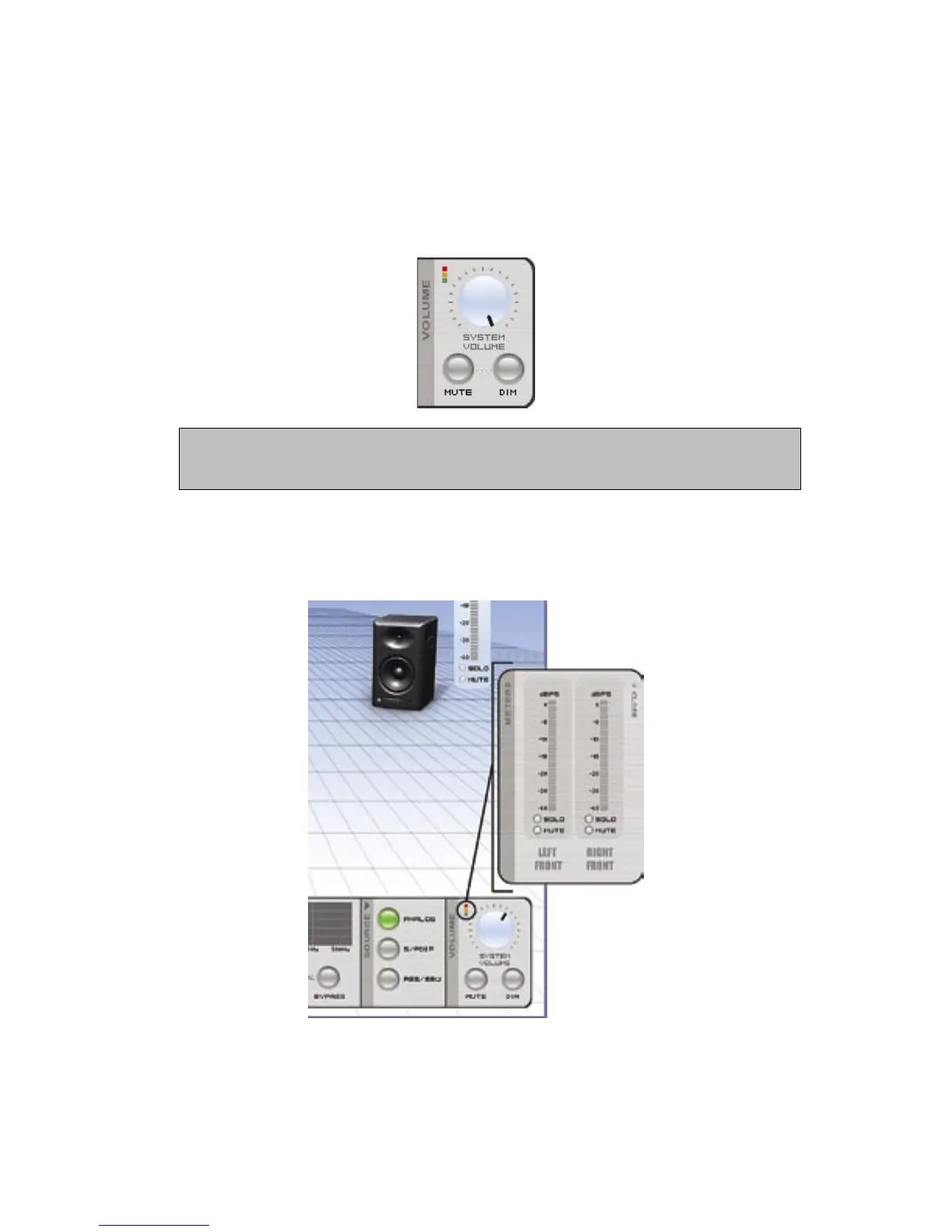
1. Volume – enables you to change the overall volume (simply click on the onscreen
dial and drag it), instantly mute the entire system, or DIM (partially reduce) system
volume. (When the system is set to full volume, and DIM is selected, the amount of
attenuation is -12 dB). For best results, click directly on the black indicator of the
knob and apply a circular motion.
Rapid movement of the onscreen volume control can cause a delayed response in the speak-
er system. This is normal. This delayed response can be alleviated by slowing your movement
of the volume control, or by using the supplied remote control.
System volume settings are stored when using the Save Configuration function in the
Options Menu. Using a calibrated signal and the Save Configuration function, it is
possible to store and recall calibrated volume settings for the system. For more infor-
mation, see Appendix E in the LSR4300 Owner’s Manual.
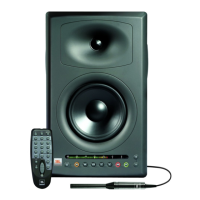
Clicking on the red, amber and green squares above the volume control reveals a set of
meters that you can position on your desktop. These remain in view even when the LSR
Control Center Software is minimized.
Reference - Control Panel



 To Next Page