9
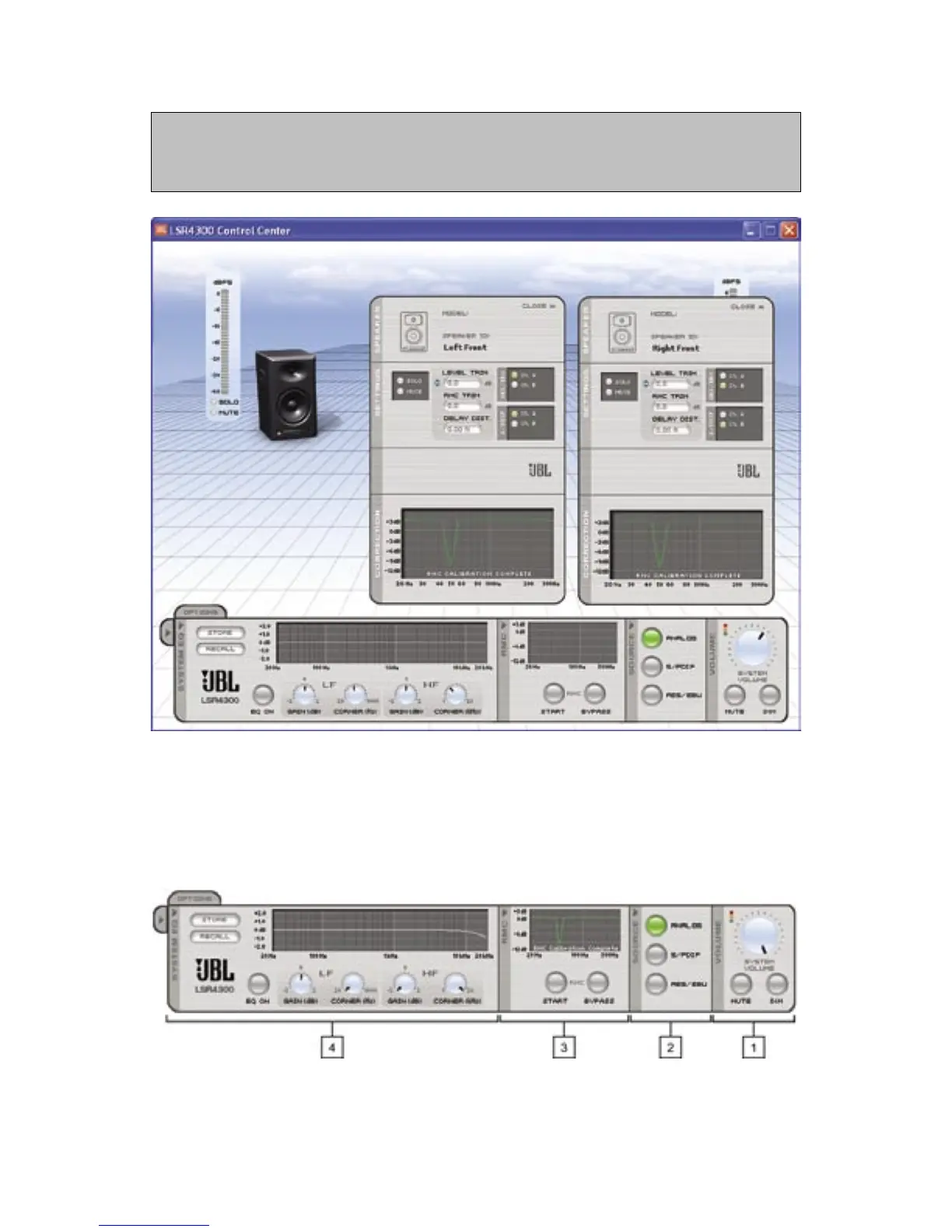
Each time you double-click on a different speaker, a new pop-up Speaker window is generated,
but it will be overlaid directly on top of the previous one. To have multiple Speaker pop-up windows
open at the same time, simply move each new one by clicking on the dark gray vertical area at the far
left and dragging it to a new location.
Control Panel
The bottom area of the Main Screen houses the Control Panel, which allows you to make
global changes to all LSR4300 speakers in your network.
Reference - Speaker Pop-Up Window/Control Panel



 To Next Page