©2024 Harman International | Features, Specications, and Appearance subject to change without notice.
Pg 4 of 9
EN
Wiring and Connections
NETWORK CONNECTION
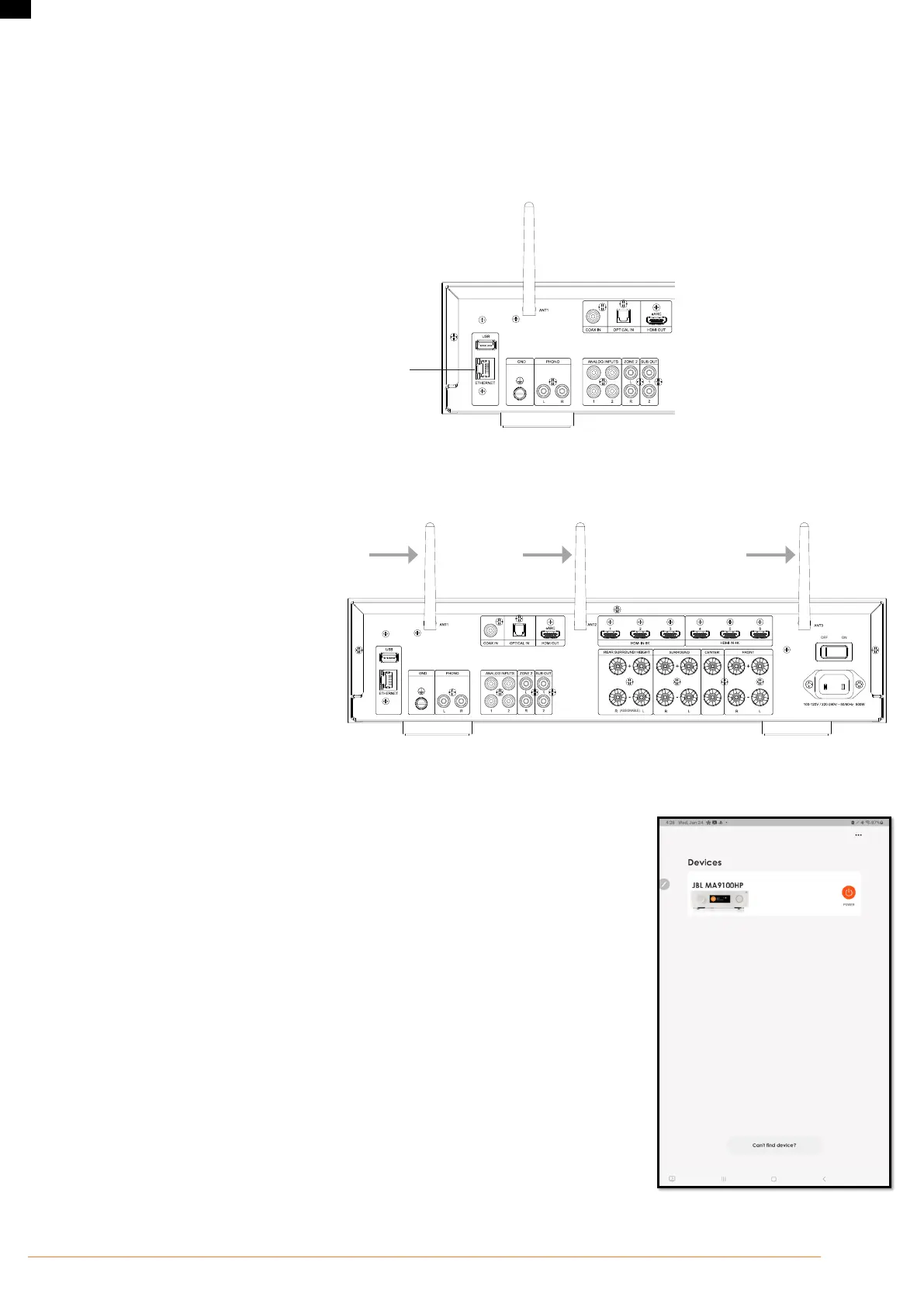
For a Wired Connection
Connect the Ethernet port on the back of the AVR to any of the open ports on your network router using a CAT-5e or higher cable.
Ethernet Socket
Connect this to your home
network using a Cat 5e or
Cat 6 cable
For a Wi-Fi Connection:
To make a Wi-Fi connection, download the JBL PREMIUM AUDIO app to your smartphone or tablet. Links are on the front page of this manual.
Connect the supplied external antennas for Bluetooth/Wireless connectivity to connectors on the rear panel.
1. Place the external antennas for Bluetooth/
wireless connectivity evenly over the screw
terminal of rear.
2. Turn clockwise until the antenna is fully
connected.
3. Rotate the antenna upwards for best reception.
Power on the AVR and open the app to discover it after the AVR is Ready. Select it and follow the prompts to connect it to your Wi-Fi network.
Alternatively, you can connect the JBL AVR to your Wi-Fi network using Apple AirPlay speaker setup in the Wi-Fi settings of your Apple device.
Playback
The JBL AVR can be connected to, and play music from the following apps and services:
• Spotify Connect
• Tidal Connect
• Apple AirPlay
• Chromecast (requires acceptance of Google terms in the JBL PREMIUM AUDIO app or additional setup
steps in the Google Home app)
• Roon (requires additional setup in Roon app)
• Works With SmartThings (requires setup with a SmartThings Hub and the SmartThings App)
From the JBL PREMIUM AUDIO app, you can access setup favorites and access other services including
but not limited to:
• Internet Radio
• Podcasts
• Connected USB media
• Local network storage (UPnP)



 To Next Page