©2024 Harman International | Features, Specications, and Appearance subject to change without notice.
Pg 6 of 9
EN
CONNECTING AUDIO/VIDEO INPUTS
JBL recommends using pre-built or professionally wired cables.
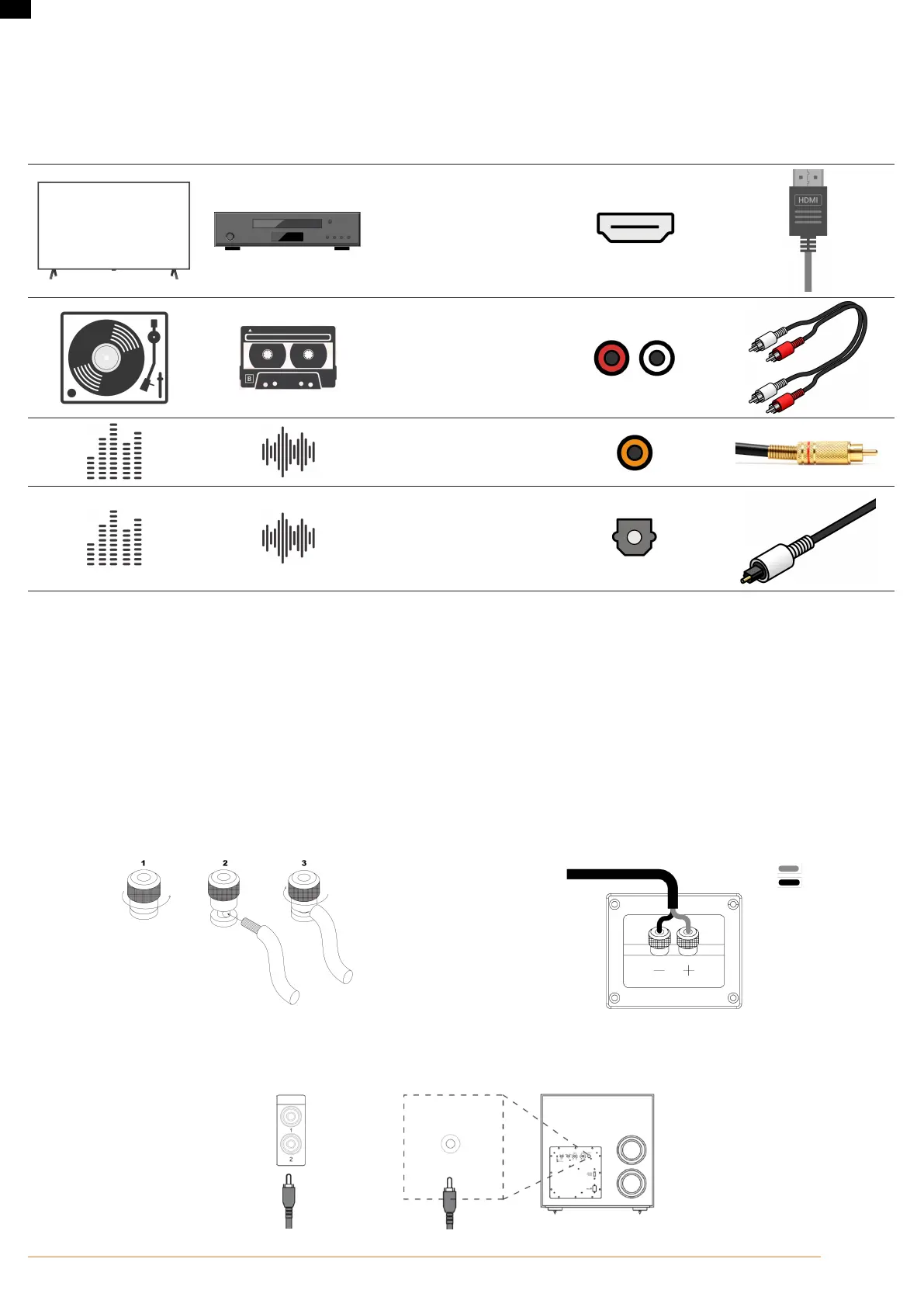
Cables Used for Connections
HDMI cable
Analog audio cable
(RCA type, single-ended plus
shield)
Coax digital cable
(75-ohm impedance)
Optical cable
WIRING OUTPUT CONNECTORS
Before making any output connections, ensure the power cord is disconnected from the amplier and carefully review the total impedance for loudspeakers
connected to each amplier output.
JBL recommends using two-conductor or four-conductor, heavy gauge speaker wire up to 12 AWG.
Speaker outputs provide connection to passive loudspeakers via binding post-type connectors that accept bare wire, spade or banana plug terminations. The
connectors are grouped in pairs. Each pair consists of two wire terminations: positive (+) and negative (–)
To attach speaker cables to a binding post using bare wire, strip approximately 3/8-inch (10 mm) of insulation from the end of the positive and negative leads
of the cable and insert the bare ends into the corresponding binding post connector, tightening the screw terminals to secure the termination. Repeat this
procedure for each speaker.
Note: Connect so that the speaker cable core wires do not protrude from the speaker terminal. The protection circuit may be activated if the bare wire touches
the rear panel or if the + and - sides touch each other.
Binding post termination Connection to speaker
Positive + Red
Negative - Black
Connecting a subwoofer
Use a subwoofer cable to connect the subwoofer. Two subwoofers can be connected to this unit. The same signal is output from the respective subwoofer
terminals.
SUB OUT
SUBWOOFER
INPUT



 To Next Page