EasyManua.ls Logo

JBL radial micro - User Manual

JBL radial micro
9 pages
Print Icon
To Next Page IconTo Next Page
Loading...
®
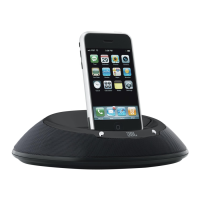
jbl radial micro superior loudspeaker dock for iPod
iPod not included
User Guide
English ...........................2
Deutsch .........................9
Français .......................15
Español........................21
Italiano .........................27
Nederlands .................33
한국어 .........................39
Dansk ..........................45
Norsk ...........................51
日本語 .........................57
简体中文 .....................63
Russian........................69
Swedish .......................75
Finnish .........................81

Questions and Answers

  • J
    Julie JonesJul 26, 2025
    Why is there no sound coming from my JBL Docking Speakers?
    • C
      Chad BrownJul 26, 2025
      If you are experiencing no sound from your JBL Docking Speakers, the unit may not be receiving power. Ensure that the wall power outlet or power strip has power, and verify that all switches for the outlet/power strip and the unit itself are turned on.
  • H
    Harry RodriguezJul 31, 2025
    How to fix distortion (static, crackling, or hissing sounds) on JBL Docking Speakers?
    • N
      Nathaniel ParkerJul 31, 2025
      If you're hearing distortion like static, crackling, or hissing, there are a few potential causes. First, these noises may be caused by interference from nearby electronic devices like monitors or cell phones, so try moving the JBL Radial Micro unit away from them. Also, the audio source itself might be the problem, so test the unit with another source. The volume level may be too high, so check the volume of the source. Finally, the EQ setting may be too high, so check the EQ setting on your iPod or source device.
  • M
    Mariah BrownAug 7, 2025
    Why does my JBL Radial Micro unit emit a loud hum or buzzing noise?
    • A
      Alexa WalkerAug 7, 2025
      A loud hum or buzzing noise from your JBL Radial Micro unit can be due to a few reasons. First, check the input cable connection to ensure it's properly plugged in. If the cable might be faulty, replace it. Also, a ground loop could be the cause; try turning off the JBL Radial Micro unit and connecting it to another wall outlet.
  • S
    stephaniegomezAug 13, 2025
    What to do if sound comes from only one side/channel of JBL Docking Speakers?
    • C
      Chelsea EspinozaAug 13, 2025
      If sound is only coming from one side or channel, the iPod or auxiliary cable may not be properly connected. Ensure that you’re using the correct adapter, and that the iPod is seated all the way into the docking station. Also, make sure the auxiliary cable is fully inserted into the jack. You can also try resetting the iPod.
  • T
    Tammy JohnsonAug 18, 2025
    What to do if my JBL Docking Speakers iPod won't charge?
    • A
      Austin WallaceAug 18, 2025
      If your iPod is not charging when docked, there could be several reasons. First, ensure the JBL unit is receiving power by checking the wall outlet or power strip and making sure all switches are turned on. Second, verify that you are using the correct adapter for your specific iPod model. Finally, ensure that the iPod is securely seated in the docking station to make full contact.

Summary

Important Safety Instructions

General Safety Precautions

Essential safety guidelines for operating the audio system, covering exposure and handling.

Critical Warnings and Notes

Highlights critical warnings for fire/shock and important operational notes.

Introduction to JBL Radial Micro

System Overview and Features

Details the system's capabilities, compatibility, and key features.

Regulatory Information

Provides FCC compliance and radio interference guidelines.

Advanced Technology

Audio Technologies

Explains digital amplifier, Odyssey transducers, and port design for sound quality.

Equalization and Compression

Details computer-optimized equalization and compression topology for sound.

Unpacking and Components

System Components

Lists and describes the main JBL Radial Micro unit and included accessories.

Getting to Know Your JBL Radial Micro

Device Overview and Ports

Identifies front and back ports, buttons, and indicators on the JBL Radial Micro.

General Setup

Initial Setup Steps

Provides a step-by-step guide for unpacking and connecting the system.

Audio Playback

Listening to Music from iPod

Instructions for playing music from an iPod connected to the system.

Listening from Auxiliary Device

Guide for playing audio from an external device via auxiliary input.

Video and Computer Connectivity

Viewing Photos or Videos

Steps for displaying iPod photos or videos on a TV/monitor.

Syncing and Charging iPod

Instructions for syncing files and charging your iPod via USB.

Remote Control Functionality

Remote Control Modes

Details navigation, music, and photo/video control modes for the remote.

Dock Adapters

Adapter Information

Guidance on selecting, installing, and removing iPod dock adapters.

Troubleshooting Sound Quality

No Sound or Single Channel

Troubleshooting steps for sound issues like no output or one-sided audio.

Distortion and Interference

Solutions for distortion, crackling, hissing, and hums.

Troubleshooting Connectivity

Charging and Syncing Issues

Resolves problems with iPod charging, computer recognition, and USB connections.

Troubleshooting Remote

Remote Not Responding

Solutions for when the remote does not respond to commands.

Limited Remote Range

Addresses issues with the remote's effective operating range.

Technical Specifications

System Specifications

Details manufacturer, model, drivers, power, frequency response, and dimensions.

Remote Specifications

Provides specifications for the IR remote, including range and battery type.

JBL radial micro Specifications

General IconGeneral
Impedance5000 Ω
Frequency range60 - 20000 Hz
RMS rated power20 W
Signal-to-Noise Ratio (SNR)85 dB
Magnet typeNeodymium
Product colorWhite
AC input voltage230 V
Dimensions (WxDxH)200 x 90 x 200 mm
Weight and Dimensions IconWeight and Dimensions
Weight500 g

Related product manuals