7
Dolby
*
Pro Logic
*
(Non-Digital) – Speaker Level
Use this installation method
for Dolby Pro Logic appli-
cations (not Dolby Digital,
DTS
®
or other digital
processing), where the
receiver/processor does not
have a subwoofer output, or
a volume-controlled preamp
(line-) level output:
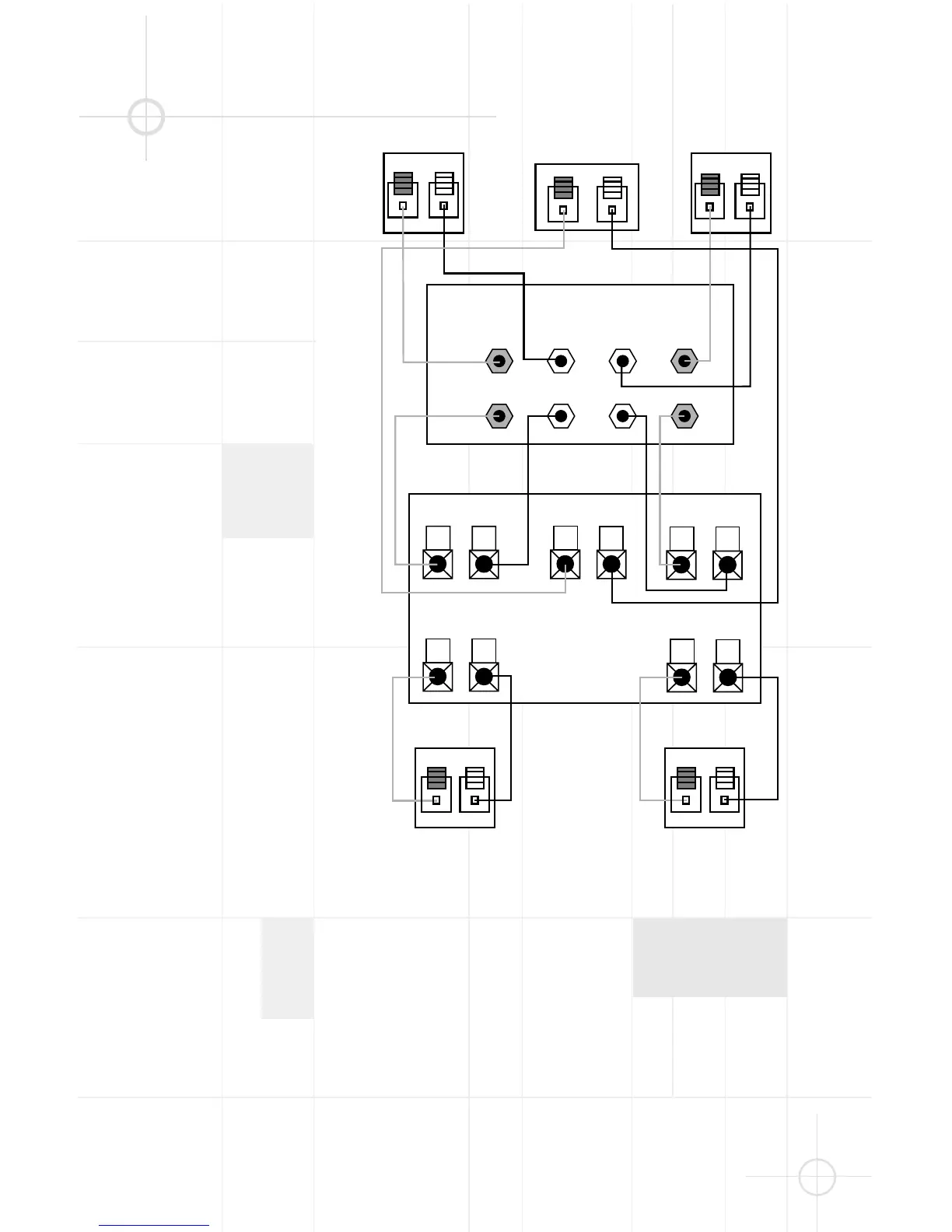
Connect your receiver or
amplifier’s front left and right
speaker terminals to the left
and right terminals on the
subwoofer that are marked
“High Level In.” Connect the
left and right terminals on the
subwoofer that are marked
“High Level Out” to the cor-
responding terminals on the
back of your front left and
right speakers.
Connect your receiver or
amplifier’s center, left and
right surround-speaker
terminals to the corre-
sponding terminals on the
back of your center, left and
right surround speakers.


 To Next Page