EasyManua.ls Logo

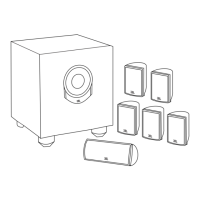
JBL SIMPLY CINEMA ESC200 - User Manual

JBL SIMPLY CINEMA ESC200
12 pages
Print Icon
To Next Page IconTo Next Page
Loading...
TM
ESC200
simple
set-up guide
thank youfor choosing JBL. For over 50 years, JBL
has been involved in every aspect of musical and film recording
and reproduction, from live performances to monitoring the
recordings you play in your home, car, or office.
We’re confident that the
JBL system you have chosen will
provide every note of enjoyment that you expected – and that
when you think about purchasing additional audio equipment for
your home, car, or office, you will once again choose JBL.
Please take a moment to complete the enclosed profile card.
It enables us to keep you posted on our latest advancements,
and helps us to better understand our customers and build
products that meet your needs and expectations.
JBL Consumer Products
Question and Answer IconNeed help?

Do you have a question about the JBL SIMPLY CINEMA ESC200 and is the answer not in the manual?

Summary

Important Safety Precautions

Speaker Placement Guide

Speaker Connections

Source Connection (TV or VCR)

System Testing

Verifying Speaker Output

Procedure for testing that all speakers are producing sound.

Surround Modes

Selecting Surround Sound Modes

Explanation of Pro Logic, Hall, Concert, and Stereo surround modes.

Volume Adjustment

Adjusting Speaker Volume Levels

How to adjust the volume for individual speakers and overall system.

Balance Adjustment

Adjusting Speaker Balance

How to adjust the left-right and front-rear balance for optimal sound.

Bass & Treble Control

Adjusting Bass and Treble

Instructions for adjusting the bass and treble frequencies.

Bass Boost Feature

Activating Bass Boost

How to enable and adjust the Bass Boost feature for enhanced bass.

Troubleshooting Common Issues

No Sound or Speaker Issues

Solutions for no sound, individual speaker problems, or low bass output.

Summary

Important Safety Precautions

Speaker Placement Guide

Speaker Connections

Source Connection (TV or VCR)

System Testing

Verifying Speaker Output

Procedure for testing that all speakers are producing sound.

Surround Modes

Selecting Surround Sound Modes

Explanation of Pro Logic, Hall, Concert, and Stereo surround modes.

Volume Adjustment

Adjusting Speaker Volume Levels

How to adjust the volume for individual speakers and overall system.

Balance Adjustment

Adjusting Speaker Balance

How to adjust the left-right and front-rear balance for optimal sound.

Bass & Treble Control

Adjusting Bass and Treble

Instructions for adjusting the bass and treble frequencies.

Bass Boost Feature

Activating Bass Boost

How to enable and adjust the Bass Boost feature for enhanced bass.

Troubleshooting Common Issues

No Sound or Speaker Issues

Solutions for no sound, individual speaker problems, or low bass output.

JBL SIMPLY CINEMA ESC200 Specifications

Satellite Speakers IconSatellite Speakers
power handling (RMS)20 watts
frequency response120Hz – 20kHz
sensitivity (1 watt/1 meter)87dB
nominal impedance8 ohms
woofer size3 inches
tweeter size1 inch
dimensions (HxWxD)4-1/16 x 7-1/2 x 7-3/8 inches
Subwoofer IconSubwoofer
power handling (RMS)60 watts
frequency response35Hz – 200Hz
sensitivity (1 watt/1 meter)90dB
nominal impedance6 ohms
woofer size6-1/2 inches
dimensions (HxWxD)7-3/4 x 13-7/8 x 17-3/4 inches
Processor Amplifier IconProcessor Amplifier
total maximum amplifier output100 watts
dimensions (HxWxD)2-11/16 x 13-1/2 x 9 inches

Related product manuals