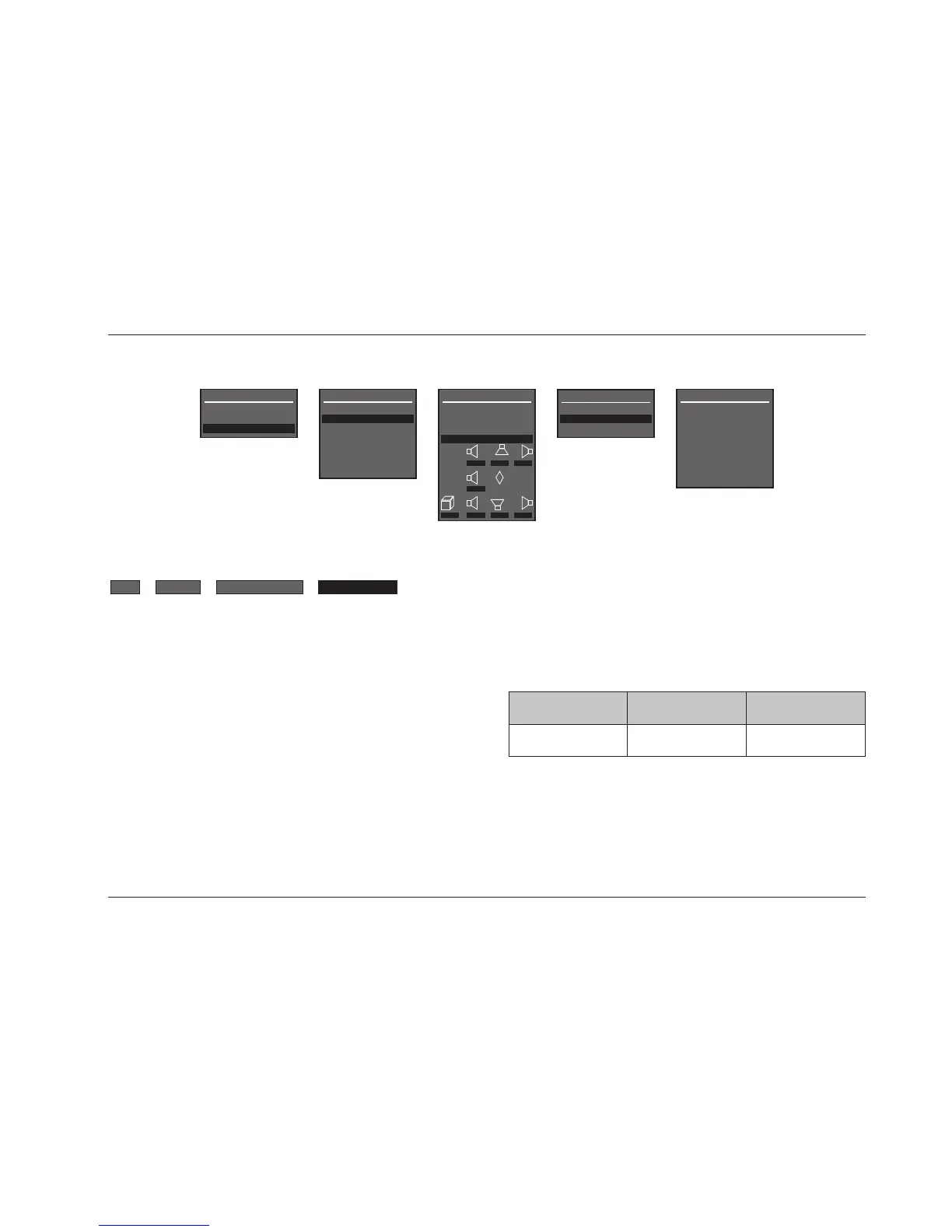
DOLBY PLII MOVIE DOLBY DIGITAL* dts(-ES)*
2-Channel
Sources
Dolby Digital
Sources
dts(-ES)
Sources
SETUP
SDP-5
3-41
DACS CALIBRATION
Opens the DACS CALIBRATION menu shown above, which can be
used to adjust output levels while DACS calibration is conducted.
DACS calibration requires an external calibration source, such as an
audio calibration disc or, in JBL Synthesis systems, the DACS
®
(JBL
Digital Acoustical Calibration System). An audio calibration disc can
be used with the DACS.
To optimize systems that include DACS and a JBL Digital
Equalizer:
1. Connect the DACS Signal Generator left and right output
connectors labeled EVP-1 to the SDP-5 analog audio input
connectors labeled 1. These connectors are active in the TAPE
input.
2. Set the master volume level to 0dB.
This will provide the correct signal path and reference output level.
DACS CALIBRATION
DACS CALIBRATION
FRONT LEFT +0.0dB
CENTER +0.0dB
FRONT RIGHT +0.0dB
SIDE RIGHT +0.0dB
REAR RIGHT +0.0dB
REAR LEFT +0.0dB
SIDE LEFT +0.0dB
SUBWOOFER +0.0dB
* These listening mode names differ depending on the input source, the speaker
configuration, and certain parameter settings.
When DACS calibration is conducted, the SDP-5 activates a
listening mode based on the Main Zone input source that is
present. The table in the next column indicates the listening mode
that is activated for each input source. When a listening mode is
activated during DACS calibration, it retains its factory-default
settings, ignoring custom settings that might have been selected
on the corresponding listening mode menu. Custom settings will
be restored after DACS calibration is complete.


 To Next Page