Maintenance
Electrical System
112 9831/0650-3 112
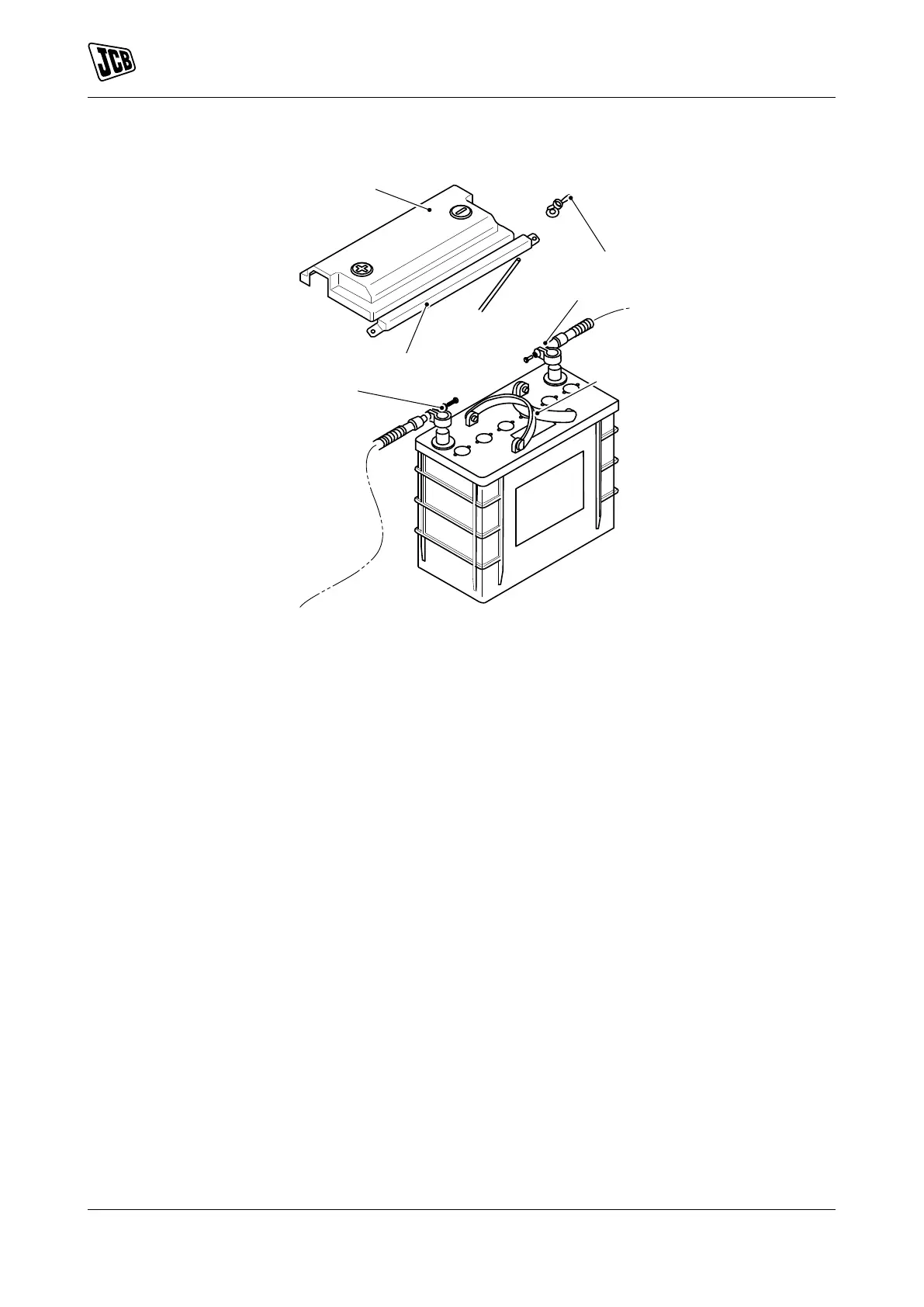
Figure 91.
A Cover B Nut
C Cable 1 D Handle
E Cable 2 F Clamp
1. Make the machine safe.
2. Use the handles to put the battery into its compartment.
3. Connect the cable 1 and the cable 2.
4. Install the cover (if removed).
5. Install the clamp.
6. Install the two nut and the two washers.
7. Check the battery terminals.
Refer to: Clean (Page 110).



 To Next Page