Need help?
Do you have a question about the jcb G20 and is the answer not in the manual?
Provides guidance on using the operator's manual effectively.
Explains how to navigate references within the manual.
Emphasizes personal safety and awareness of hazards.
Explains signal words and safety alert symbols used in the manual.
Provides a checklist of safety procedures and practices.
Introduces the product and manufacturer details.
Discusses compliance with laws and regulations for the product.
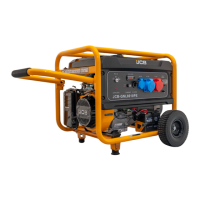
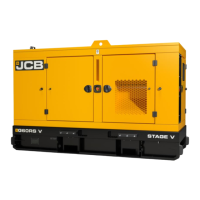
Identifies key components of the generator set with visual aids.
Details information found on the generator's data plate.
Describes the location of engine data labels on the cylinder block.
Explains the purpose and placement of safety labels on the machine.
Illustrates and identifies specific safety labels and their meanings.
Provides guidelines for the proper installation of the generating set.
Covers foundation requirements and lifting procedures for the generating set.
Details considerations for installing a remote fuel tank for the generator.
Discusses best practices for installing generators outdoors for optimal performance.
Outlines requirements for installing a generator set in a dedicated room.
Shows recommended room dimensions for soundproof generator sets.
Lists key elements to consider during installation.
Specifies requirements for generator set foundations.
Provides guidance on safe and effective exhaust system installation.
Explains the importance of adequate ventilation for generator set operation.
Discusses heating requirements for generator sets in cold climates.
Details the generator's integral and optional fuel supply systems.
Refers to electrical schematics for correct cable connections.
Highlights the need for proper grounding of metal parts.
Provides guidance on operating generators in very cold ambient temperatures.
Details procedures and requirements for starting the generator in cold conditions.
Covers operating guidelines for the generator in low temperatures.
Lists potential issues and consequences of operating in cold climates without precautions.
Outlines essential safety practices and precautions for operating the generator.
Covers general safety including alertness, clothing, lifting, and training.
Details safety precautions related to fuel handling and refueling.
Emphasizes the importance of maintaining the machine in good working order.
Warns against operating the machine beyond its design specifications.
Highlights the dangers of inhaling exhaust gases and the need for ventilation.
Advises against operating in potentially explosive environments.
Stresses adherence to local laws and regulations.
Warns about hot surfaces and the need for cooling before servicing.
Advises against operating machinery under the influence of alcohol or drugs.
Explains the function of the battery isolator switch.
Provides step-by-step instructions for disconnecting the battery.
Details the procedure for connecting the battery isolator.
Outlines essential pre-start checks for the generating set.
Lists checks to perform after the engine has stopped running.
Introduces the instrument panel and its components.
Guides through the steps for starting and operating the generator.
Explains the functionality and operation of the digital controller module.
Describes the function and use of the emergency stop button.
Details the function of various control push-buttons on the module.
Explains the module's display and navigation.
Lists and describes icons used on the instrumentation pages.
Explains how active configuration is indicated.
Describes icons related to front panel configuration and auto-run.
Details icons indicating the controller's current operating mode.
Explains icons showing the status of generator and mains breakers.
Describes the behavior of the LED backlight.
Explains how alarm icons are displayed on the controller.
Lists and describes warning icons, their faults, and meanings.
Details icons and procedures for electrical trip alarms.
Explains icons related to shutdown alarms and reset procedures.
Guides on how to view instrument pages and navigate through them.
Explains how to enter and use the navigation menu.
Lists icons used in the navigation menu for different information screens.
Provides instructions for navigating through the controller's display screens.
Describes the default display screen showing generator and mains voltage.
Details electrical values related to the generator's voltage and frequency.
Provides electrical values related to the mains supply voltage and frequency.
Displays electrical values related to the generator's load.
Shows engine parameters such as speed, runtime, and oil pressure.
Contains information about the controller's settings and version.
Explains how active Diagnostic Trouble Codes (DTC) from the ECU are displayed.
Guides on how to view active DTC alarms on the controller.
Describes the module's event log containing trip and shutdown events.
Details how to access and view the event log entries.
Offers a concise guide for quick operation of the module.
Explains the procedure for starting the engine using the manual/start button.
Details how to stop the generator using the STOP/RESET mode.
Explains the function and activation of the STOP/RESET mode.
Describes the AUTO mode for automatic generator operation.
Explains the state when the generator is waiting for an auto start request.
Outlines the sequence of events for starting the generator in AUTO mode.
Describes what happens once the engine is running and placed on load.
Details the process of stopping the generator after it has run off-load.
Explains the Manual/Start mode and its operation.
Describes the state when waiting for a manual start in MANUAL/START mode.
Details the starting sequence in Manual/Start mode.
Describes engine running status in Manual mode.
Continues explanation of Manual/Start mode.
Explains how to stop the generator in Manual/Start mode.
Discusses the occurrence and configuration of maintenance alarms.
Explains the function of the built-in exercise run scheduler.
States that scheduled runs do not occur in STOP/RESET mode.
States that scheduled runs do not occur waiting for manual start.
Explains when scheduled runs operate in AUTO mode.
Describes how to configure the module using the front panel editor.
Provides step-by-step instructions to enter the configuration editor.
Introduces factors affecting the generator's operating environment.
Explains how temperature and altitude affect power output.
Provides tables for applying power derating based on temperature and altitude.
Introduces the section on attachments for the machine.
Details the bunding tank attachment for environmental protection.
Describes the fork pockets attachment for lifting and handling.
Explains the temporary transportation bracket and its removal.
Details the oil drain valve and pump assembly for oil changes.
Identifies the oil pressure sensor and its connection.
Describes the water jacket heater for cold starts.
Shows the location and components of the battery isolator.
Details the 3-way fuel valve and its connections for fuel supply.
Illustrates a typical generator without a canopy.
Shows the CE hot guard plate for safety.
Describes the ATP panel and its electrical components.
Illustrates the door stop mechanism for securing access doors.
Details the canopy protection kit components.
Shows the layout of an open set generator design.
Provides instructions for cleaning the generator set.
Outlines general steps for safely cleaning the machine.
Introduces the importance of regular maintenance for preserving the generator's life.
Emphasizes safety and the need for qualified personnel for maintenance.
Covers critical safety procedures and precautions during maintenance.
Covers safety for exhaust, communication, modifications, repairs, and components.
Warns about hazards associated with fluoroelastomeric materials and hydrofluoric acid.
Provides safety information regarding oil toxicity and handling.
Details safety precautions for handling flammable fuel.
Offers guidance on extinguishing machine fires and the use of appropriate extinguishers.
Covers safety aspects of oil, fuel, antifreeze, hygiene, and waste disposal.
Highlights battery safety, including explosive gas hazards.
Illustrates common warning symbols found on batteries.
Advises on the proper disposal and recycling of used batteries.
Provides first aid measures for electrolyte exposure.
Stresses the importance of regular maintenance for safe operation.
Explains how to interpret and follow the maintenance schedules.
Lists the calendar equivalents for machine maintenance intervals.
Details critical checks to perform before starting the engine.
Introduces engine maintenance procedures and safety warnings.
Provides detailed steps for cleaning the engine before maintenance.
Covers checking and maintaining the engine oil level.
Details the procedure for replacing engine oil and filter.
Explains how to check and adjust the drive belt tension.
Describes the general characteristics of the alternators used.
Emphasizes safety precautions before performing maintenance on the generator.
Discusses alternator winding connections and voltage regulator adjustments.
Explains star and delta connection options for alternators.
Provides information on the operation and use of the DSR digital regulator.
Guides on the proper installation of the digital regulator.
Details the digital regulator's connections to the excitation system.
Explains how to set up the regulator using trimmers and jumpers.
Describes the function of the volt, stab, and amp trimmers.
Details the excitation overcurrent protection and its temperature estimator.
Explains how alarms are indicated during normal operation and events.
Discusses voltage regulation and protections provided by the DSR regulator.
Guides on starting, running, and stopping the system safely.
Emphasizes the long maintenance-free life of the alternators.
Provides methods for cleaning the generator externally and internally.
Lists major maintenance tasks beyond routine checks.
Introduces the air filter system.
Details how to check the condition of the air filter and hoses.
Explains that air filter elements must be renewed, not cleaned.
Provides steps for removing the air filter elements.
Outlines the procedure for installing the air filter.
Specifies checks for the dust valve's condition and attachment.
Introduces the fuel system and safety precautions.
Details the procedure for bleeding the fuel system to remove air.
Guides on checking the fuel system for any leaks.
Explains how to replace the engine fuel filter element.
Covers the cleaning and draining of the water separator.
Details how to drain water from the separator.
Addresses checking and maintaining the coolant level.
Provides instructions for checking the coolant level and adding it.
Details the procedure for replacing the coolant in the system.
Covers cleaning and checking the cooling pack.
Instructions for cleaning debris from the cooling pack.
Guides on checking the condition of the cooling pack and hoses.
Introduces the electrical system and battery maintenance.
Covers battery maintenance, topping up electrolyte, and charging precautions.
Provides steps for optimal battery performance.
Explains quiescent current drain and troubleshooting.
Details safety precautions and procedures for cleaning the battery.
Provides steps for cleaning battery terminals and posts.
Outlines the procedure for connecting battery leads.
Details the correct installation of battery cables and rubber boots.
Warns about handling heavy components and battery voltage.
Illustrates parallel and series battery connection examples.
Shows an example of twin 12V battery parallel connection.
Shows an example of 24V battery series connection.
Explains how to check and maintain the battery's electrolyte level.
Discusses battery charging requirements and methods.
Covers factors affecting battery life and the benefits of onboard chargers.
Lists safety measures to prevent damage during charging.
Explains how to test the battery's electrical condition and remaining life.
Details how to perform a specific gravity test to assess battery charge state.
Introduces fault-finding procedures and basic troubleshooting steps.
Provides tables for troubleshooting engine starting and running issues.
Covers troubleshooting for excessive or contaminated lubricating oil.
Addresses issues related to coolant loss and contamination.
Discusses general faults related to electrical systems and sensors.
Details common faults and remedies related to the alternator.
Covers symptoms and remedies for control panel issues.
Addresses issues related to the generator's starting sequence.
Discusses symptoms and remedies when the generator runs but won't take load.
Lists common alarms, their symptoms, and possible remedies.
Covers issues related to configuration changes and saving settings.
Provides an introduction to the technical data section.
Lists model designations, ratings, and engine types.
Presents static dimensions (length, width, height, volume) for generator models.
Lists the weights of different generator models.
Details the noise data (sound pressure level) for different generator models.
Covers engine oil specifications, recommended oils, and capacities.
Covers warnings about fuel types, acceptable fuels, and low-temperature considerations.
Provides guidelines on checking coolant strength, replacement intervals, and antifreeze types.
Presents a table of electrical system specifications for different generator models.
Lists engine specifications including output ratings, bore, stroke, and cooling systems.
Outlines general warranty terms and the importance of regular maintenance.
Stresses the need for unrestricted access for maintenance.
Addresses the need for substitute power during maintenance.
Details warranty periods and conditions for various applications.
Specifies the warranty period for Emergency Standby Power applications.
Specifies the warranty period for Prime Power applications.
Outlines warranty considerations for COP and LTP applications.
 General
| Brand | jcb |
|---|---|
| Model | G20 |
| Category | Portable Generator |
| Language | English |

 To Next Page