RS T4F Diesel Generator
|
G70RS – G125RS 11
A
D
C
C
E
F
G
H
J
T
S
R
Q
P
M
N
M
L
K
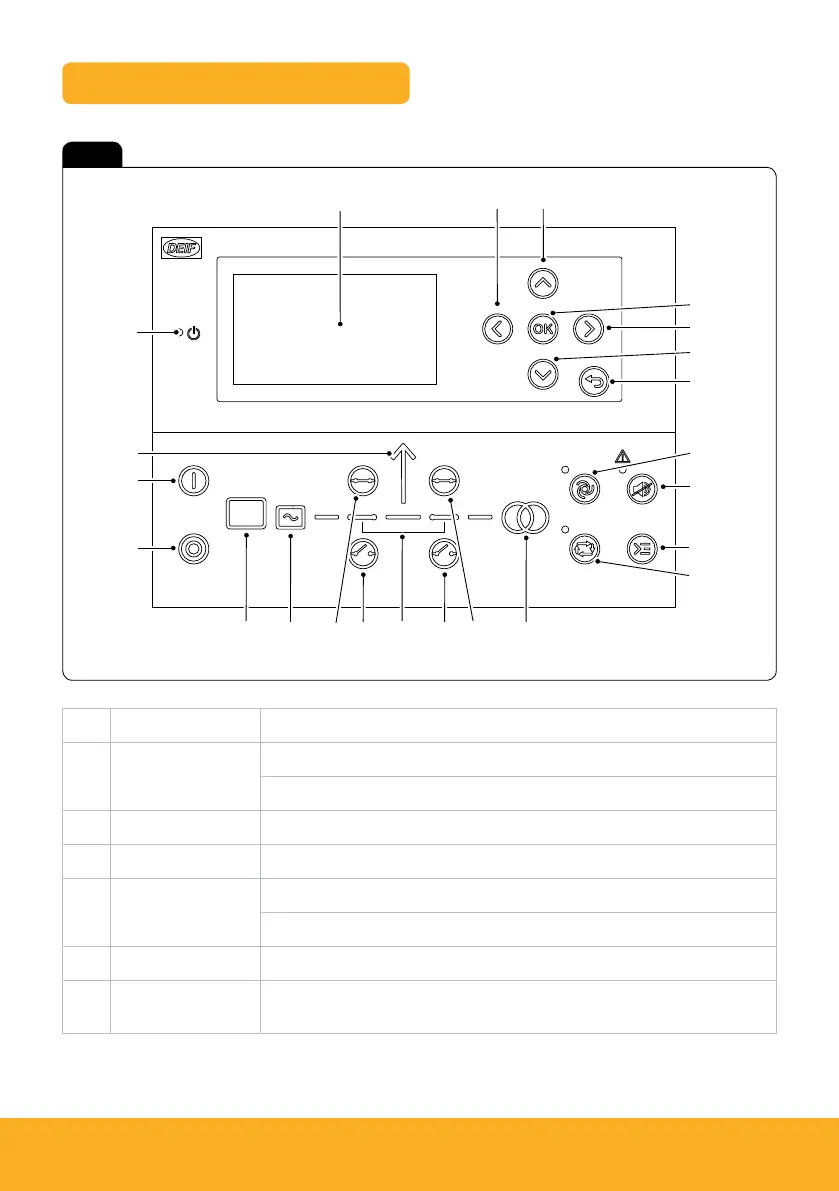
Control panel – DEIF AGC 150
Fig 6
Item Function
A Power On Green – The controller power is On.
Off – The controller power is Off.
B Display Screen Viewing area 88.5 x 51.4mm. 6 lines, each with 25 characters.
C Navigation Move the selector on the screen.
D OK Enter the menu system.
Confirm the selection on the screen.
E Back Go to the previous page.
F Auto Mode The controller automatically starts and stops the generator according to the
system settings. No operator actions are needed.



 To Next Page