06 - Body and Framework
06 - Access Cover
06 - Engine Compartment
06 - 12 9813/5250-1 06 - 12
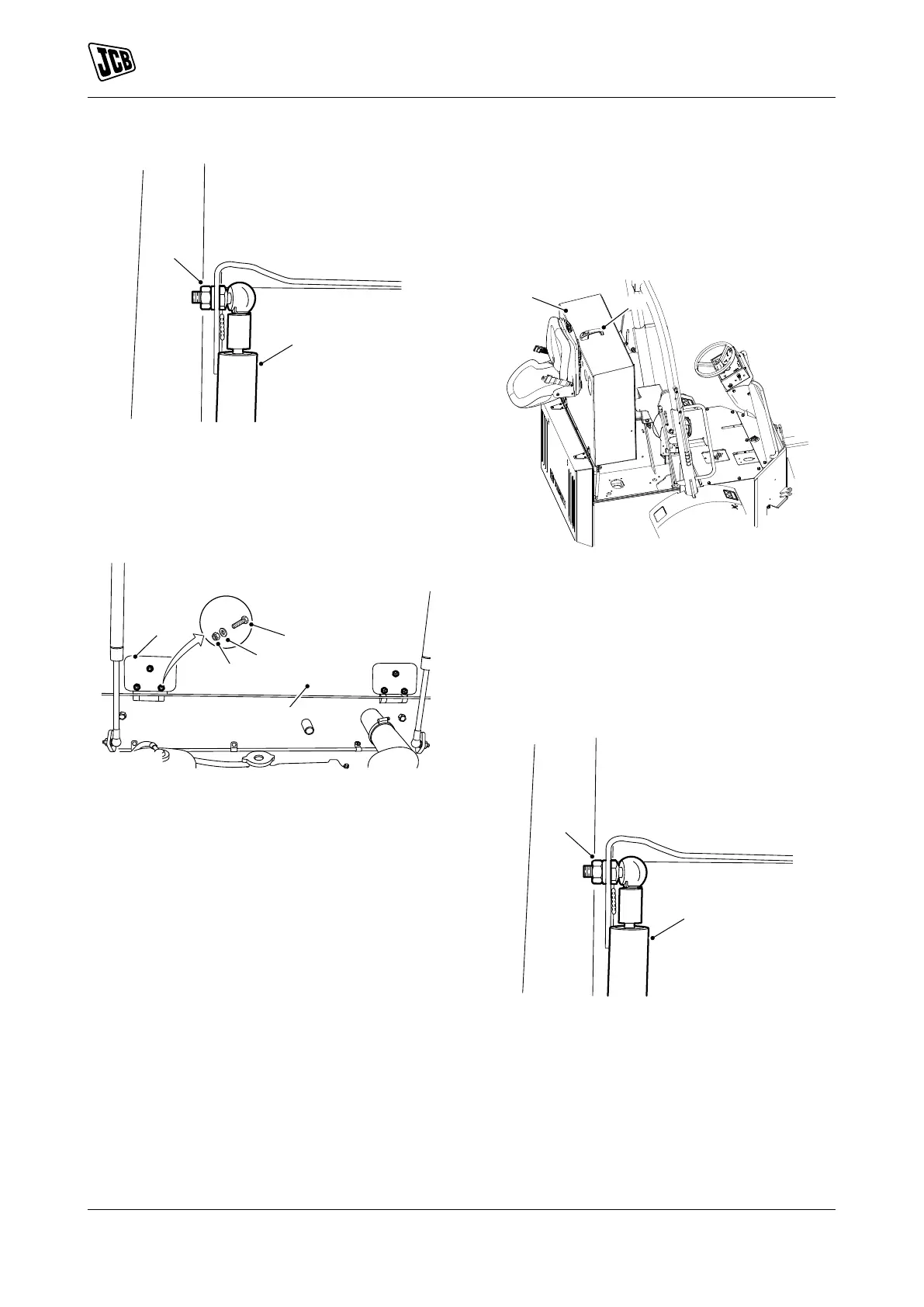
Figure 10.
C Nuts 1
D Gas strut
4.4. Support the engine compartment cover.
4.5. Remove the bolts, washers and the nuts 2
from the hinges.
Figure 11.
A Engine compartment cover
E Nuts 2
F Washers
G Bolts
H Hinges
4.6. Remove the engine compartment cover
from the machine.
Install
1. The installation procedure is the opposite of the
removal procedure.
(For: 3.5TST, 3TFT, 3TST)
Remove
1. Make the machine safe. Refer to (PIL 01-03).
2. Isolate the battery. Refer to (PIL 33-03).
3. Open the engine compartment cover as follows:
3.1. Use the ignition key to unlock the engine
compartment cover.
3.2. Press the button on the handle to release
the catch
3.3. Lift the engine cover.
Figure 12.
A Engine compartment cover
B Handle
4. Remove the engine compartment cover as
follows:
4.1. Remove the nuts 1.
4.2. Disconnect the gas strut from the engine
compartment cover.
Figure 13.
C Nuts 1
D Gas strut
4.3. Support the engine compartment cover.
4.4. Remove the bolts, washers and the nuts 2
from the hinges.



 To Next Page