06 - Body and Framework
06 - Access Cover
14 - Rear Cover
06 - 16 9813/5250-1 06 - 16
14 - Rear Cover
Remove and Install
For: 2TFT, 2THS, 2TST ............. Page 06-16
For: 3.5TST, 3TFT, 3TST ........... Page 06-17
(For: 2TFT, 2THS, 2TST)
Remove
1. Make the machine safe. Refer to (PIL 01-03).
2. Isolate the battery. Refer to (PIL 33-03).
3. Remove the engine compartment cover. Refer to
(PIL 06-06).
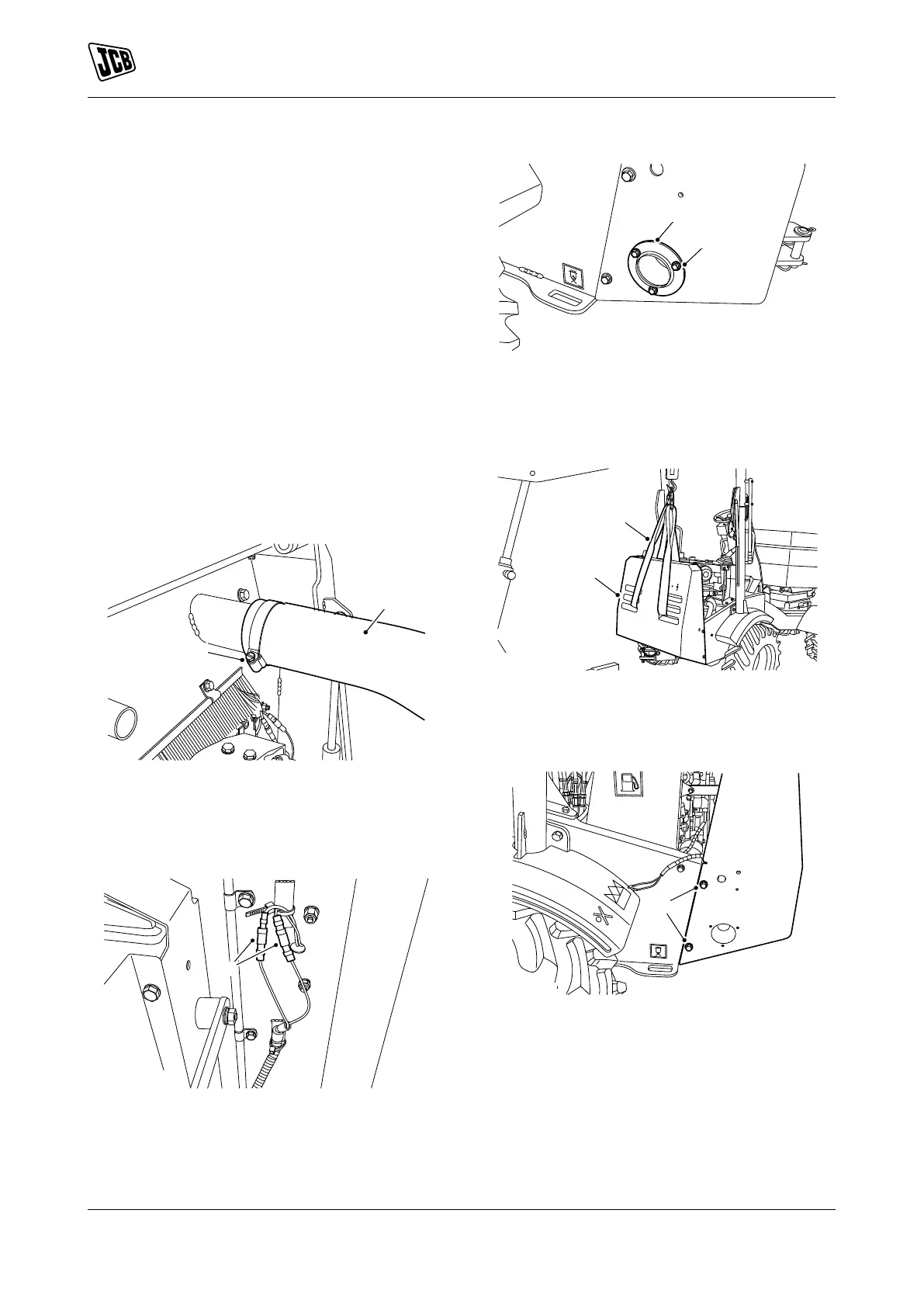
4. Loosen the clamp.
5. Disconnect the air filter intake pipe.
Figure 19.
A Clamp
B Air filter intake pipe
6. Disconnect the electrical connectors of the
reverse alarm.
Figure 20.
C Electrical connectors
7. Remove the bolts 1.
8. Remove the exhaust extension.
Figure 21.
F Bolts 1
G Exhaust extension
9. Support the rear cover with suitable lifting
equipment.
Figure 22.
D Lifting equipment
E Rear cover
10. Remove the bolts 2.
Figure 23.
H Bolts 2
11. Remove the rear panel from the machine.
Install
1. The installation procedure is the opposite of the
removal procedure. Additionally do the following
step.
2. Tighten the bolts to the correct torque value.


 To Next Page