EasyManua.ls Logo

Jedia JPA-1120 - User Manual

Default Icon
16 pages
Print Icon
To Next Page IconTo Next Page
Loading...
WWW.JEDIA.COM
PUBLIC ADDRESS
AMPLIFIER
JPA-1060
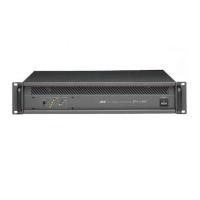
JPA-1120
JTP-10
JCP-10
JCR-10
FM / AM TUNER
CASSETTE DECK
CASSETTE RECEIVER
Question and Answer IconNeed help?

Do you have a question about the Jedia JPA-1120 and is the answer not in the manual?

Summary

Unpacking and Installation

Features Overview

Details key features like input adjustment, priority mute, and optional modules.

Front Panel Controls

Power Switch and Master Volume

Controls for powering the unit and adjusting the main output volume.

Tone Controls (Bass & Treble)

Adjusts the high and low frequency sound levels.

Speaker Selector and Output Display

Selects speaker outputs and indicates the signal level.

Receiver Controls

Tuner Power, Display, and LED

Controls for turning the tuner on, displaying frequency, and tuning indicators.

Deck Controls

Rear Panel Controls

Power and Fuse Connections

AC power cord input and fuse holders for protection.

DC 24 V Terminal

Terminal for connecting battery input for backup power.

Impedance Selector Switch

Selects impedance for high impedance speaker terminals.

Pre-Amp Out;Amp In and Speaker Terminals

Connects to external amplifiers and speakers.

Speaker Installation

Speaker Terminal Connections

Connecting speakers to 8 ohm, 4 ohm, or high impedance terminals.

Jedia JPA-1120 Specifications

General IconGeneral
BrandJedia
ModelJPA-1120
CategoryAmplifier
LanguageEnglish

Related product manuals