8
temperature reference or press the [MODE] key to exit (and go to the next calibration
parameter).
PROBE BASIC CELL CONSTANT
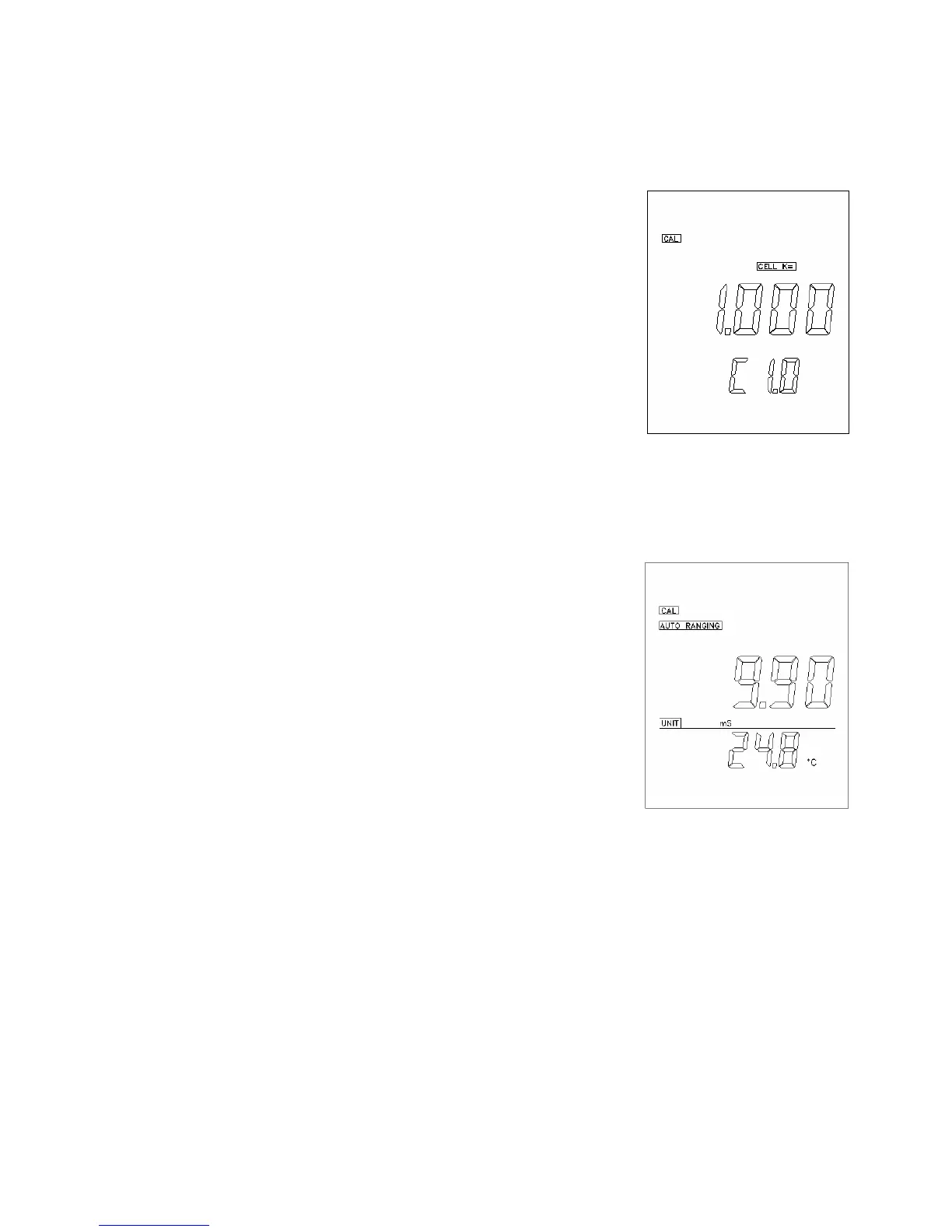
6. The unit will display the actual (calibrated previously or
default) cell constant while the lower part of the LCD will
display the current selected cell number. Using the [ ∆ ] and
[ ∇ ] keys, you can now change the probe basic cell
constant to that you use from the 3 available cell constants
(0.1, 1 and 10).
7. Press the [ENTER] key to save the new value of probe
basic cell constant or press the [MODE] key to exit (and go
to the next calibration parameter).
CELL CONSTANT CALBRATION
8. Immerse the probe to a known standard conductivity
solution (See section PREPARING & STORAGE
STANDARD SOLUTIONS) that is chosen to calibrate
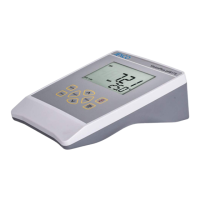
your probe. The unit will display the conductivity value of
the standard solution. During cell constant calibration, the
following parameters are over-ridden: temperature reference
(fixed to 25.0℃) and temperature coefficient (fixed to
1.91%).
9. Wait for the values of temperature and conductivity to
stabilize for a few seconds.
If you want input K value directly, please press the [MODE] key to go to the Step 11.
Using the [ ∆ ] and [ ∇ ] keys, you can now adjust the reading of the display until it
matches the value of the known standard conductivity solution at 25℃.
10.Press the [ENTER] key to calculate and save the new value of cell constant or press
the [MODE] key to exit (and go to the next calibration parameter).


 To Next Page