7
To change between modes, simply press and release the [MODE] key, the unit will cycle
through these four modes. When change mode, please carefully observe the annunciators
on the LCD.
Note : Every time the unit is turned OFF the last mode will be saved so that when turn the
instrument ON again it will return to this mode.
CALIBRATION SET-UP
BEFORE CALIBRATE
System calibration is rarely required as Model 3173/3173R were all factory pre-calibrated.
However, from time to time it is wise to check the system calibration and make
adjustment when necessary.
When the new probe / instrument is used, CALIBRATION should be performed, since
the cell constant of conductivity probes may differ from each other.
CALIBRATION PROCESS
1. After the power-on diagnostics, press the [CAL] key and the CAL annunciator will
appear on the display.
TEMPERATURE COEFFICIENT
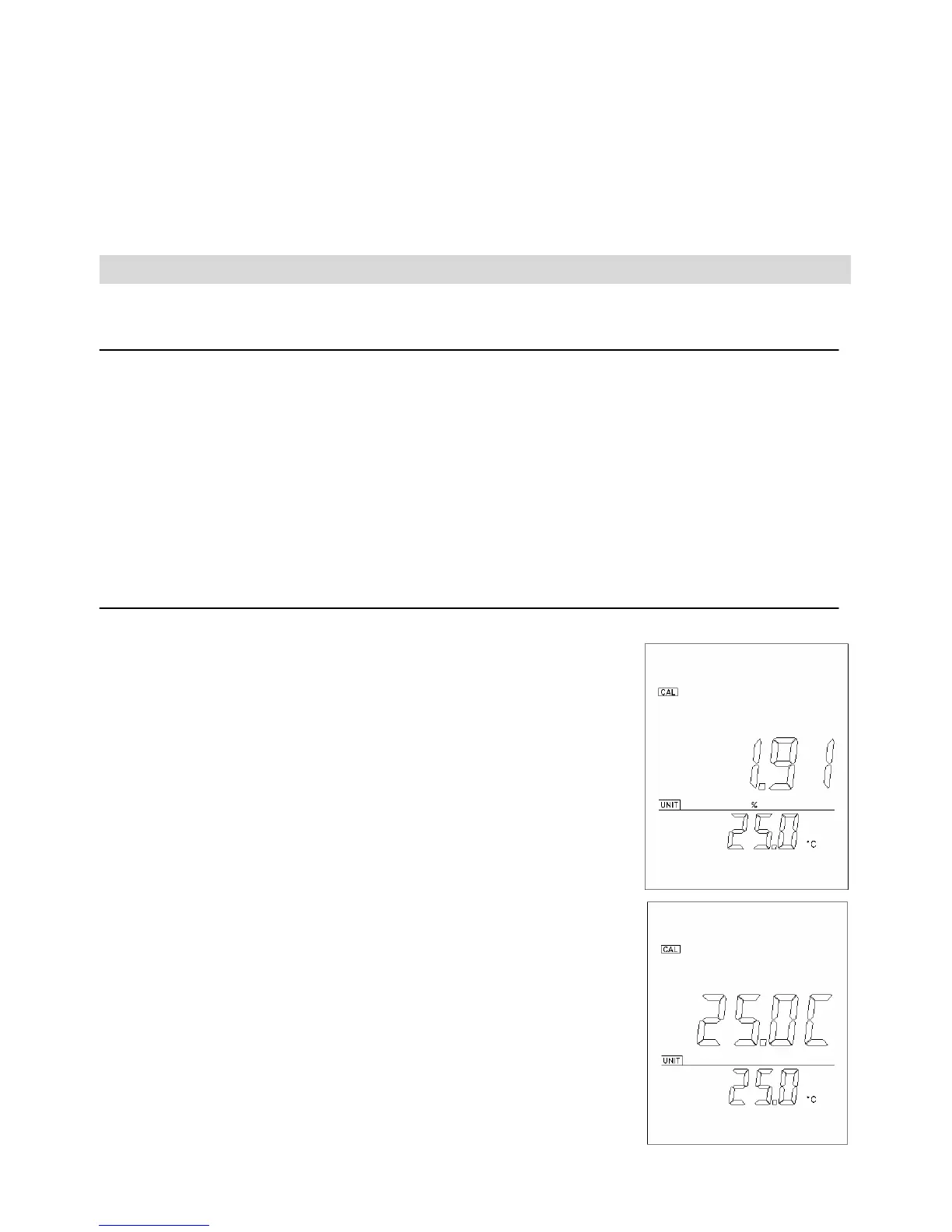
2. The unit will display 1.91% or a value set previously using
this procedure. Use the [ ∆ ] and [ ∇ ] keys to change the
value to the desired new temperature coefficient.
3. Press the [ENTER] key to save the new value of
temperature coefficient or press the [MODE] key to exit
(and go to the next calibration parameter).
TEMPERATURE REFERENCE
4. The unit will display 25.0C or a value set previously using
this procedure. Use the [ ∆ ] and [ ∇ ] keys to change the
value to the desired new temperature reference.
5. Press the [ENTER] key to save the new value of


 To Next Page