19
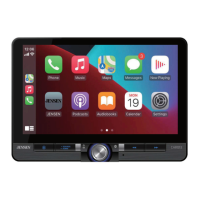
Apple CarPlay
®
Operation
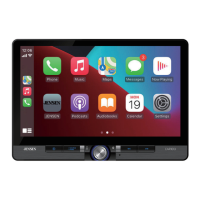
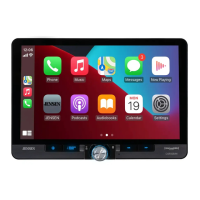
Apple CarPlay is a smart interface for iPhone, allowing you to voice-control (via
Siri) music, navigation, phone and messaging apps - significantly reducing driver
distraction.
Phone - Use Siri to make calls, return missed calls, listen to voicemail
messages, and view the caller ID on the receiver’s screen.
Messages - Ask Siri to send, read, and reply to text messages. This hands
free operation minimizes distraction and allows you to keep hands on the
wheel and eyes on the road.
Music - Access music by artist, song, playlist, and more through the
receiver’s touchscreen or via Siri. The receiver will mirror the iPhone screen
with artist and track information.
Maps - Use Siri to request turn-by-turn directions – search by address or
points of interest. Apple Maps will be mirrored on the screen, including
traffic information and estimated time to destination.
Compatible Devices
Made for iPhone models:
iPhone 13 mini, iPhone 13, iPhone 13 Pro, iPhone 13 Pro Max, iPhone 12 mini, iPhone
12, iPhone 12 Pro, iPhone 12 Pro Max, iPhone 11 Plus, iPhone 11, iPhone XS Max,
iPhone XS, iPhone XR, iPhone X, iPhone 8, iPhone 8 Plus, iPhone 7, iPhone 7 Plus,
iPhone 6, iPhone 6S
Starting Apple CarPlay
Wireless CarPlay Connection Descriotion.
1.
Enter the main UI and click BT Phone to enter the Bluetooth interface;
2. Click Refresh to search nearby Bluetooth, click Pair to match Bluetooth;
3. Open the iPhone WLAN to connect to the car, after the connection is successful, the Apple
CarPlay icon in the device list will appear, and the Apple CarPlay connection is successful;
4. Enter the Apple CarPlay interface, click the functions of Phone/ Music/Map/Information/etc.
Note: For safety reasons, Apple CarPlay features are limited while driving and will
vary with each Apple CarPlay-enabled app. Available functions are determined by each
individual app provider. For more information, visit www.apple.com/ios/carplay.
Note: Certain iPhone functions may be illegal while driving in your location. Be sure to
familiarize yourself with local and state laws regarding mobile devices. When in
doubt, stop and park your vehicle before using any devices.


 To Next Page