EasyManua.ls Logo

Jensen CMR270 - User Manual

Jensen CMR270
20 pages
Print Icon
To Next Page IconTo Next Page
Loading...
W AT T S
Front & Rear
Camera
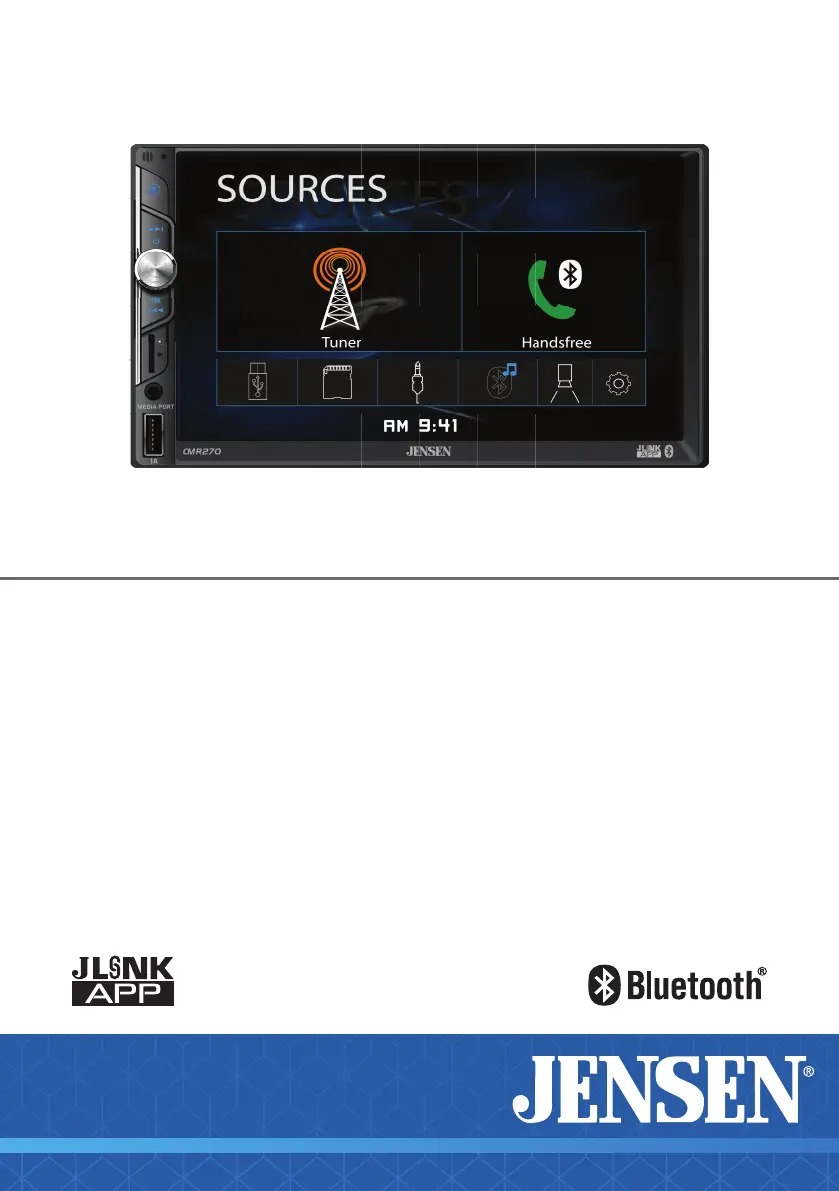
CMR270
Media Receiver with Bluetooth
featuring a 7" Touch Screen Display
INSTALLATION &
OWNER’S MANUAL

Questions and Answers

  • J
    James LucasJul 28, 2025
    How to fix a Jensen CMR270 that will not turn on?
    • M
      Melissa VasquezJul 28, 2025
      If your Jensen Car Video System isn't turning on, there could be several reasons: * The yellow or red wire might not be connected properly or have incorrect voltage. Check that these connections have the correct voltage (11~16VDC). * The black wire might not be connected. Ensure it is properly connected to ground. * The fuse might be blown. Replace it with a new one.
  • G
    Greg HermanAug 5, 2025
    Why does my Jensen CMR270 Car Video System keep blowing fuses?
    • M
      Mr. Alexander WrightAug 5, 2025
      If your Jensen Car Video System keeps blowing fuses, it could be due to: * A yellow or red wire touching the chassis ground. Inspect these wires for any pinching. * Speaker wires touching the chassis ground. Look for pinched speaker wires. * Using the wrong fuse rating. Make sure you are using fuses with the correct rating.
  • M
    Michael ColemanAug 11, 2025
    What to do if my Jensen CMR270 has power but no sound?
    • T
      Todd HamiltonAug 11, 2025
      If your Jensen Car Video System has power but no sound, the issue might be: * Speaker wires are not properly connected. Check the connections at the speakers. * Speaker wires are touching each other or the chassis ground. Insulate all bare speaker wires from each other and from the chassis ground.
  • K
    Kimberly StevensAug 19, 2025
    Why is there no video display on my Jensen Car Video System when I put my car in reverse?
    • M
      Michele RussellAug 19, 2025
      If there is no video display on your Jensen Car Video System when in reverse, the problem might be: * The reverse circuit is not connected. Check the connections at the reverse lamp. * The vehicle is not actually in reverse. Select reverse gear.

Summary

Safety Information and Preparation

General Safety Precautions

Key safety guidelines to prevent damage or injury during installation and operation.

FCC Compliance

Details regarding compliance with FCC rules and potential interference.

Installation Preparation Steps

Pre-installation steps and initial mounting guide for the unit.

Installation Wiring and Connections

Wiring Diagram - Inputs;Outputs

Visual representation of the unit's wiring connections for speakers and power.

Wiring Notes

Important notes regarding fuse replacement and camera input usage.

Control Locations and Basic Operation

Control Locations Overview

Identifies and describes the physical buttons, ports, and screen elements of the unit.

Basic Controls

Controls for Power, Volume, and Mute functions.

Input Modes and Media Playback

Switching modes and playing audio from USB, microSD, and Aux.

System Menu and Reset

Accessing the Main Menu and performing a system reset.

Advanced Operation and Settings

Setup Menu Configuration

Details on configuring Time, Beep, Camera, Loudness, Radio Area, and Calibration.

Touch Screen Controls

Direct access controls on the touch screen for key functions.

Media Playback Operations

AM;FM Tuner Operation

How to tune, select bands, adjust stereo/mono, and use presets.

USB;microSD Card Operation

Steps to play audio from USB devices and microSD cards, including playback controls.

Media Compatibility Details

Information on supported file systems, formats, sampling frequencies, and bitrates.

Media Compatibility Guidelines

Lists incompatible file types and guidelines for compatible recording formats.

Bluetooth and Additional Features

Bluetooth Preparation and Pairing

Steps for preparing and pairing a new Bluetooth device.

Bluetooth Phone Functionality

How to access and use the Bluetooth phone features, including calls.

Bluetooth Music Playback

How to access and control music playback via Bluetooth.

Rear Camera Operation

Connecting and manually or automatically selecting the rear camera input.

Smart App Remote Control

Details on downloading and using the Jensen iPlug P1 Smart App.

Voice Activation and Aux Input

Using voice commands and connecting audio via the 3.5mm aux input.

Technical Specifications and Warranty

Technical Specifications

Detailed specifications for tuners, monitor, connectivity, and general unit features.

Warranty Information

Details on warranty coverage, eligibility, and the service process.

Troubleshooting and Support

General Troubleshooting Guide

Common issues, causes, and actions for the unit.

Customer Support Information

Contact phone number and website for customer support.

Jensen CMR270 Specifications

General IconGeneral
Screen Size7 inches
Resolution800 x 480 pixels
TouchscreenYes
DVD PlayerYes
CD PlayerYes
USB PortYes
SD Card SlotYes
BluetoothYes
AM/FM RadioYes
Video InputYes
Video OutputYes
Remote ControlYes
Backup Camera InputYes
Steering Wheel Control CompatibleYes
Power Output200 Watts (50W x 4 Channels)
Media Format SupportMP3, WMA, JPEG, AVI, MP4

Related product manuals