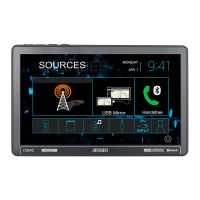
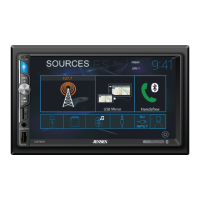
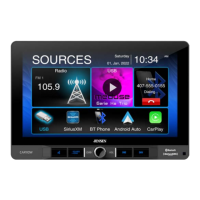
The Jensen CMR2720 is a 7-inch touch screen mechless receiver designed for in-car entertainment, offering AM-FM radio and Bluetooth connectivity. This device is engineered and designed in the USA, with customer support available Monday-Friday, 9AM-5PM EST, at 1-888-921-4088 or via their website, https://www.jensenmobile.com.
Function Description:
The CMR2720 serves as a central hub for audio and media in a vehicle. It provides access to AM-FM radio, Bluetooth for hands-free calling and music streaming, and supports media playback from microSD cards and USB devices. The unit also features inputs for front and rear cameras, an auxiliary input, and A/V input. It includes a voice assistant feature for hands-free control and navigation hot button for quick access to phone navigation apps.
Important Technical Specifications:
- Display: 7-inch touch screen, 500 nit brightness, 1024x600 TFT resolution, LED backlight, Capacitive touch screen type.
- Power: Operation Voltage Input: 11-16VDC, USB 1 Charge Output: 2.1A.
- Audio: Speaker Nominal Impedance: 4-8 ohms, Line Output Voltage: 2 Volts RMS.
- Dimensions: 5" x 7" x 4" (126D x 178W x 100H mm).
- FM Tuner: US Tuning Range: 87.5MHz-107.9MHz, EU Tuning Range: 87.5MHz-108.00MHz, Usable Sensitivity: 8.5dBf, 50dB Quieting Sensitivity: 10dBf, Stereo Separation@1kHz: 30dB, Frequency Response: 30Hz-13kHz.
- AM Tuner: Tuning Range: 530kHz-1710kHz, Usable Sensitivity: <42dBu, Frequency Response: 30Hz-2.2kHz.
- Bluetooth: Version: 4.1 + EDR, Profiles: HFP / A2DP / PBAP, Range: Up to 33ft / 10m.
- Media Compatibility:
- File System: FAT 12 (X), FAT 16/FAT 32 (✓).
- File Extension: .mp3/.MP3/.Mp3/.mP3 (✓), .rmp/.m4a (X).
- MPEG Format: MPEG 1 (✓), MPEG 2 (✓), MPEG 2.5 (✓).
- Sampling Frequency: MPEG 1 (32/44.1/48kHz), MPEG 2 (12/16/22.05/24kHz), MPEG 2.5 (8/11.025/12kHz).
- Bitrate: MPEG 1 (32~320kbps), MPEG 2 (8~160kbps), MPEG 2.5 (8~160kbps).
- Other Information: Directory Depth (Unlimited), File Name Length (32 bytes), Total File Number (2000 files), Total Folder Number (200 folders), File Number via Folder (2000 files).
- MP3 ID3 TAG: ver.1.x (✓), ver.2.x (✓), Title, Artist, Album (✓).
- Incompatible files: MP3 PRO format, MP3 playlists, RMP format, WAV format, WMV format, AAC, protected AAC, M4A format.
- Compatible Recording Formats: ISO9660 standards, maximum nested folder depth is 8 (including the root folder), valid characters for folder/file names are letters A-Z (all caps), numbers 0-9, and "_" (underscore).
- CEA-2006 Power Standard Specifications: (reference: 14.4VDC +/- 0.2V, 20Hz-20kHz) Power Output: 16 Watts RMS x 4 channels at 4 ohms and ≤1% THD+N, Signal to Noise Ratio: 75dBA (reference: 1 watt into 4 ohms).
Usage Features:
- Main Control Locations: Includes microphone, mode/voice assistant button, tune/track up/down, volume/power/mute, microSD card slot, reset button, auxiliary input, and USB slot.
- Source Menu Operation: Provides quick access to Radio, Bluetooth Phone, Settings, Camera, AV Input, Auxiliary Input, BT Music, microSD, and USB.
- On-Screen Controls: Features screen brightness adjustment (dim, standby mode), voice assistant activation, audio settings, navigation hot button, and general settings.
- Audio Settings: Allows selection of preset EQ settings (Flat, Classic, Rock, Pop, Jazz, Beat, User), surround settings (Concert, Church, Passive, Wide, Live, None), and adjustment of balance (8L to 8R) and fader (8F to 8R).
- Settings Menu: General settings include OSD language (English), wallpaper (three different options), radio area (Europe, USA, South America, Asia), time setting (date, month, day, year, 12-hour or 24-hour clock), beep (enable/disable), camera (enable/disable rear camera input), version (display version numbers), and restore default. Audio settings include subwoofer (adjust frequency and volume), loudness (enable/disable). Display settings include aspect ratio (America, Europe, Latin), adjust screen brightness, contrast, hue, saturation, and sharpness, and panel backlight settings (Off, 10, 20, 30 seconds). Bluetooth settings include turning Bluetooth signal on/off and auto answer feature on/off.
- Tuner Operation: Allows tuning up/down, selecting preset stations, switching between AM and FM bands, toggling local/distance tuning, stereo/mono tuning, and AS/PS (scan presets, store strongest stations).
- USB/microSD Operation: Supports MP3 playback from USB and microSD. Features include Main Menu return, mode indicator, file information display, previous/next track, play/pause, folder search, random play, and repeat (All, One, Folder, Off).
- Bluetooth Operation:
- Pairing: The unit broadcasts a pairing signal, and users must ensure Bluetooth is activated on their device. The device name is "JENSEN CMM2720".
- Phone Functions: Paired device list, talk (connect call), end call, keypad display, music display, contact display.
- Music Functions: Previous track, play/pause, next track.
- App Operation: The Jensen Smart app (J-Link P1) acts as a wireless remote control for the receiver, available on Apple App Store and Google Play Store.
- Navigation Hot Button: Connects the receiver to the phone's navigation app via Bluetooth, streaming audio. Requires a smartphone with data.
- Voice Assistant: Activates Siri® or Google Assistant™ via Bluetooth.
- Camera Inputs:
- Rear Camera: Connects to Rear Camera inputs (Yellow RCA for video, Black RCA for audio). Manual selection via REAR CAMERA icon or automatic selection when connected to vehicle's reverse light circuitry. External video output is not active when using rear camera input.
- Front Camera: Connects to Front Camera inputs (Yellow RCA for video; no audio connection). Accessed via CAMERA icon, with default display of rear camera, then switch to front.
- Auxiliary Input: Connects an optional audio source to the auxiliary input on the front panel.
- A/V Input: Connects an optional audio source to the rear A/V input.
- Steering Wheel Controls (SWC): Compatible with many 3rd party SWC control modules (PAC, METRA, etc.) via a built-in 3.5mm SWC interface on the MAIN POWER I/O Harness. Supports Volume +/-, Mute, Seek/Track +/-, Band, Mode, BT Talk, BT End Call. Requires programming according to PAC SWI-RC instructions.
Maintenance Features:
- Troubleshooting Guide: Provides solutions for common issues such as unit not turning on (check red/yellow wire, black wire, blown fuse), no sound (check speaker wires, speakers, wiring), unit blows fuse (check speaker wires, incorrect fuse rating), and no audio/video (check parking brake, video playback codec).
- Fuse Replacement: When replacing a fuse, use the correct type and amperage (10 amp ATC blade-type fuse located on the back of the unit).
- Installation Precautions: Disconnect negative battery terminal before installation. Avoid installing where subject to high temperatures, direct sunlight, dust, dirt, or excessive vibration.
- Liquid Crystal Display Care: If the temperature falls (as in winter), the liquid crystal inside the screen will become darker than usual. Normal brightness will return after using the monitor for a while. To clean the monitor, wipe only with a dry silicone cloth or soft cloth. Do not use a stiff cloth, or volatile solvents such as paint thinner and alcohol. They can scratch the surface of the panel and/or remove the printing. Do not touch the liquid crystal fluid if the LCD is damaged or broken. The liquid crystal fluid may be hazardous to your health or fatal. If the liquid crystal fluid from the LCD contacts your body or clothing, wash it off with soap immediately.
- Wiring: Ensure correct wiring harness and antenna connections. Consult a qualified technician if unsure.
- Battery Reconnection: Reconnect battery negative terminal after installation.
- Testing: Test for correct operation before securing the unit into the dashboard.

 Need help?
 General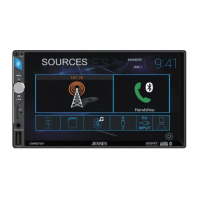

 To Next Page