EasyManua.ls Logo

Jensen CM7MIR - User Manual

Jensen CM7MIR
22 pages
Print Icon
To Next Page IconTo Next Page
Loading...
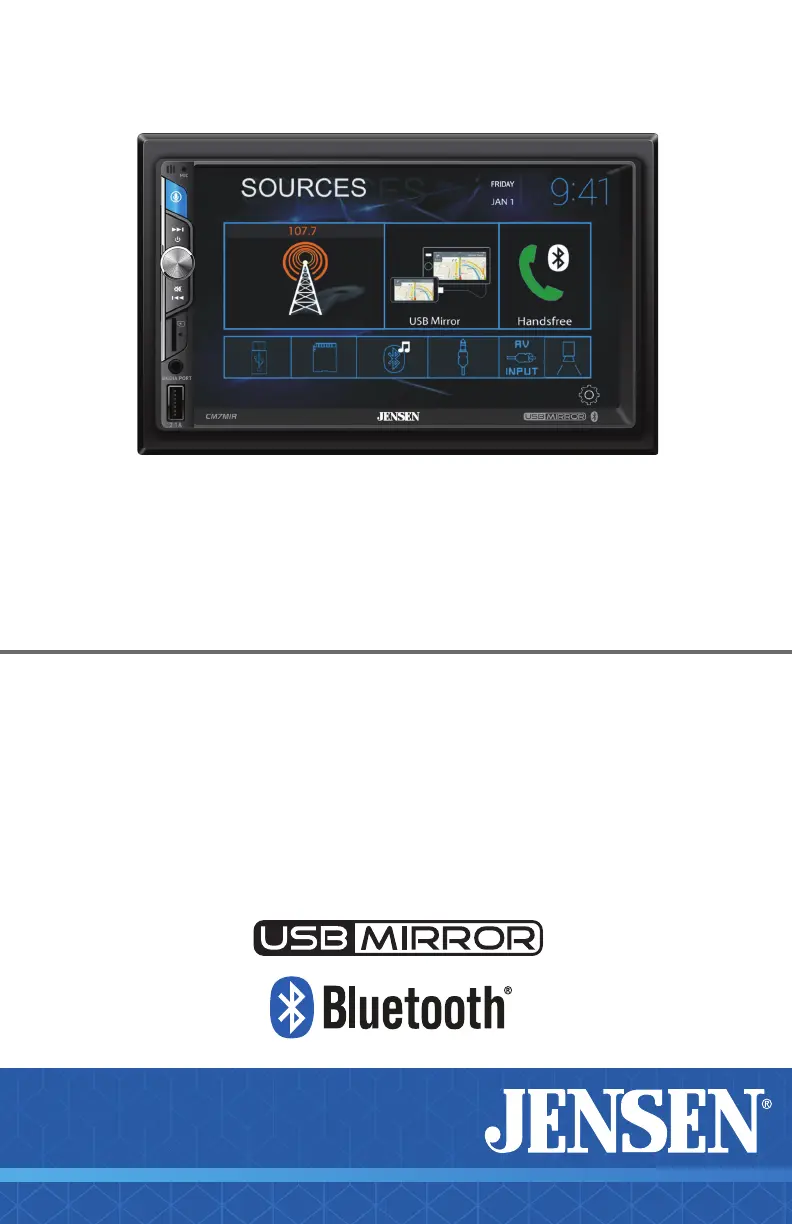
CM7MIR
7” TOUCH SCREEN
MULTIMEDIA MECHLESS RECEIVER
AM-FM, Bluetooth
USB Mirroring
Front & Rear Camera Input
INSTALLATION &
OWNER’S MANUAL
W AT T S
Front & Rear
Camera
B-Type

Questions and Answers

  • R
    robert02Jul 28, 2025
    How to fix a Jensen Car Video System that will not turn on?
    • C
      Carl DeckerJul 28, 2025
      If your Jensen Car Video System won't turn on, it could be due to a few reasons. First, check that the red and yellow wires are properly connected and receiving the correct voltage (11~16VDC). Also, ensure the black wire is connected to ground. Finally, inspect the fuse on the unit and in your vehicle; if blown, replace it with a new one.
  • T
    thomas17Aug 5, 2025
    What to do if my Jensen CM7MIR Car Video System has power but no sound?
    • M
      Misty ClarkAug 5, 2025
      If your Jensen Car Video System has power but no sound, start by checking all speaker wire connections, including the speakers themselves. If the connections are fine, the speakers might be blown and need replacing. Also, ensure that all bare speaker wires are insulated from each other and the chassis ground to prevent short circuits.
  • R
    Rick DuncanAug 13, 2025
    Why does my Jensen Car Video System keep blowing fuses?
    • S
      scottdiazAug 13, 2025
      If your Jensen Car Video System keeps blowing fuses, it could be due to a short circuit. Check the yellow and red wires to make sure they are not touching the chassis ground. Also, inspect the speaker wires to ensure they are not touching the chassis ground. Look for any pinched or shorted wires. Finally, verify that you are using a fuse with the correct rating for your unit.
  • C
    Charlene RiveraAug 20, 2025
    What to do if my Jensen Car Video System has audio but no video?
    • J
      Jeffrey ThomasAug 20, 2025
      If your Jensen Car Video System has audio but no video, check the connections at the parking brake and apply the parking brake as described in the manual. Also, the video playback codec might not be supported; refer to the Media Codec Support section for compatible formats.

Summary

FCC Compliance

Safety Notice

Video Playback Safety and Unit Precautions

Restricts video playback while driving; covers grounding, wiring, installation, and unit care.

Liquid Crystal Fluid Hazard Warning

Warns about potential hazards of liquid crystal fluid if the LCD is damaged or broken.

Installation Preparation

Before Installation Steps

Includes disconnecting the battery and choosing a suitable installation location.

Installation Procedure Steps

Covers unpacking, connecting wiring, dash kit requirements, and securing the unit.

Wiring Diagram and Connections

Fuse Replacement Guidelines

Provides essential tips for safely replacing fuses with the correct type and amperage.

Audio Settings Customization

Equalizer (EQ) Settings

Details how to select preset EQ settings or manually adjust EQ levels.

Balance and Fader Adjustment

Guides on adjusting the audio balance and fader levels for optimal sound.

Media Compatibility

Bluetooth Operation

Pairing and Auto-Connect Features

Guides on pairing new devices and utilizing the auto-connect functionality.

Bluetooth, App, and Voice Assistant Features

USB Mirroring Functionality

Setting Up USB Mirroring

Provides step-by-step instructions for connecting Android or Apple phones for screen mirroring.

USB Mirroring Control Interface

Details the on-screen controls available during USB mirroring operation.

Camera, Auxiliary, and A;V Inputs

Rear and Front Camera Connections

Details connecting rear and front cameras and selecting their views.

Steering Wheel Controls Integration

Recommended SWC Adapter Setup

Recommends the PAC SWI-RC adapter and outlines its programming steps.

Troubleshooting and Support

Common Unit Issues and Solutions

Addresses power, sound, fuse, and video issues with causes and actions.

Jensen CM7MIR Specifications

General IconGeneral
TouchscreenYes
BluetoothYes
USB PortYes
SD Card SlotYes
Radio TunerAM/FM
Backup Camera InputYes
Steering Wheel Control CompatibleYes
Built-in DVD PlayerNo
Auxiliary InputYes
Rear View Camera InputYes
Screen Size7"
Resolution800 x 480
Video Playback FormatsAVI/MP4/MKV
Peak Power Output50 watts x 4 channels

Related product manuals