EasyManua.ls Logo

Jensen CMM10 - User Manual

Jensen CMM10
22 pages
Print Icon
To Next Page IconTo Next Page
Loading...
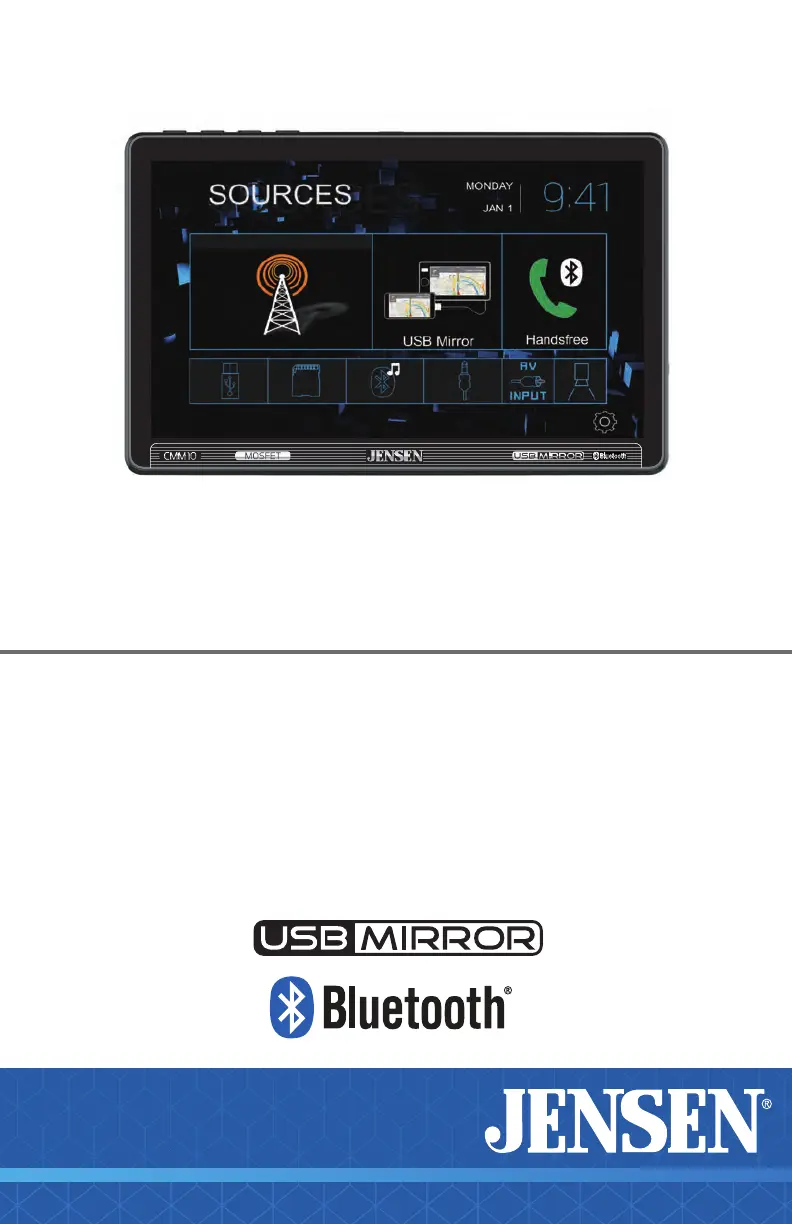
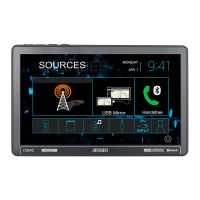
CMM10
10” CAPACITIVE TOUCH SCREEN
MULTIMEDIA MECHLESS RECEIVER
AM-FM, Bluetooth
USB Screen Mirroring
Front & Rear Camera Input
INSTALLATION &
OWNER’S MANUAL
B-Type

Other manuals for Jensen CMM10

Questions and Answers

  • K
    kathryn04Jul 28, 2025
    How to fix a Jensen Car Video System that will not turn on?
    • M
      Michele ThompsonJul 28, 2025
      If your Jensen Car Video System won't turn on, it could be due to a few reasons. First, check that the red and yellow wires are properly connected and receiving the correct voltage (11~16VDC). Also, ensure the black wire is connected to ground. Finally, inspect the fuse on the unit and in your vehicle; if blown, replace it with a new one.
  • K
    Kathryn AdkinsAug 4, 2025
    What to do if my Jensen CMM10 Car Video System has power but no sound?
    • L
      Linda BrewerAug 4, 2025
      If your Jensen Car Video System has power but no sound, start by checking all speaker wire connections, including the speakers themselves. If the connections are fine, the speakers might be blown and need replacing. Also, ensure that all bare speaker wires are insulated from each other and the chassis ground to prevent short circuits.
  • V
    Victoria MillsAug 12, 2025
    Why does my Jensen CMM10 keep blowing fuses?
    • M
      Melissa BauerAug 12, 2025
      If your Jensen Car Video System keeps blowing fuses, it could be due to a short circuit. Check the yellow and red wires to make sure they are not touching the chassis ground. Also, inspect the speaker wires to ensure they are not touching the chassis ground. Look for any pinched or shorted wires. Finally, verify that you are using a fuse with the correct rating for your unit.
  • S
    Sara YoungSep 10, 2025
    What to do if my Jensen CMM10 Car Video System has audio but no video?
    • K
      Kurt BishopSep 12, 2025
      If your Jensen Car Video System has audio but no video, check the connections at the parking brake and apply the parking brake as described in the manual. Also, the video playback codec might not be supported; refer to the Media Codec Support section for compatible formats.

Summary

FCC Compliance

Copyright and Trademark

Safety Notices

Preventing Damage or Injury

Guidance on how to avoid damaging the unit or causing personal harm during operation and maintenance.

Installation Preparation

Before You Start

Essential steps and considerations before beginning the installation process.

Getting Started

Steps for unpacking the unit and connecting essential components for initial setup.

Wiring Diagram

Input;Output Wiring

Details the connections for power, speakers, and other inputs/outputs.

Camera Inputs

Information on connecting front and rear cameras to the unit.

Main Control Locations

Source Menu Operations

Radio

Instructions on accessing and operating the radio tuner functions.

USB Mirroring

Guide to mirroring your smartphone display via USB connection.

Bluetooth Phone

Steps to access and manage phone functions via Bluetooth.

System Settings

Accessing and adjusting the unit's general system configurations.

On-Screen Controls

Screen Brightness

Adjusting the display brightness and standby mode.

Voice Assistant

Instructions for activating and using voice assistant features.

Audio Controls

Accessing and adjusting audio playback settings on screen.

Navigation Hot Button

Direct access to navigation applications via a dedicated button.

Audio Settings

EQ Settings

Selecting preset or manually adjusting equalizer settings for audio.

Surround Settings

Choosing from various surround sound effect presets.

Balance and Fader

Adjusting the audio balance between speakers and front/rear.

System Settings Menu

General Settings

Configuration for language, wallpaper, radio area, time, and beep.

Audio Settings

Detailed audio adjustments including subwoofer and loudness.

Display Settings

Adjusting aspect ratio, screen parameters, and backlight.

Bluetooth Settings

Managing Bluetooth connectivity and auto-answer features.

Tuner Operation

Radio Operation

Basic steps to access and operate the radio tuner.

Tuning Controls

Using buttons to tune to stations, seek, and save presets.

Band Selection

Switching between AM and FM radio bands.

Scanning and Modes

Utilizing features like ASPS, Local/Distance, and Stereo/Mono.

USB;microSD Operation

File Information

Displaying details about the currently playing media file.

Track Navigation

Controls for playing, pausing, skipping tracks, and fast forward/reverse.

Folder Search

Navigating through folders and selecting files for playback.

Playback Modes

Managing random playback and repeat options for media.

Media Compatibility

Bluetooth Operation

Pairing and Connecting Devices

Steps for pairing new Bluetooth devices and connecting previously paired ones.

Bluetooth Phone Functions

Using the keypad, contacts, and call functions via Bluetooth.

Bluetooth Music Functions

Controlling music playback from a Bluetooth-connected device.

USB Mirroring

App Operation

Navigation Hot Button

Voice Assistant

External Inputs

Camera Inputs

Connecting and using rear and front camera inputs.

Audio Inputs

Connecting auxiliary and A/V sources for audio playback.

Steering Wheel Controls

Limited One Year Warranty

Troubleshooting

Specifications

Jensen CMM10 Specifications

General IconGeneral
BluetoothYes
SD Card SlotYes
AV InputYes
Digital Media PlaybackYes
Backup Camera InputYes
Steering Wheel Control CompatibleYes
DIN SizeDouble DIN
TouchscreenYes
Built-in DVD PlayerNo
AUX InputYes
FM TunerYes
Wireless HeadphonesNo
Remote ControlYes
Display Size10.1 inches
Resolution1024 x 600

Related product manuals