1818
CMM10 OPERATION
Steering Wheel Controls
We recommend the PAC SWI-RC .
1. Set "Radio Select Switch". Set the SWI-RC to position 7 - "Pioneer/Other/Sony".
2. To program, use the Pioneer/Sony/Other radio function mapping order.
3. When programming the SWI-RC, if a function is not supported (or not desired),
then the function MUST be skipped as per the PAC SWI-RC instructions.
4. The SWC function MUST be programmed in the correct order per the PAC SWI-RC
radio function mapping order instructions.
A third-party adapter must be used in order for the CMM10 to be compatible with any
OEM steering wheel controls.
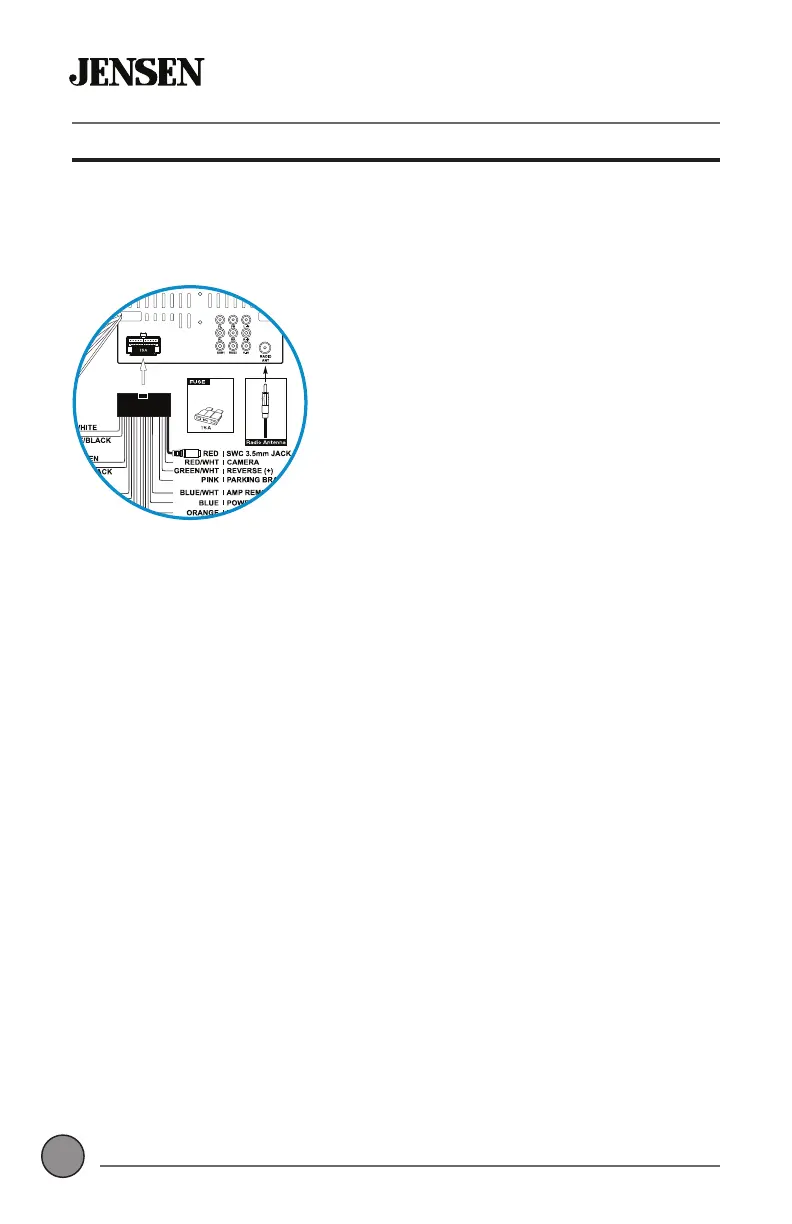
The CMM10 has a built-in 3.5mm SWC interface that compatible with many popular
3rd party SWC control modules, such as PAC, METRA, and others.
The following controls are available for most vehicles.
Volume +
Volume -
Mute
Seek / Track +
Seek / Track -
Band
Mode
BT Talk
BT End Call
Note: Not all OE steering wheel functions may be supported by the CMM10
POWER
MAXIMUM OUTPUT 500mA
YELLOW
YELLOW
BLACK
Replace with
ATO Type fuse
Only
3.5mm SWC port located on the rear of the unit, on the
MAIN POWER I/O Harness


 To Next Page