EasyManua.ls Logo

Jensen CAR68 - User Manual

Jensen CAR68
26 pages
Print Icon
To Next Page IconTo Next Page
Loading...
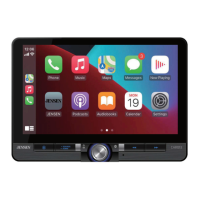
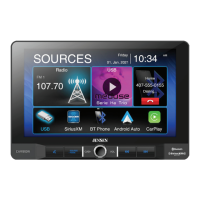
CAR68
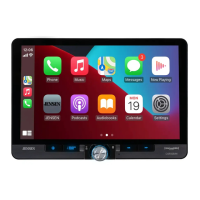
6.8” 2 DIN CAPACITIVE TOUCH SCREEN
MULTIMEDIA MECHLESS RECEIVER
AM-FM-RDS
USB Multimedia Player
Front / Rear Camera Inputs
INSTALLATION &
OWNER’S MANUAL
W AT T S
Front & Rear
Camera

Questions and Answers

  • B
    blanchardbrianJul 28, 2025
    How to fix a Jensen CAR68 that will not turn on?
    • M
      Michael FloydJul 28, 2025
      If your Jensen Car Video System isn't turning on, there are a few potential causes. First, the red and/or yellow wire might not be connected properly or have incorrect voltage; in this case, check these connections to ensure they have the proper voltage (11~16VDC). Second, the black wire might not be connected; check the ground connection. Finally, a fuse on the unit or vehicle might be blown; replace the fuse(s).
  • S
    Sandra CruzAug 5, 2025
    Why does my Jensen Car Video System have power but no sound?
    • L
      Lisa NortonAug 5, 2025
      If your Jensen Car Video System has power but no sound, it could be due to several reasons. First, the speaker wires might not be connected properly; check all connections, including the speakers themselves. Second, the speakers might be blown; consider replacing them. Third, one or more speaker wires might be touching each other or the chassis ground; insulate all bare speaker wires from each other and the chassis ground.
  • B
    Brian HowardAug 12, 2025
    What to do if my Jensen CAR68 keeps blowing fuses?
    • J
      Jimmy JohnsonAug 12, 2025
      If your Jensen Car Video System keeps blowing fuses, there are a few possible causes. The yellow or red wire might be touching the chassis ground; check for pinched or shorted wires. Also, speaker wires might be touching the chassis ground; again, check for pinched or shorted wires. Finally, the fuse rating might be incorrect; use a fuse with the correct rating.
  • T
    Tyler HawkinsAug 20, 2025
    Why does my Jensen CAR68 have audio but no video?
    • J
      James HartmanAug 20, 2025
      If your Jensen Car Video System has audio but no video, it might be due to a few reasons. The parking brake safety circuit might not be connected, or the parking brake is not applied; check the connections at the parking brake. Also, apply the parking brake as described in the manual. Finally, the video playback codec might not be supported; see the Media Codec Support section.


Summary

CAR68 Installation and Owners Manual

Copyright and Trademark

Details copyright and trademark information for the JENSEN CAR68 product and associated technologies like Apple CarPlay and Android Auto.

FCC Compliance

Outlines the FCC compliance rules and warnings related to interference and device operation.

Safety Notice

Provides crucial safety warnings and instructions for operating and installing the JENSEN CAR68, emphasizing driver distraction and proper handling.

Preparation

Guides users on preparing for the installation process, including reading the manual and consulting a technician.

Typical ISO-DIN Installation

Illustrates the standard process for installing the unit into an ISO-DIN dashboard slot with necessary components.

Input; Output Wiring Diagram

Details the input and output connections for the JENSEN CAR68, including speaker, power, and camera connections.

Getting Started - First Time Setup Wizard

Guides users through the initial system settings and Bluetooth device connection process upon first power-on.

Main Control Locations

Identifies and explains the functions of the main physical buttons and on-screen controls for the JENSEN CAR68 unit.

Source Menu Operation

Details how to navigate and select different audio and media sources available on the JENSEN CAR68 unit.

Gesture Source Ribbon Operation

Explains how to use swipe gestures to quickly switch between different sources on the JENSEN CAR68 unit.

AM;FM Tuner Operation

Provides instructions on operating the AM/FM tuner, including band selection, presets, seeking, and direct tuning.

10-BAND Equalizer

Details how to use the 10-band equalizer to adjust audio frequencies, including preset options and manual adjustments.

Media Player Operation

Explains how to select audio sources and control playback for music files via USB, Auxiliary, or Bluetooth.

Media Compatibility

Lists the supported and incompatible media file types, formats, and playback parameters for the JENSEN CAR68.

Bluetooth - Handsfree Operation

Guides users on pairing and using the Bluetooth handsfree feature for phone calls, including signal strength and contact management.

Apple CarPlay Operation

Details how to connect and use Apple CarPlay with compatible iPhones, including voice control and app integration.

Android Auto Operation

Explains how to connect and use Android Auto with compatible Android phones, focusing on navigation, calls, and Google Assistant.

Settings Menu

Provides instructions for accessing and adjusting various settings including General, Audio, Display, Radio, and Bluetooth preferences.

Cameras & Auxiliary Input

Details how to connect optional rear and front cameras, and auxiliary audio sources to the JENSEN CAR68 unit.

Steering Wheel Controls

Explains the compatibility and setup process for integrating steering wheel controls using third-party adapters and modules.

Limited One Year Warranty

Outlines the terms and conditions of the limited one-year warranty, including coverage, exclusions, and service procedures.

Trouble Shooting

Provides a troubleshooting guide listing common problems, their causes, and recommended actions for resolution.

Specifications

Lists the detailed technical specifications for the JENSEN CAR68 unit, covering FM/AM tuner, Bluetooth, monitor, and general operating parameters.

Jensen CAR68 Specifications

General IconGeneral
Screen Size6.8 inches
Resolution800 x 480
TouchscreenYes
BluetoothYes
USB PortYes
SD Card SlotYes
Apple CarPlayNo
Android AutoNo
Backup Camera InputYes
Steering Wheel Control CompatibleYes
DVD PlayerYes
AM/FM RadioYes
Compatible FormatsMP3, WMA
Video FormatsAVI, MP4
Audio FormatsMP3, WMA, AAC
Power Output200 Watts (50W x 4 Channels)
Peak Power Output50 Watts x 4 Channels

Related product manuals