7
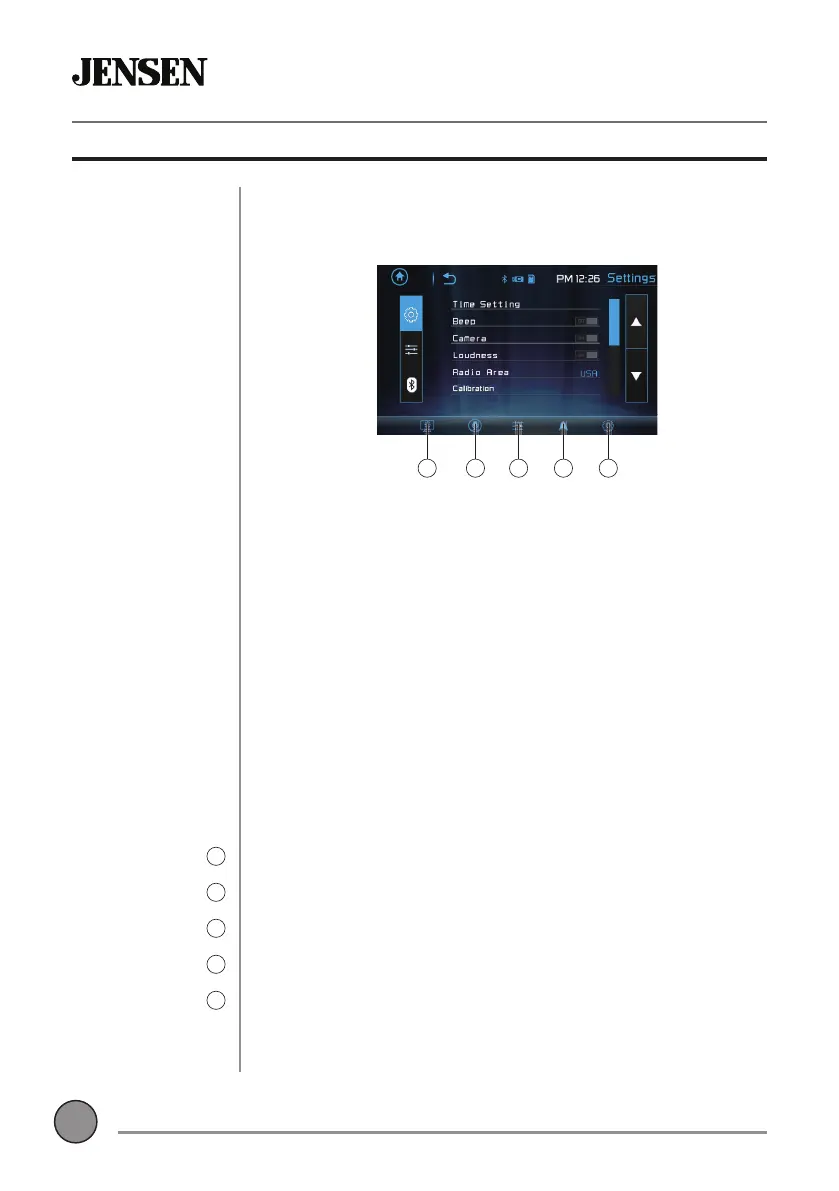
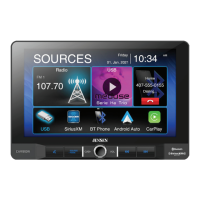
From the Main Menu screen, select Settings to access the Setup menu and
select from three categories represented by the icons on the left side of the
screen: Settings, Audio and Bluetooth.
Settings:
• Time Setting - Access and adjust date and time settings.
• Beep - Turn the audible beep on or off.
• Camera - Turn the rear camera input on or off.
• Loudness - Press to turn Loudness feature on or off.
• Radio Area - Adjust the following radio options: USA, Asia, Europe or
South America.
• Calibration - Follow the prompts to calibrate the touch screen.
• Version - View current version numbers for the unit.
• Restore default - Press to restore unit to factory settings.
Audio:
• Sound Effect - Adjust EQ, Treble/Bass or Balance/Fader settings.
Bluetooth:
• Auto Connect - Turn Auto Connect feature on or off.
• Auto Answer - Turn Auto Answer feature on or off.
The touch screen controls on the bottom of each screen allow direct access
to important features during any mode of operation.
Press to dim the display.
Press to utilize Voice Activation feature.
Press to adjust audio options such as EQ, Treble/Bass or Balance/Fader.
Press to directly access Navigation app.
Press to access the settings menu.
CMR270 OPERATION
General Operation
Setup Menu
Touch Screen
Controls
Dimmer
1
Voice Activation
2
Audio
3
Navigation
4
Settings
5
1 3 52 4



 To Next Page