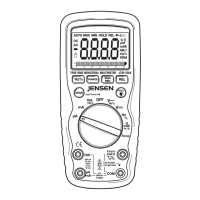
Relative Measurements
The relative measurement feature allows you to make measurements
relative to a stored reference value. A reference voltage, current, etc.
can be stored and measurements made in comparison to that value.
The displayed value is the difference between the reference value and
the measured value.
1. Perform any measurement as described in the operating
instructions.
2. Press the Relative button to store the reading in the display and
the "REL" indicator will appear on the display.
3. The display will now indicate the difference between the stored
value and the measured value.
4. Press the Relative button to return to normal operation.
Backlight
The backlight function illuminates the display and is used when the
ambient light to too low to permit viewing of the displayed readings.
Press the button for one second to turn the backlight on and press
the button a second time to turn the backlight off.
Auto Off
The auto off feature will turn the meter off after 15 minutes of inactivity
(Range switch or a button has not been turned or pressed). A beep will
warn the user shortly before the auto off feature activates. Turn the
Function switch to the OFF position and then to a function to resume
operation.
True RMS
The term stands for “Root-Mean-Square,” which represents the method
of calculation of the voltage or current value. Average responding
multimeters are calibrated to read correctly only on sine waves and they
will read inaccurately on non-sine wave or distorted signals. True rms
meters read accurately on either type of signal.
JTM-69A V2.0 10/07
12


 To Next Page