Diode Measurements
1. Insert the black test lead banana plug into the negative COM jack
and the red test lead banana plug into the positive diode jack.
2. Turn the rotary switch to the •))) position.
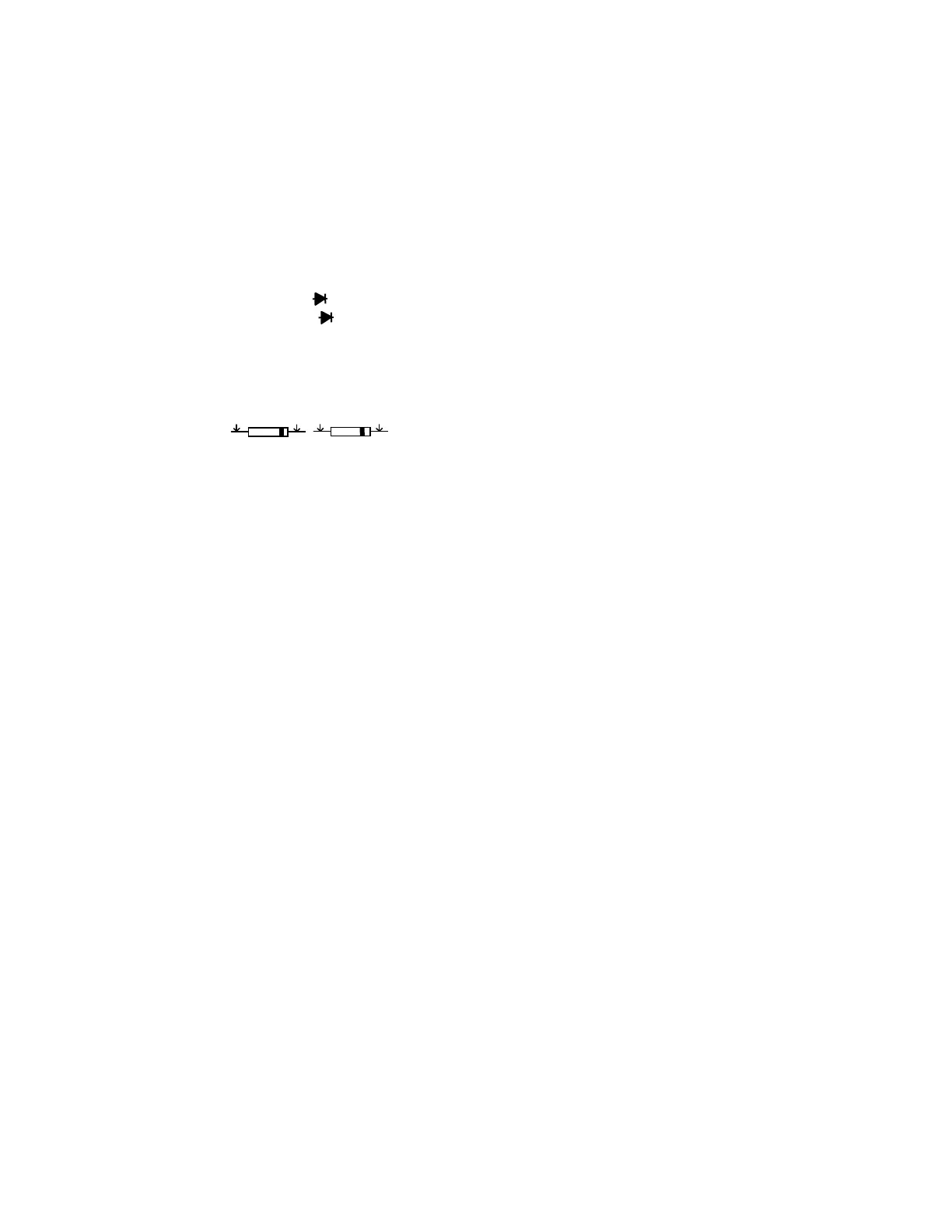
3. Press the MODE button until “ “ appears in the display.
4. Touch the test probes to the diode under test. Forward voltage will
indicate 0.4V to 0.7V. Reverse voltage will indicate “OL”. Shorted
devices will indicate near 0mV and an open device will indicate
“OL” in both polarities.
Red Black Black Red
Probe Probe Probe Probe
Forward test Reverse test
Manual Ranging
The meter turns on in the autoranging mode. Press the Range button to
go to manual ranging. Each press of the range button will step to the
next range as indicated by the units and decimal point location. Press
and hold the Range button for two seconds to return to autoranging.
Manual ranging does not function in the Capacitance, Frequency and
Temperature functions
Data Hold
Press the Data Hold button to freeze the reading in the display. “HOLD”
will appear in the LCD. Press the button again to release the display.
JTM-69A V2.0 10/07
11


 To Next Page