16
Bluetooth Operation
8
76
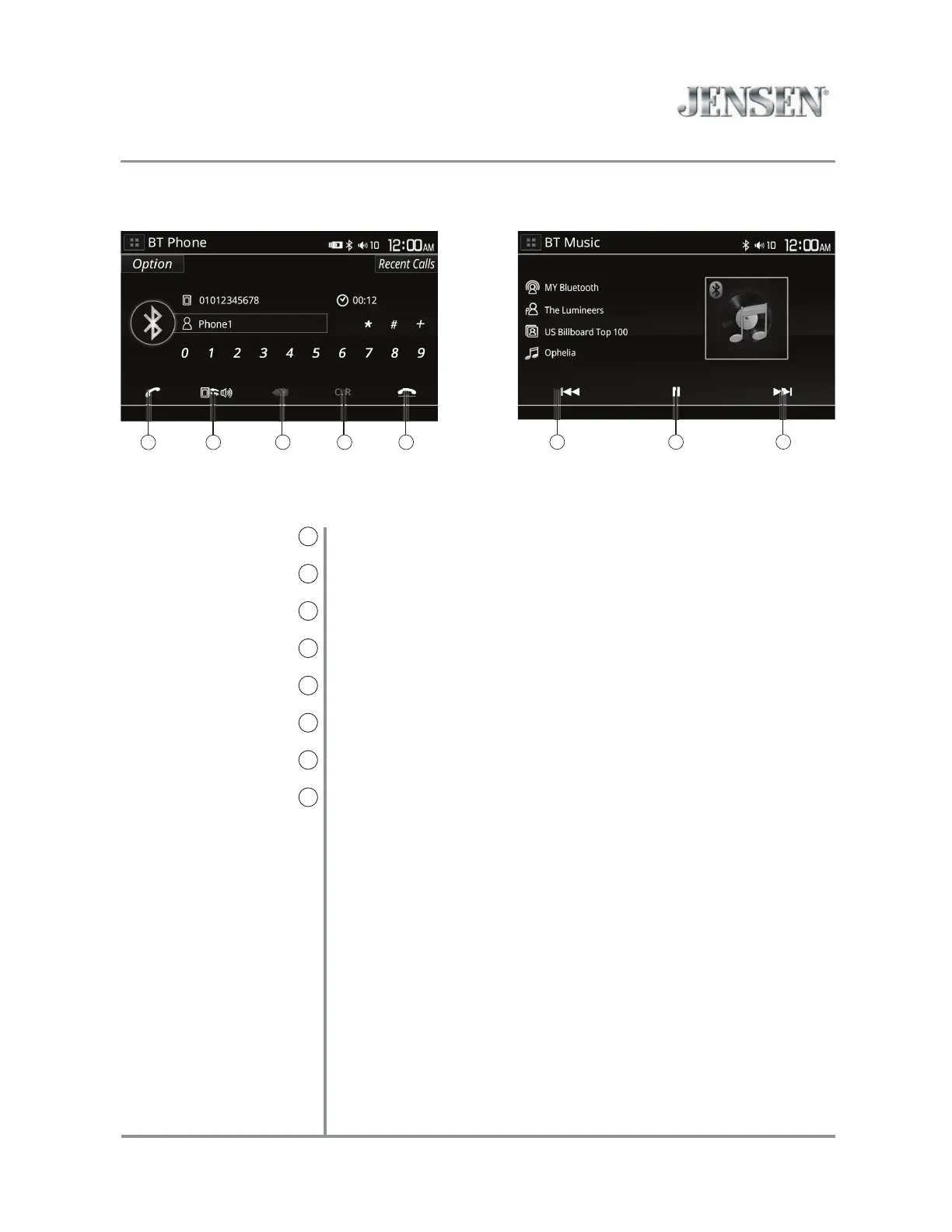
Bluetooth Talk
6
Bluetooth Music
7
Backspace
8
Clear
9
End Call
10
Previous File / Track
11
Play / Pause
12
Next File/Track
13
Press to connect a call.
Press to transfer audio between the unit and mobile phone.
When dialing, press to erase the last digit.
When dialing, press to clear all digits entered.
Press to end a call.
Press to go back to the previous file or track.
Press to pause or resume playback.
Press to advance to the next file or track.
9
13
1211
10
VX5228 OPERATION



 To Next Page