EasyManua.ls Logo

Jet J-2550 - User Manual

Default Icon
24 pages
Print Icon
To Next Page IconTo Next Page
Loading...
Operating Instructions and Parts Manual
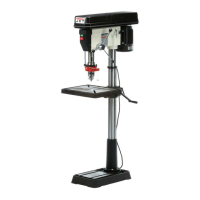
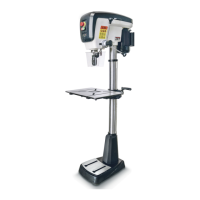
Drill Press
Models: J-2500, J-2530, J-2550
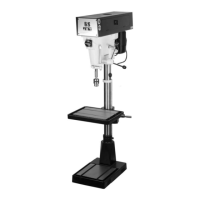
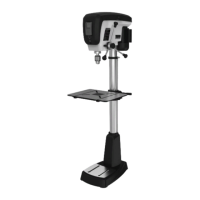
J-2530 J-2500 J-2550
WALTER MEIER (Manufacturing), Inc.
427 New Sanford Road
LaVergne, Tennessee 37086 Part No. M-354400
Ph.: 800-274-6848 Revision B 04/2012
www.waltermeier.com Copyright © 2012 Walter Meier (Manufacturing), Inc.

Questions and Answers

  • P
    Patrick ThorntonAug 16, 2025
    What to do if Jet J-2550 Power Tool chuck or arbor does not stay in place?
    • T
      thomas85Aug 16, 2025
      If the chuck or arbor does not stay in place on your Jet Power Tool, it is likely due to dirt, grease, or other contaminants on the arbor, chuck, or spindle. Clean all mating surfaces thoroughly with a cleaner degreaser.
  • R
    Roger CostaAug 19, 2025
    Why Jet J-2550 Power Tool drill press will not start?
    • R
      rayjessicaAug 19, 2025
      If your Jet Power Tool drill press isn't starting, several factors could be at play. First, check all plug connections to ensure the drill press is properly connected to the wall and the motor. Also, inspect the fuse and circuit breaker; a blown fuse or tripped breaker can prevent the drill press from starting—replace the fuse or reset the breaker. A damaged cord can also be the culprit, requiring a cord replacement. Lastly, a bad starting capacitor can cause this issue, so consider replacing it.
  • M
    Michael ShannonAug 22, 2025
    What to do if Jet J-2550 Power Tool workpiece burns?
    • D
      Dylan OlsonAug 22, 2025
      If your workpiece is burning while using the Jet Power Tool, several factors could be the reason. You may be using an incorrect speed, so change to a more appropriate speed. Also, retract the drill bit frequently to remove chips, as uncleared chips can cause burning. Check the drill bit; if it's dull, resharpen or replace it. Finally, ensure you're not feeding too slowly, as this can also cause burning—increase the feed rate.
  • D
    davidbrownAug 25, 2025
    How to fix noisy operation of Jet J-2550 Power Tool?
    • A
      Alexandra RodriguezAug 26, 2025
      If your Jet Power Tool is operating noisily, several factors could be the cause. The belt tension might be incorrect, so you should adjust it. The spindle could be dry, so lubricating the spindle might solve the problem. Also, check the tightness of the retaining nut on the spindle pulley and tighten if necessary. Finally, check the setscrews in the motor pulleys and tighten them.
  • J
    Joshua JohnsonAug 28, 2025
    Why does Jet Power Tool drill press vibrates excessively?
    • H
      Hunter HunterAug 28, 2025
      Excessive vibration in your Jet Power Tool drill press can stem from a couple of issues. If the stand is on an uneven surface, adjust it so it rests evenly on the floor. Another potential cause is bad belts, which would need to be replaced.
  • D
    David GordonAug 31, 2025
    What to do if Jet J-2550 drill bit binds in workpiece?
    • M
      Mr. Shane Parker Jr.Aug 31, 2025
      If the drill bit binds in the workpiece while using your Jet Power Tool, several factors could be the cause. The workpiece might be pinching the bit, so try supporting or clamping it. An excessive feed rate can also cause binding, so decrease the feed rate. Make sure the chuck jaws are tight. Improper belt tension can also lead to this issue; adjust the belt tension.
  • C
    Crystal TorresSep 3, 2025
    How to fix Jet J-2550 drill bit wanders?
    • L
      Linda WashingtonSep 3, 2025
      If the drill bit wanders while using your Jet Power Tool, it could be due to a few reasons. The bit might be sharpened incorrectly, so resharpen it correctly. A bent drill bit can also cause wandering, so replace the drill bit. Additionally, the bit or chuck might not be installed properly, so reinstall the chuck or bit properly.
  • U
    upetersSep 6, 2025
    Why Jet J-2550 drill press does not come up to speed?
    • S
      Samantha DavisSep 6, 2025
      If your Jet Power Tool drill press isn't reaching full speed, it could be due to an extension cord that is too light or too long; replace it with an adequate size and length cord. Another possible cause is low current, in which case you should contact a qualified electrician.
  • S
    Sarah LoveSep 9, 2025
    How to prevent wood splinters on the underside with Jet Power Tool?
    • M
      Mary PetersonSep 9, 2025
      To prevent wood splinters on the underside when using your Jet Power Tool, place a scrap board underneath the workpiece as a backing board.
  • M
    Melanie GillSep 12, 2025
    How to fix excessive drill bit runout, or wobble of Jet J-2550?
    • M
      Manuel HarrisSep 12, 2025
      Excessive drill bit runout or wobble in your Jet Power Tool can be caused by several issues. A bent drill bit can cause this, so replace the drill bit. Worn spindle bearings can also be the culprit, requiring replacement of the spindle bearings. Additionally, the bit or chuck might not be properly installed, so reinstall the bit or chuck correctly.

Summary

Warranty and Service

Warranty Details

Details warranty coverage, eligibility, duration, and exclusions for JET products.

Obtaining Service

Procedures for obtaining warranty or repair service for JET tools, including contact information.

Legal Disclaimers

Outlines legal rights and limitations related to the product warranty.

Safety Warnings

General Safety Precautions

Essential safety guidelines before operating the drill press, including setup and machine checks.

Chemical Exposure Hazards

Information on chemical risks encountered during operation.

Operational Safety

Safe handling, workpiece security, and operational procedures to prevent injury.

Understanding Safety Alerts

Explanation of CAUTION and WARNING symbols used in the manual.

Product Overview

Introduction

Overview of JET 15-inch and 20-inch drill press models and their construction.

Technical Specifications

Detailed technical data for J-2500, J-2530, and J-2550 drill press models.

Setup and Preparation

Shipping Contents Verification

List of main and additional parts included in the drill press packaging.

Required Tools List

Tools needed for assembly and maintenance of the drill press.

Assembly Procedures

Initial Assembly Steps

Steps for assembling the base, column, table bracket, and handles.

Installing Key Components

Procedures for installing the column lock, table, head assembly, and chuck.

Adjustments and Setup

How to remove chuck, adjust depth stop, change speeds, and set return spring.

Operation and Maintenance

Basic Operation

Guidance on installing drills, positioning workpieces, using the vise, and general drill press operation.

Machine Maintenance

Routine maintenance tasks, cleaning, and lubrication for the drill press.

Electrical Information

Grounding Instructions

Importance and procedure for proper grounding of the drill press for safety.

Voltage Operation

Instructions for setting up and operating the drill press on 115V or 230V power.

Extension Cord Guidelines

Recommendations for selecting and using extension cords with the drill press.

Troubleshooting Guide

Common Issues and Remedies

Table of common problems, probable causes, and recommended solutions for drill press operation.

Parts List J-2500;J-2530

Replacement Parts Identification

Detailed list of part numbers and descriptions for J-2500 and J-2530 models.

Exploded View J-2500;J-2530

Component Diagram

Visual representation of J-2500/J-2530 drill press components with index numbers.

Parts List J-2550

Component Part Numbers

Comprehensive list of part numbers and descriptions for the J-2550 drill press model.

Exploded View J-2550

Assembly Diagram

Illustrated breakdown of the J-2550 drill press, showing all parts and their index numbers.

Wiring Diagrams

115 V and 230 V Configurations

Electrical wiring diagrams for J-2500/J-2530 and J-2550 models at both 115V and 230V.

Jet J-2550 Specifications

General IconGeneral
BrandJet
ModelJ-2550
CategoryPower Tool
LanguageEnglish

Related product manuals