EasyManua.ls Logo

Jet J-2530 - User Manual

Default Icon
24 pages
Print Icon
To Next Page IconTo Next Page
Loading...
Operating Instructions and Parts Manual
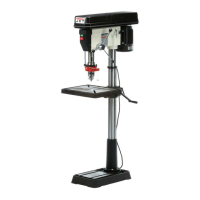
Drill Press
Models: J-2500, J-2530, J-2550
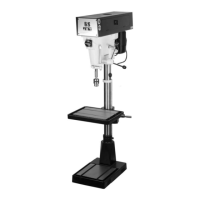
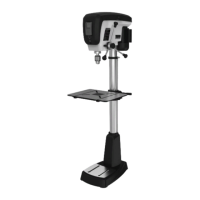
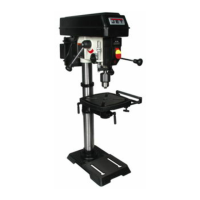
J-2530 J-2500 J-2550
WALTER MEIER (Manufacturing), Inc.
427 New Sanford Road
LaVergne, Tennessee 37086 Part No. M-354400
Ph.: 800-274-6848 Revision B 04/2012
www.waltermeier.com Copyright © 2012 Walter Meier (Manufacturing), Inc.

Questions and Answers

  • B
    Brendan MillerAug 15, 2025
    What to do if Jet Power Tool chuck or arbor does not stay in place?
    • J
      Joseph ScottAug 15, 2025
      If the chuck or arbor does not stay in place on your Jet Power Tool, it is likely due to dirt, grease, or other contaminants on the arbor, chuck, or spindle. Clean all mating surfaces thoroughly with a cleaner degreaser.
  • T
    Tamara RayAug 18, 2025
    Why Jet J-2530 Power Tool drill press will not start?
    • L
      Lisa BoothAug 18, 2025
      If your Jet Power Tool drill press isn't starting, several factors could be at play. First, check all plug connections to ensure the drill press is properly connected to the wall and the motor. Also, inspect the fuse and circuit breaker; a blown fuse or tripped breaker can prevent the drill press from starting—replace the fuse or reset the breaker. A damaged cord can also be the culprit, requiring a cord replacement. Lastly, a bad starting capacitor can cause this issue, so consider replacing it.
  • C
    Christopher RubioAug 21, 2025
    What to do if Jet J-2530 workpiece burns?
    • J
      janerussellAug 21, 2025
      If your workpiece is burning while using the Jet Power Tool, several factors could be the reason. You may be using an incorrect speed, so change to a more appropriate speed. Also, retract the drill bit frequently to remove chips, as uncleared chips can cause burning. Check the drill bit; if it's dull, resharpen or replace it. Finally, ensure you're not feeding too slowly, as this can also cause burning—increase the feed rate.
  • V
    vmccoyAug 25, 2025
    How to fix noisy operation of Jet J-2530?
    • D
      Dylan WrightAug 25, 2025
      If your Jet Power Tool is operating noisily, several factors could be the cause. The belt tension might be incorrect, so you should adjust it. The spindle could be dry, so lubricating the spindle might solve the problem. Also, check the tightness of the retaining nut on the spindle pulley and tighten if necessary. Finally, check the setscrews in the motor pulleys and tighten them.
  • T
    terri81Aug 27, 2025
    Why does Jet J-2530 drill press vibrates excessively?
    • F
      faithbutlerAug 27, 2025
      Excessive vibration in your Jet Power Tool drill press can stem from a couple of issues. If the stand is on an uneven surface, adjust it so it rests evenly on the floor. Another potential cause is bad belts, which would need to be replaced.
  • J
    Jacqueline RodriguezAug 30, 2025
    What to do if Jet J-2530 Power Tool drill bit binds in workpiece?
    • A
      Anthony PriceAug 30, 2025
      If the drill bit binds in the workpiece while using your Jet Power Tool, several factors could be the cause. The workpiece might be pinching the bit, so try supporting or clamping it. An excessive feed rate can also cause binding, so decrease the feed rate. Make sure the chuck jaws are tight. Improper belt tension can also lead to this issue; adjust the belt tension.
  • J
    Jessica SmithSep 2, 2025
    How to fix Jet J-2530 drill bit wanders?
    • S
      stephennorrisSep 2, 2025
      If the drill bit wanders while using your Jet Power Tool, it could be due to a few reasons. The bit might be sharpened incorrectly, so resharpen it correctly. A bent drill bit can also cause wandering, so replace the drill bit. Additionally, the bit or chuck might not be installed properly, so reinstall the chuck or bit properly.
  • H
    Holly PetersonSep 5, 2025
    Why Jet J-2530 Power Tool drill press does not come up to speed?
    • S
      ssalazarSep 6, 2025
      If your Jet Power Tool drill press isn't reaching full speed, it could be due to an extension cord that is too light or too long; replace it with an adequate size and length cord. Another possible cause is low current, in which case you should contact a qualified electrician.
  • M
    Mr. Howard Hale Jr.Sep 8, 2025
    How to prevent wood splinters on the underside with Jet J-2530?
    • K
      Kevin DavilaSep 8, 2025
      To prevent wood splinters on the underside when using your Jet Power Tool, place a scrap board underneath the workpiece as a backing board.
  • J
    Joe RodriguezSep 12, 2025
    How to fix excessive drill bit runout, or wobble of Jet J-2530?
    • D
      Dr. Susan AdamsSep 12, 2025
      Excessive drill bit runout or wobble in your Jet Power Tool can be caused by several issues. A bent drill bit can cause this, so replace the drill bit. Worn spindle bearings can also be the culprit, requiring replacement of the spindle bearings. Additionally, the bit or chuck might not be properly installed, so reinstall the bit or chuck correctly.

Summary

Warranty and Service Information

More Information

Provides details on new products and updates.

What is Covered by Warranty

Details warranty coverage for defects in workmanship or materials.

Who is Covered by Warranty

Specifies the warranty applies only to the initial purchaser.

Warranty Period of Coverage

States warranty lasts for the period specified in product literature.

Warranty Exclusions

Lists exclusions like misuse, abuse, and wear-and-tear.

How to Obtain Service

Outlines the process for obtaining service and repair.

How State Law Applies

Explains specific legal rights granted by the warranty.

Limitations on Warranty

Details limitations on implied warranties and liability.

Safety Warnings and Notices

General Safety Precautions

Essential safety guidelines for operating the drill press.

Additional Safety Notices

Further safety advice, including CAUTION and WARNING definitions.

Introduction and Specifications

Introduction to JET Drill Presses

Overview of the JET drill press models and their design.

Drill Press Specifications

Technical details and measurements for J-2500, J-2530, and J-2550 models.

Shipping Contents and Tools

Shipping Contents

Lists main and additional parts included in the package.

Other Material Included

Specifies included documents like owner's manual and registration card.

Required Tools for Assembly

Lists the necessary tools for assembly and maintenance.

Additional Parts

Details optional or included accessories.

Assembly Procedures

Before Assembly

Steps to prepare for assembly, including unpacking and cleaning.

Column Assembly

Instructions for attaching the column to the base.

Table Bracket Installation

Steps for installing the table bracket and rack.

Crank Handle and Table Lock Handle

Guidance on attaching the table crank and lock handles.

Column Lock Handle Installation

Instructions for attaching the column lock handle to the table bracket.

Table Installation

Steps for placing and securing the table onto the bracket.

Head Assembly

Procedure for lifting and positioning the head onto the column.

Chuck and Arbor Installation

Steps for installing the drill chuck and arbor into the spindle.

Chuck and Arbor Removal

Procedure for safely removing the drill chuck and arbor.

Machine Adjustments

Depth Stop Adjustment

Setting the depth stop for consistent drilling depth.

Changing Spindle Speeds

Guide to altering spindle speeds by adjusting belts.

Return Spring Adjustment

Procedure for adjusting the quill return spring tension.

Work Light Installation

Instructions for installing a light bulb into the work light socket.

Table Tilt Adjustment

Steps for adjusting the tilt angle of the drill press table.

Operation and Maintenance

Installing Drills

How to properly insert drill bits into the chuck.

Positioning the Workpiece

Techniques for securing workpieces for safe drilling.

Using the Vise

Guidance on using a drill press vise for small workpieces.

Basic Operation

Fundamentals of operating the drill press for drilling tasks.

Lubrication

Recommendations for lubricating moving parts of the machine.

Electrical and Extension Cords

Grounding Instructions

Importance and procedure for proper equipment grounding.

115 Volt Operation

Setup and considerations for 115V power supply.

230 Volt Operation

Instructions for converting the drill press to 230V operation.

Extension Cord Guidelines

Guidelines for selecting and using extension cords.

Troubleshooting

Troubleshooting Guide

Common problems, probable causes, and remedies for the drill press.

Parts and Diagrams

Replacement Parts

Information on ordering replacement parts and contacting service.

Parts List J-2500, J-2530

Comprehensive list of part numbers for J-2500 and J-2530 models.

Exploded View J-2500, J-2530

Visual breakdown of J-2500 and J-2530 components with part numbers.

Parts List J-2550

Comprehensive list of part numbers for the J-2550 model.

Exploded View J-2550

Visual breakdown of J-2550 components with part numbers.

Wiring Diagrams

J-2500;J-2530 115 V Wiring

Electrical schematic for 115V operation of J-2500/J-2530 models.

J-2500;J-2530 230 V Wiring

Electrical schematic for 230V operation of J-2500/J-2530 models.

J-2550 115 V Wiring

Electrical schematic for 115V operation of the J-2550 model.

J-2550 230 V Wiring

Electrical schematic for 230V operation of the J-2550 model.

Jet J-2530 Specifications

General IconGeneral
BrandJet
ModelJ-2530
CategoryPower Tool
LanguageEnglish

Related product manuals