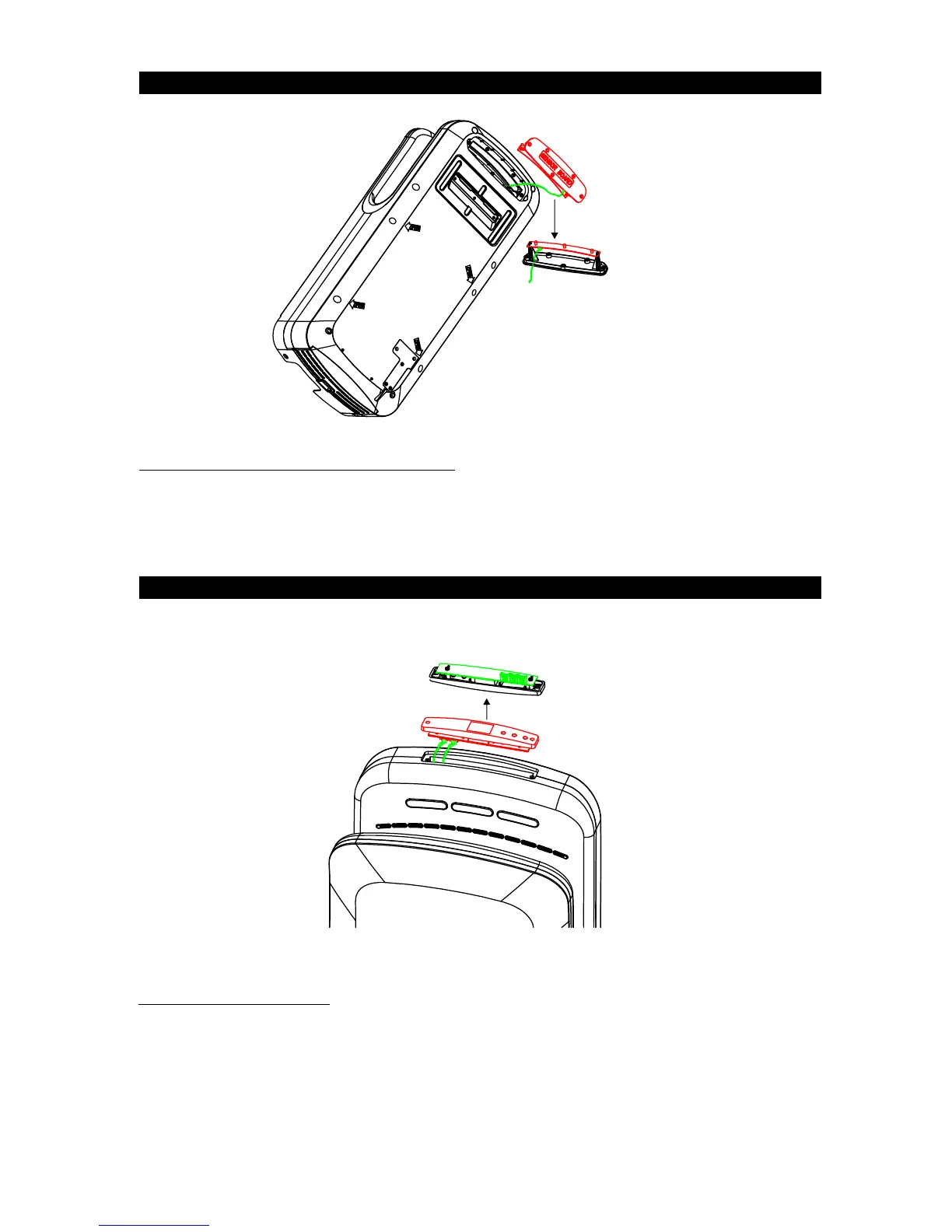
Sensor Detector
&LED Light
circuit board
Display circuit board
Replace Sensor Detector & LED Light Circuit Board
Replace Display Circuit Board
Replace Sensor Detector&LED Light Circuit Board:
1. Loosen screw on the sensor detector&LED light circuit board holder. Use a screwdriver to pull the cover a little to open it.
2. Take carefully remove the cover along with the circuit board. Take care of the wire connected to the circuit board.
3. Loosen the 2 screws on the circuit board and replace with the new one.
Replace Display Circuit Board:
1. Remove the sticker. Take care not damage the hand dryer edge.
2. Loosen the two screws on the timer circuit board holder. Use a screwdriver to pull the holder a little to open it.
3. Gently remove the holder and the circuit board will come out. Take care of the adjoining wire.
4. Loosen the two screws on the circuit board and replace with the new one.
5. It is recommended to also replace the sticker.
6 JETBOX Blade



 To Next Page