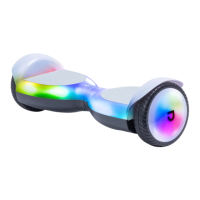
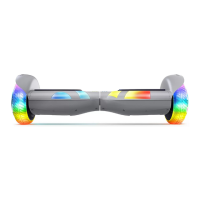
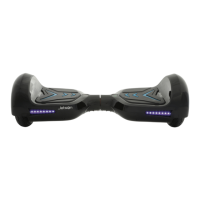
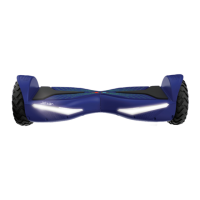
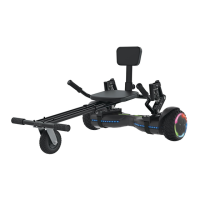
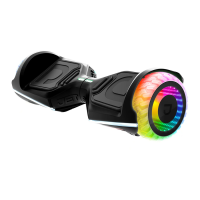
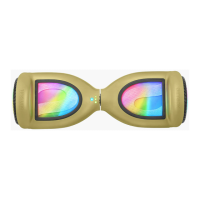
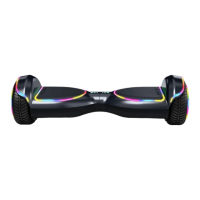
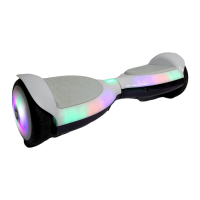
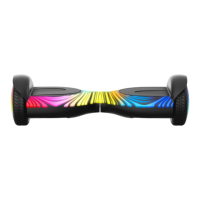
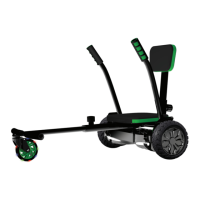
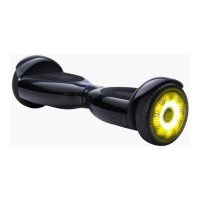
The Jetson X10 Extreme-Terrain Hoverboard is a personal electric mobility device designed for recreational use. It features a dual-hub motor system and extreme-terrain tires, allowing it to navigate various surfaces. The hoverboard is equipped with LED lights and Bluetooth® connectivity, enabling users to pair it with a smartphone app for enhanced control and features.
Function Description:
The Jetson X10 is a self-balancing hoverboard that allows riders to move by shifting their weight. It is designed for personal transportation and recreation on suitable surfaces. The device utilizes Active Balance Technology to maintain stability during operation. Front LED lights provide visibility, and the integrated Bluetooth® 4.1 allows for connection to the "Ride Jetson" app, which can be downloaded from the App Store or Google Play Store. The app enables users to customize settings, including Bluetooth and lock passwords.
Important Technical Specifications:
- Product Dimensions: 24.5" x 7.5" x 7"
- Product Weight: 19.65 lbs
- Recommended Age: 12+
- Weight Limit: 265 lbs
- Tire Size: 6.5" Extreme-Terrain Tires
- Max Speed: Up To 10 mph
- Max Range: Up To 12 Miles (actual range may vary based on factors like driving surface, rider weight, temperature, maintenance, and driving style)
- Battery: 25.9V Lithium-Ion
- Motor: 500W Dual Hub Motor (250W x 2)
- Charger: UL Listed, 110-240V
- Charge Time: Up To 3 Hours
- Climbing Angle: Up To 15°
- Bluetooth®: 4.1 enabled
Usage Features:
- Getting Started:
- Charging: The hoverboard should be charged using the included UL Listed charger. It's recommended to plug the charger into the wall first, then the charging port. The X10 should not be turned on while charging. A full charge takes up to 3 hours. An indicator light on the charger shows "Charging" (red) or "Charge Complete" (green).
- Indicator Lights: The hoverboard has a Status Light, Power Light, and Balance Light.
- Status Light: If this light turns red or if issues arise, recalibration may be needed.
- Balance Light: Indicates that Active Balance Technology is active, leveling the X10 during a ride.
- Power Light: Indicates the X10 is powered on.
- Battery Warning: The X10 automatically turns off when battery power drops below 10% as a safety precaution.
- Recalibration: If the Status Light is red or issues occur, recalibrate by placing the X10 on a flat, level surface, holding the Power Button for about 5 seconds until notified of successful recalibration, then restarting the X10. Adult assistance is recommended for children during initial adjustment.
- Riding:
- Neutral: The hoverboard remains stationary when feet are placed evenly.
- Turning: To turn left, apply pressure to the right footpad. To turn right, apply pressure to the left footpad.
- Bluetooth Connectivity:
- Turn on the X10.
- Open the Ride Jetson app on a handheld device.
- Tap the Bluetooth® symbol in the top left corner of the app.
- Select your X10.
- The default Bluetooth password is 000000, and the default Lock password is 123456. These can be customized in the app's Settings.
- Troubleshooting Bluetooth: If connection issues arise, try restarting the X10, clicking the Scan button in the app, restarting the Ride Jetson app, or contacting Jetson Customer Support.
Maintenance Features:
- Cleaning: Wipe the X10 carefully with a damp cloth, then dry with a dry cloth. Do not use water directly on the X10 to avoid damage to electrical systems and potential injury. If electrical parts or the battery get wet, do not power on the X10 and contact customer support.
- Battery Care:
- Keep away from fire and excessive heat.
- Avoid intense physical shock, severe vibration, or impact.
- Protect from water or moisture.
- Do not disassemble the X10 or its battery.
- Contact Jetson Customer Support for battery issues.
- Disposal of Used Battery: Batteries contain hazardous substances and should be disposed of at appropriate collection points for recycling, not as municipal waste. This helps prevent negative environmental and health consequences and conserves natural resources.
- Storage:
- Fully charge the battery before storing.
- Recharge the battery once a month during storage.
- Cover the X10 to protect against dust.
- Store the X10 indoors in a dry place.
- Pre-Operation Checks: Before each ride, ensure all guards and pads are in place and serviceable, the braking system functions properly, axle guards/chain guards/covers are in place, tires are in good condition with sufficient tread, and the operating area is safe.
- Component Maintenance: Components should be maintained and repaired according to manufacturer specifications, using authorized replacement parts installed by skilled persons.
- General Safety:
- Do not allow hands, feet, hair, body parts, clothing, or similar articles to contact moving parts.
- Not for children or persons with reduced physical/mental capabilities without supervision. Unsupervised children should not play with the product.
- Adult supervision is required.
- Rider weight should not exceed 265 lb.
- Do not use for racing, stunt riding, or maneuvers that may cause loss of control.
- Avoid motor vehicles, sharp bumps, drainage grates, sudden surface changes, and surfaces with water, sand, gravel, dirt, leaves, or other debris.
- Avoid riding around flammable gas, steam, liquid, or dust.
- Operate only with adequate daylight visibility if without headlights. Owners are encouraged to use lighting, reflectors, and signal flags for conspicuity.
- Individuals with heart conditions, pregnant women, head/back/neck ailments, or any mental/physical conditions that impair safe operation should exercise caution or avoid use.
- Do not ride at night, after drinking, or taking prescription medication.
- Do not carry items while riding.
- Never operate barefooted. Always wear shoes with tied shoelaces.
- Feet should always be placed securely on the deck.
- Always wear appropriate protective clothing, including a helmet, knee pads, and elbow pads.
- Give way to pedestrians and be alert to surroundings.
- Avoid distractions while riding.
- One rider only.
- Maintain a safe distance from other riders.
- Maintain balance when turning.
- Improperly adjusted brakes are dangerous.
- Brakes can become hot; avoid touching with bare skin.
- Sudden or excessive braking can cause loss of control.
- If brakes loosen, adjust with a hexagon wrench or contact customer support.
- Replace worn or broken parts immediately.
- Check safety labels are in place and understood.
- Ensure operators understand all components before use.
- Do not ride without proper training, at high speeds, on uneven terrain, or slopes. Do not perform stunts or turn abruptly.
- Recommended for indoor use.
- Prolonged exposure to UV rays, rain, and elements can damage enclosure materials; store indoors when not in use.
Compliance and Warnings:
- California Proposition 65: This product may expose users to Cadmium, a chemical known to cause cancer or birth defects/reproductive harm. More information at www.p65warnings.ca.gov/product.
- FCC Compliance: This device complies with Part 15 of FCC Rules. Operation is subject to two conditions: no harmful interference, and acceptance of any interference received. Changes or modifications not expressly approved by the party responsible for compliance could void the user's authority to operate the equipment. The equipment has been tested and found to comply with Class B digital device limits. If interference occurs, users are encouraged to reorient/relocate the receiving antenna, increase separation between equipment and receiver, connect equipment to a different circuit, or consult a dealer/radio/TV technician. Shielded cables must be used for compliance with Class B FCC limits.

 Need help?
 General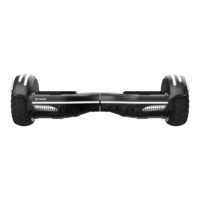

 To Next Page