Operation Manual
14
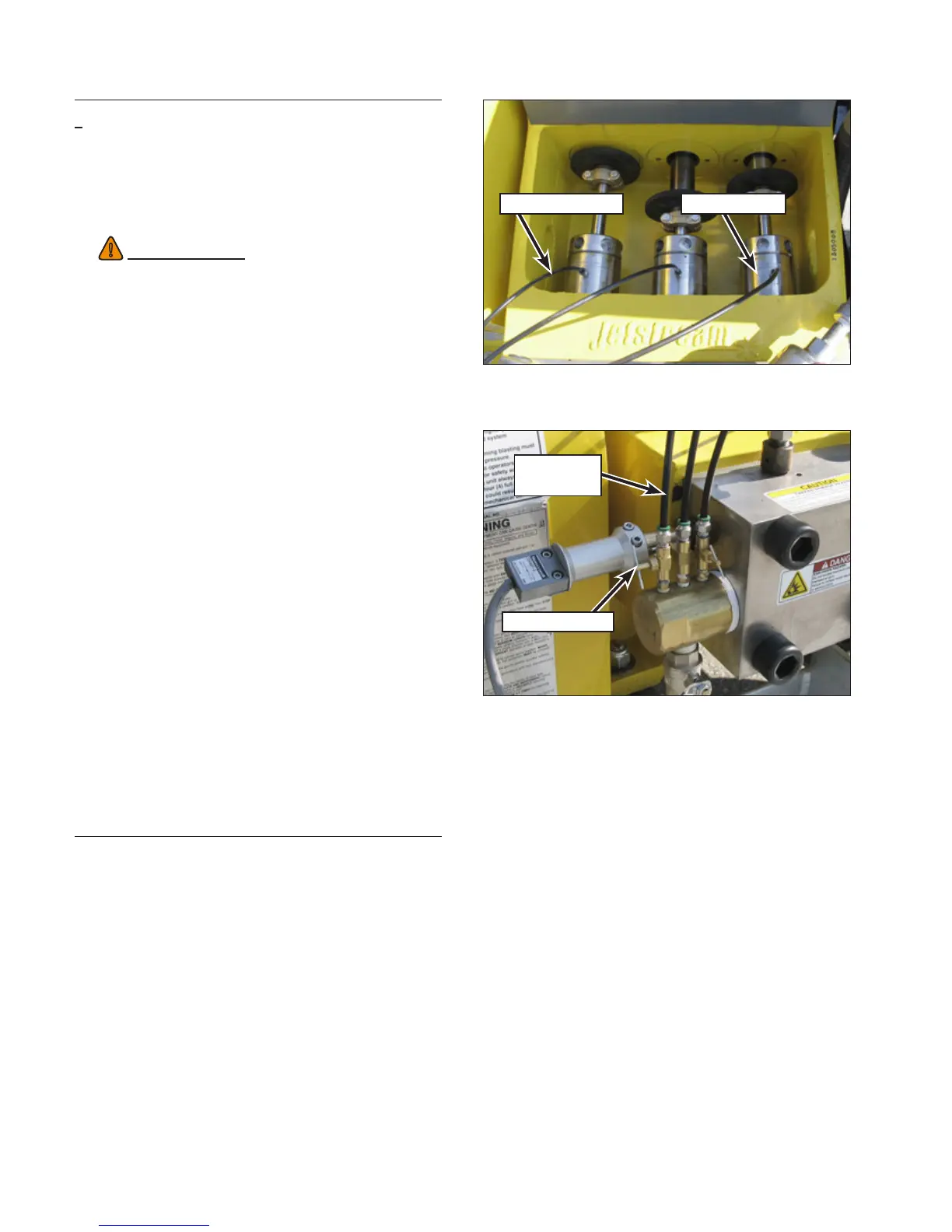
Lubrication Line Stuffing Box
Figure 9: Checking Lubrication.
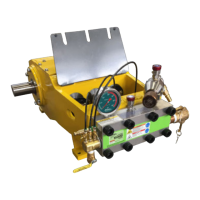
Lubrication
Line
Needle Valve
Figure 10: Needle Valve Adjustment (40K).
Checking the Water Lubrica-
tion System
1. Lift the rod box cover to view the water lubrica-
tion system.
2. Look into the rod box and verify that lubrication
water is owing from the small holes in the bot-
tom of the gland nut wrench holes. (Figure 9).
3. Next, check the stufng box temperature by
very carefully placing your nger tips on the top
of the stufng box. The temperature should be
cool to warm but still cool enough that you can
keep your ngers on it for 10 seconds.
If there is no water ow, or the temperature is
too hot, or if steam is visible, the needle valves
need to be adjusted.
4. Adjust the needle valves (Figure 10) to in-
crease the water ow. The water should not
overow the top-most hole. If it does, excessive
splashing will occur, which could cause water
to be drawn into the power end, contaminating
the oil. Adjust the needle valves to prevent
excessive lubrication water ow. Re-check
the lubrication water ow periodically during
operation.
5. Once properly adjusted, system pressure can
be raised for waterblasting.
WARNING
!
There are moving parts inside the rod box that
can cause serious injury. Use extreme cau-
tion. Keep all tools out of the rod box while the
pump is running.



 To Next Page