Operation Manual
64
Installation
1. If shims were under the pump, place the shims
in their proper location.
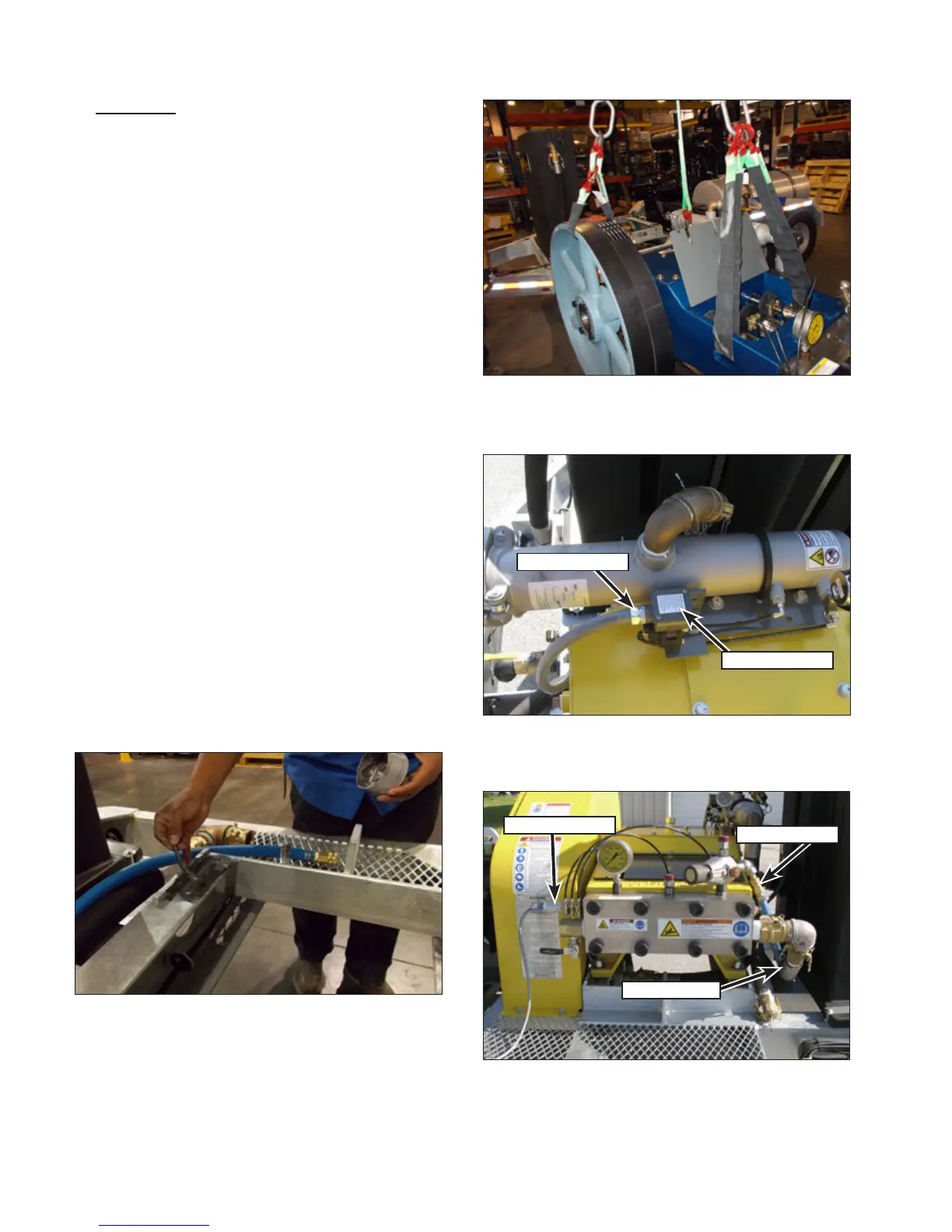
2. Apply an anti-seize compound to the four
pump mount channels (Figure 128).
3. Attach a hoist and lifting apparatus to the
pump as shown (Figure 129). The weight of
the pump is approximately:
• 3000 Series: 1200 lb. (544 kg)
• 3600/4200 Series: 2200 lb. (998 kg)
4. Place the pump into position on the unit and
position the pump near the position markings
that were made during removal. Once in posi-
tion, remove the lifting apparatus.
5. Loosely install the pump hardware.
6. Install the belts onto the pulleys. Adjust the
belt tension per manufacturer specications.
7. Install the belt guard.
8. If equipped with a secondary lter, insert the
switch wiring into the switch housing and
connect the conduit tting (Figure 130) to the
housing. Connect the wires and install the
switch cover.
9. Place the hydro-throttle switch (Figure 131)
in place on the hydro-throttle cartridge. Install
the two screws that secure the hydro-throttle
switch to the cartridge.
10. Install the bypass hose (Figure 131) and sup-
ply hose.
Figure 128: Apply Anti-Seize to the Pump Channels.
Figure 129: Lifting the Pump.
Conduit Fitting
Switch Cover
Figure 130: 40K Switch Wiring.
Throttle Switch
Bypass Hose
Supply Hose
Figure 131: Connect the Switch and Hoses.



 To Next Page