44
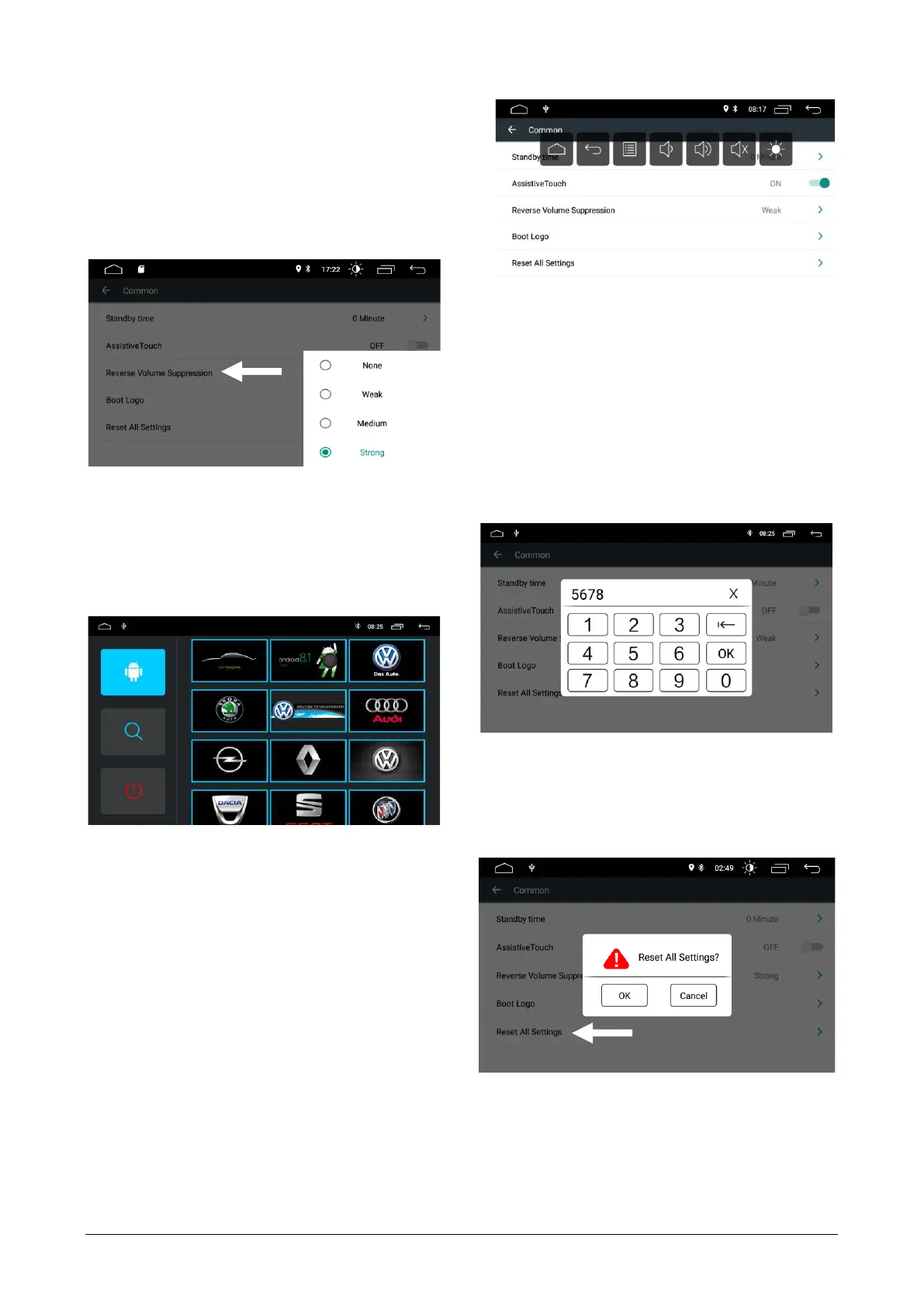
TOUCH ASSISTANT:
a circular icon is activated that is always present on the
monitor that gives the user the opportunity to open a
menu with the main adjustments at any time.
REMOVAL OF THE REVERSE VOLUME:
this setting regulates the suppression of the volume of
the sound source during the maneuvers to reverse to.
The function is active only if it activates the reversing
switching function. None=no sound suppression,
Strong=total suppression of reversing sound.
LOADING THE LOGO:
Press Boot logo enter the password: 5678 select a
logo, and then turn the radio off and on again af-
ter at least one minute.
DELETE ALL SETTINGS:
Tap Delete All Settings
In the pop-up dialog box, select confirm.
When the machine restarts, the system will reset the
factory settings. All your settings will be removed.



 To Next Page