Operation
• See “Controls and Indicators” (page 2) for button, knob, and key
positions.
• When you turn On your RTP1000 just after purchasing, it is auto-
matically tuned to channel 16 frequency for distress, safety, and
calling.
• When you press any button (except PTT and LOCK key), a short
tone sounds.
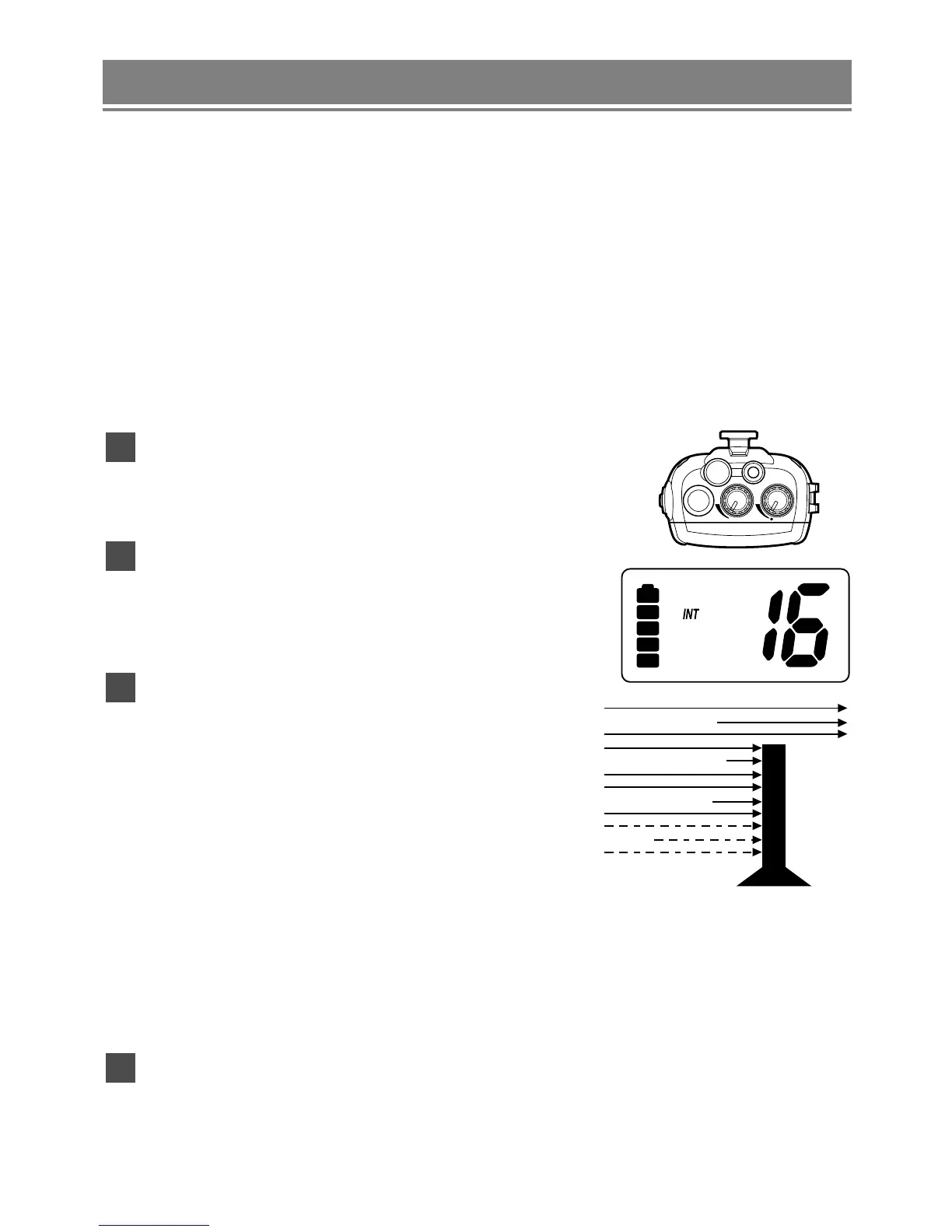
Turning On the Unit and Setting Squelch
Before you turn On the unit, turn the
squelch (SQ) knob fully counterclockwise.
Then, turn On the unit by turning the
Volume/Power (
VOL) knob clockwise
until you hear a hissing sound.
Turn the SQ knob clockwise, just until the
hissing sound stops. Use the knob to adjust
to the desired squelch level. Think of the
squelch control as a frequency gate which
controls access to weak or strong signals
depending on its setting.
• To listen to a weak or distant station,
turn the knob counterclockwise. If reception is poor, turn it
clockwise to cut out weak transmissions.
• If the squelch control is adjusted so that you continually hear a
hissing sound, the unit will not scan properly.
To turn Off the unit, turn the
VOL knob counterclockwise until it
clicks.
4
3
2
1
11


 To Next Page