EasyManua.ls Logo

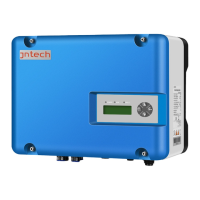
Jntech JNP5K5H-V5 - User Manual

Default Icon
76 pages
Print Icon
To Next Page IconTo Next Page
Loading...
Quick Installation
用户手册
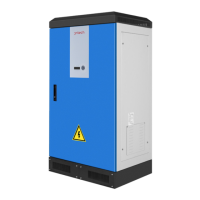
Solar pumping inverter
JNP550L-V5 JNP750L-V5 JNP1K1L-V5
JNP1K5L-V5 JNP2K2L-SE-V5 JNP2K2L-V5
JNP3KL-V5 JNP3K7L-V5
JNP2K2H-V5 JNP3KH-V5 JNP3K7H-V5 JNP4KH-V5
JNP5K5H-V5 JNP7K5H-V5
JNP11KH-V4 JNP15KH-V4 JNP18K5H-V4
JNP22KH-V5 JNP30KH-V5 JNP37KH-V5
JNP45KH-V5 JNP55KH-V5
JNP11KH-V5 JNP15KH-V5 JNP18K5H-V5
JNPxG-QI-EN-V1.1

Table of Contents

Questions and Answers

  • C
    Christine MendezAug 9, 2025
    What to do if my Jntech Inverter shows Fault100 Driver over-current?
    • S
      Sandra BrownAug 9, 2025
      If your Jntech Inverter displays a Fault100 Driver over-current error, the possible cause may be a short circuit of the inverter output wires or hardware circuit damage. Check for any short circuits between the 3-phase output wires.
  • T
    tonyacummingsAug 15, 2025
    What to do if my Jntech JNP5K5H-V5 Inverter shows State 101 PV Array under-voltage?
    • B
      Bryan EllisAug 15, 2025
      If your Jntech Inverter shows a State 101 PV Array under-voltage error, it means that the output energy from the PV array is not enough. Check the PV input voltage and ensure it is within the inverter's input voltage range. This is normal on cloudy days, in the morning, and late in the afternoon.
  • J
    Jennifer MartinezAug 21, 2025
    What to do if my Jntech JNP5K5H-V5 Inverter displays State 114 Overflow alarm?
    • M
      Marco WilsonAug 21, 2025
      If the Jntech Inverter displays a State 114 Overflow alarm more than once, it means the water level in the tank is higher than the set higher level alarm. Check the site and set the water level sensor at a proper height.
  • J
    Jamie SalinasAug 27, 2025
    Why does my Jntech JNP5K5H-V5 Inverter show State 110 Weak sunshine?
    • K
      Kim MartinAug 27, 2025
      The State 110 Weak sunshine message on your Jntech Inverter indicates that the energy produced by the PV array is low. This usually appears in the early morning, late in the afternoon, and on cloudy days. This function protects the motor of the pump.
  • D
    Diana BellSep 2, 2025
    How to fix State 109 Dry alarm on Jntech JNP5K5H-V5 Inverter?
    • P
      Peggy TorresSep 2, 2025
      If your Jntech Inverter shows a State 109 Dry alarm, it indicates that the water level of the water source is lower than the lower level sensor, possibly even lower than the pump inlet. First, check the water level. If the water level is adequate, check for air inside the pump. Also, verify the position of the water level sensor.

Summary

Quick Installation Guide for Solar Pumping Inverters (JNP550 L-V5 to JNP7 K5 H-V5)

Electrical Connection

Details on connecting terminals, selecting cables, and performing wiring.

Quick Installation Guide for Solar Pumping Inverters (JNP11 KH-V4 to JNP18 K5 H-V4)

Electrical Connection (JNP11 KH-V4 Series)

Connecting terminals, cable selection, and wiring.

Quick Installation Guide for Solar Pumping Inverters (JNP22 KH-V5 to JNP55 KH-V5)

Electrical Connection and Disassembling

Covers wiring, cable selection, grounding, and disassembly procedures.

Commissioning and Operation

Commissioning Overview

General steps for commissioning the solar pumping system.

Pre-Commissioning Verification

Checks for PV Arrays, DC input, AC input, AC output, and pump motor parameters.

Commissioning for JNP1 K1 L-V5 to JNP18 K5 H-V4

Specific commissioning steps for this model range.

The Test of Motor Parameters and Commissioning

Procedure for testing motor parameters and commissioning the system.

Commissioning for JNP22 KH-V5 to JNP55 KH-V5

Specific commissioning steps for this model range.

Troubleshooting Guide

Troubleshooting for JNP550 L-V5 to JNP18 K5 H-V4

Lists common issues, reasons, and troubleshooting steps for specific models.

Troubleshooting Common Faults (JNP550 L-V5 to JNP18 K5 H-V4)

Details fault codes like Driver over-current, Over-load, AC over-current, and Short-circuit.

Troubleshooting AC Input Faults (JNP550 L-V5 to JNP18 K5 H-V4)

Covers troubleshooting for AC input over-voltage, low-voltage, and shortage-phase.

Troubleshooting Faults (Continued)

Addresses faults like Temp. sensor fault, Short-circuit, and AC input errors.

Troubleshooting BUS Low-Voltage and Shortage-Phase Input

Troubleshooting steps for BUS low-voltage and shortage-phase input issues.

Troubleshooting for JNP22 KH-V5 to JNP55 KH-V5

Lists common issues, reasons, and troubleshooting steps for specific models.

Troubleshooting Common Faults (JNP22 KH-V5 to JNP55 KH-V5)

Details fault codes like PV Array under-voltage, Dry alarm, Weak sunshine, Overflow alarm.

Troubleshooting Driver Over-current and Over-load (JNP22 KH-V5 to JNP55 KH-V5)

Covers troubleshooting for driver over-current and overload faults.

Jntech JNP5K5H-V5 Specifications

General IconGeneral
Number of MPPTs2
Nominal AC Voltage230 V
AC Voltage Range180-280 V
THDi<3%
Protection DegreeIP65
Output Voltage230V
Output Frequency50/60 Hz
Efficiency97.6%
Battery Voltage48 V
Nominal AC Output Power5000W
Max. AC Output Power5500W
Operating Temperature Range-25°C to +60°C
CommunicationRS485
Protection FeaturesOver Voltage Protection
Operating Temperature-25°C to +60°C
Storage Temperature-40°C to +70°C

Related product manuals