EasyManua.ls Logo

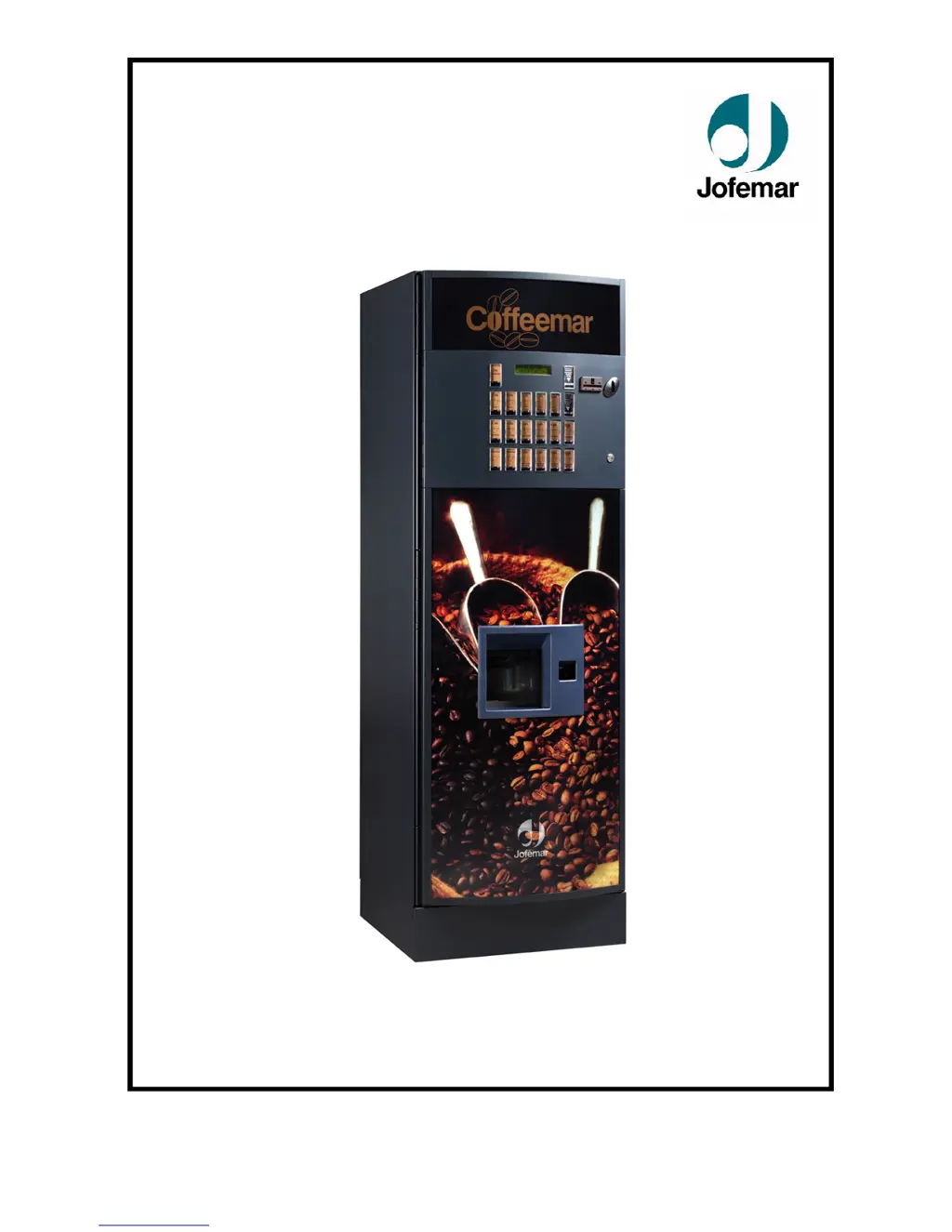
Jofemar COFFEEMAR G-500 V2 - User Manual

Jofemar COFFEEMAR G-500 V2
79 pages
Print Icon
To Next Page IconTo Next Page
Loading...
MNP37M03GBV00 Date: 24-11 Rev. 0
Page 1 of 79
INGLÉS
COFFEEMAR G-500 V2
USER’S MANUAL

Table of Contents

Questions and Answers

  • D
    Dustin WashingtonAug 20, 2025
    What to do if Jofemar COFFEEMAR G-500 V2 Vending machines display 'out of service' due to a full waste bin?
    • A
      Arthur DorseyAug 20, 2025
      If all coins are rejected, no sale is possible, and the display shows that the Jofemar Vending machine is out of service, it might be due to the waste bin being full. Check the fault in programming address “18” and try to reset it in address “19”. Empty the waste bin. If the bin isn't full, make sure the floater is correctly positioned and check the connections between the bin filling micro sensor and the control card.
  • J
    Joan TerryAug 22, 2025
    Why does my Jofemar Vending machine say 'out of service' and reject all coins?
    • D
      Dominic LopezAug 22, 2025
      If all coins are rejected, no sale is possible, and the display shows a message saying the Jofemar Vending machine is out of service, it could be because there are no cups. Insert cups into the cup dispenser as shown in this manual. Then, press the cup dispenser pushbutton to ensure they dispense correctly. Alternatively, the air break fault may be the cause. Check the fault in programming address “18”, try to reset the fault in address “19”. Check that the floater is not stuck, and inspect the cable harness between the air break card and the control card.
  • P
    Philip SmithAug 25, 2025
    Why does my Jofemar Vending machine display 'out of service' and reject all coins?
    • I
      istoneAug 25, 2025
      If all coins are rejected, no sale is possible, and the display shows a message saying the Jofemar Vending machine is out of service, it may be because the water circuit is being filled or the water in the boiler is being heated. Wait for the machine to complete these processes. Alternatively, there could be an NTC error. Check the connection terminals between the NTC boiler temperature probe and the control card. Also, check the connection terminals of the boiler heating element and ensure the solid-state relay is properly connected to the machine control card. Finally, verify that the overheat protection system in the pressure boiler hasn't been triggered.
  • K
    Kelly NelsonAug 26, 2025
    What causes the 'out of service' message on Jofemar COFFEEMAR G-500 V2 Vending machines due to a moving arm fault?
    • M
      Michael RossAug 26, 2025
      If all coins are rejected, no sale is possible, and the display shows a message saying the Jofemar Vending machine is out of service, it could be due to a moving arm fault. Check the fault in programming address “18”, and try to reset the fault in address “19”. Turn the machine off and then on again to see if the arm completes its full movement. If the movement is correct, check the connections with the control card.
  • G
    Gerald AshleyAug 27, 2025
    Why does my Jofemar J-2000 vending machine reject coins and show a '2' on the display?
    • H
      hunterjessicaAug 27, 2025
      If the J-2000 rejects a high percentage of coins and displays a “2” each time a coin is inserted in sales monitoring mode, the measuring slide might be dirty. Clean the selector with a cloth moistened with alcohol. If the problem persists, the selector should be sent to customer service for adjustment. Another cause may be that the selector door is not completely closed. Check the recovery motor operation and remove any obstructions.
  • M
    Michael StephensAug 29, 2025
    What to do if my Jofemar Vending machine doesn't completely dispense the product?
    • A
      Andrew RobinsonAug 29, 2025
      If the product hasn't been completely dispensed from your Jofemar Vending machine, the pressure boiler may not be completely full. Check if automatic filling occurs when the machine is turned on. If it doesn't, manually run a washing cycle and make sure the machine dispenses water through the 3 solenoid valves. It could also be a volume counter error. Manually run a washing cycle and ensure the machine dispenses water through the 3 solenoid valves. Inspect the volume counter and the connection between its wire harness and the control card. If everything seems fine, remove the volume counter and its water conduits, then blow towards the water outlet to check if the volume counter blade is blocked. If problems persist, send the volume counter to TSS.
  • A
    awalterAug 31, 2025
    Why won't my Jofemar J-2000 accept any coins?
    • S
      Samuel HughesAug 31, 2025
      If the J-2000 does not accept any coin and no digit appears when you insert a coin, the connection cable between the selector and the control card may be broken or disconnected. Connect the cable.
  • M
    Michele WolfSep 4, 2025
    What causes the 'INCORRECT SALE' message on my Jofemar Vending machine for some selections?
    • C
      Chelsea SuarezSep 4, 2025
      If some or all product selections on your Jofemar Vending machine result in INCORRECT SALE being displayed, there may be a machine configuration error. Access the OP_34 option and check that the products are properly programmed. Also, check that the machine links are properly programmed in option 23. Read the machine configuration, ensure that the product texts do not exceed 16 characters, and re-program the machine dosage. Contact TSS if problems persist.
  • D
    danielleholderSep 6, 2025
    Why are coins not accepted and a '1' appears on the display of my Jofemar vending machine?
    • J
      jhunterSep 6, 2025
      If coins are not accepted and a “1” appears on the display of your Jofemar Vending machine, the machine may not be responding to communications properly. Check the cables connecting the machine to the compact.
  • S
    Samantha BoltonSep 7, 2025
    Why do coins get stuck in the Jofemar J-2000 vending machine tubes?
    • M
      Marie WernerSep 7, 2025
      If coins get stuck at the entrance of the tubes in your Jofemar J-2000, it might be due to incorrect programming. Check the values of compact address “22”. Another cause may be sticking separators. In this case, send the J-2000 to customer service. It could also be that the wrong tube model is being used for the change combination. Replace the tubes.

Summary

Machine Safety Warnings

Machine Components Overview

Construction Details

Explains the physical build and materials used in the machine's construction.

Technical Specifications

Initial Electrical Installation

Guidelines for connecting the machine to the electrical supply, detailing voltage and socket requirements.

Installation and Startup Procedures

Physical Installation Guide

Steps for physically positioning and securing the machine in its operational location.

Initial Machine Startup

Steps to follow after installation, including power connection and label placement.

Connecting to Water Mains

Requirements and steps for connecting the machine to the water supply system.

Connecting to Mains Power

Instructions for safely connecting the machine to the electrical mains supply.

Safety Switch Functionality

Details on the machine's safety switch that cuts power when the door is opened.

Pre-Operational Setup

Loading Cups into Dispenser

Instructions on how to properly load cups into the machine's dispenser.

Loading Spoons into Dispenser

Guidelines for loading spoons into the machine's dispensing mechanism.

Filling the Water Circuit

Steps for filling the machine's internal water system before operation.

Cleaning and Disinfection Procedures

Instructions for cleaning and disinfecting internal components to ensure hygiene.

Loading Product Containers

Procedures for filling sugar, soluble products, and coffee beans into containers.

Machine Operation Concepts

Overview of Safety Systems

Explanation of the various safety features integrated into the machine's design.

Water Circuit Details

Description of the flow and components within the machine's water circuit.

Electrical Wiring Diagrams

Visual representation of the machine's electrical wiring and components.

Air-break Tank Operation

Explanation of the air-break tank's role in water supply regulation.

Pressure Boiler Functionality

Details on the pressure boiler's function in heating water for drinks.

Coffee Mill and Doser Assembly

Description of the mechanism that grinds coffee beans and dispenses the dose.

Coffee Brewing Assembly Details

Explanation of the mechanism responsible for brewing coffee with hot water.

Soluble Container and Beater Assembly

Description of the system for mixing soluble products with water.

Cup Dispenser Mechanism

Explanation of how cups are stored, selected, and dispensed.

Sugar and Stir-stick Dispensing

Description of the system that dispenses sugar and stir-sticks.

Rotating Arm Functionality

Explanation of the rotating arm's role in product delivery.

Optional Accessory Kits

Water Intake Pump Kit Installation

Instructions for installing an optional water intake pump kit for independent operation.

Water Softener Kit Installation

Details on installing an optional water softener kit to improve water quality.

Water Softener Usage and Regeneration

Instructions for using and periodically regenerating the water softener resin.

Flavour Filter Kit Installation

Information on installing an optional filter to enhance water quality for hot drinks.

Banknote Reader Kit Installation

Instructions for installing an optional banknote reader for payment processing.

Modem Kit Installation

Guidelines for installing an optional modem kit for remote machine control.

Machine Cleaning and Maintenance

Daily Cleaning Procedures

Routine cleaning tasks to be performed daily to maintain hygiene and function.

Weekly Cleaning Procedures

Cleaning tasks recommended for weekly execution to ensure machine cleanliness.

Monthly and Yearly Cleaning

Procedures for thorough cleaning and disinfection performed monthly and annually.

Regulatory Compliance Information

Product Dispensing Capabilities

Programming Mode Operations

Access Codes and Programming Overview

Introduction to the programming interface, keys, and access levels.

Price and Product Setup

Procedures for setting prices and associating products with selection keys.

Machine Configuration and Accounting

Settings for machine behavior, sales accounting, and product data management.

Fault Diagnosis and Maintenance

Procedures for reviewing faults, resetting errors, and performing machine maintenance.

Product Dose and PC Programming

Instructions for setting product doses and programming the machine using a PC.

Troubleshooting Common Issues

Jofemar COFFEEMAR G-500 V2 Specifications

General IconGeneral
BrandJofemar
ModelCOFFEEMAR G-500 V2
CategoryVending machines
LanguageEnglish

Related product manuals